
One warm shelf for the EPUB books, PDF documents, and CBZ comics you already own — with page translation and read-aloud built in.
Download on theApp Store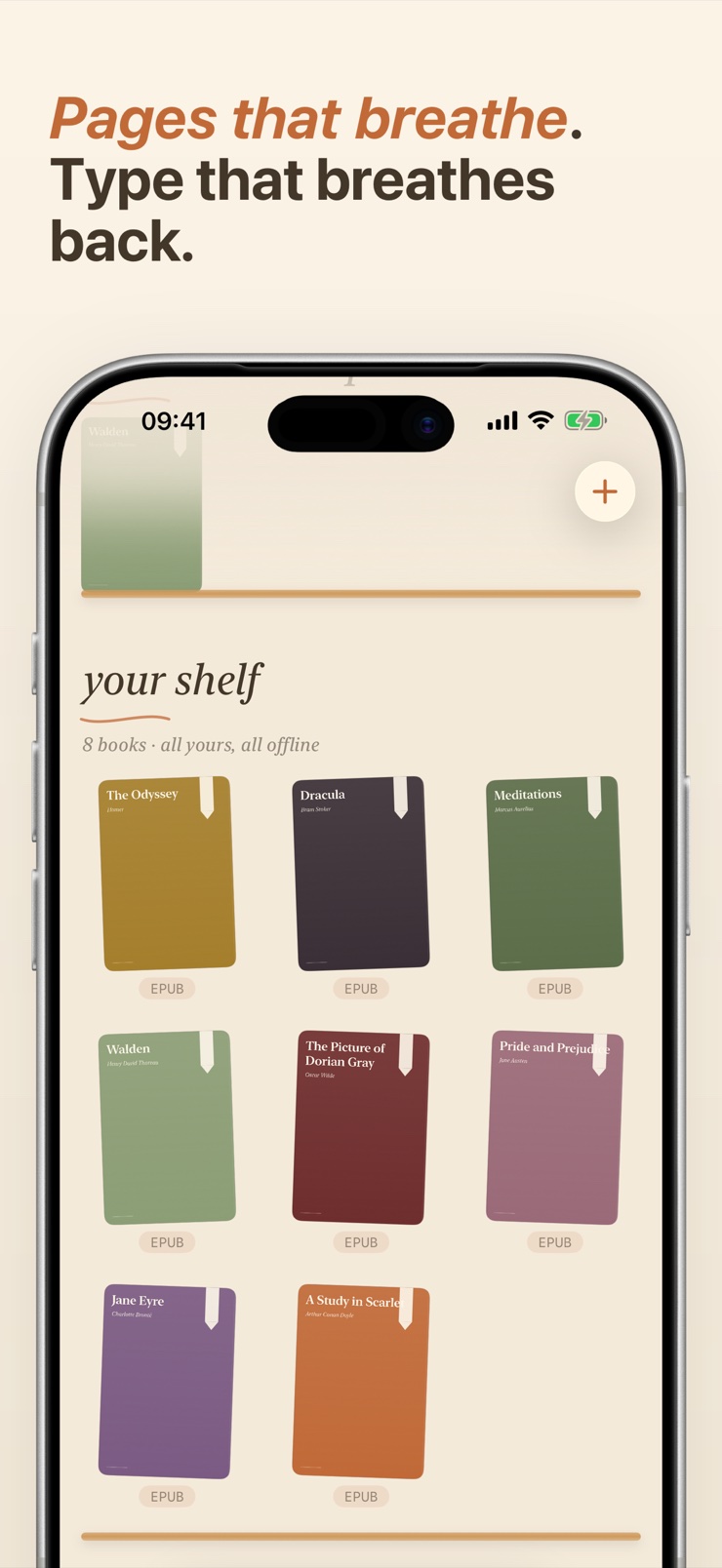
Quill is a reading app for the files you already have. EPUB books, PDF documents, CBZ and CBR comics and manga, and plain text files all live on one shelf, with no conversion step and no library cap. Add a book from Files, iCloud Drive, AirDrop, a share sheet, a direct download link, or a scanned page, and Quill remembers your exact place in it.
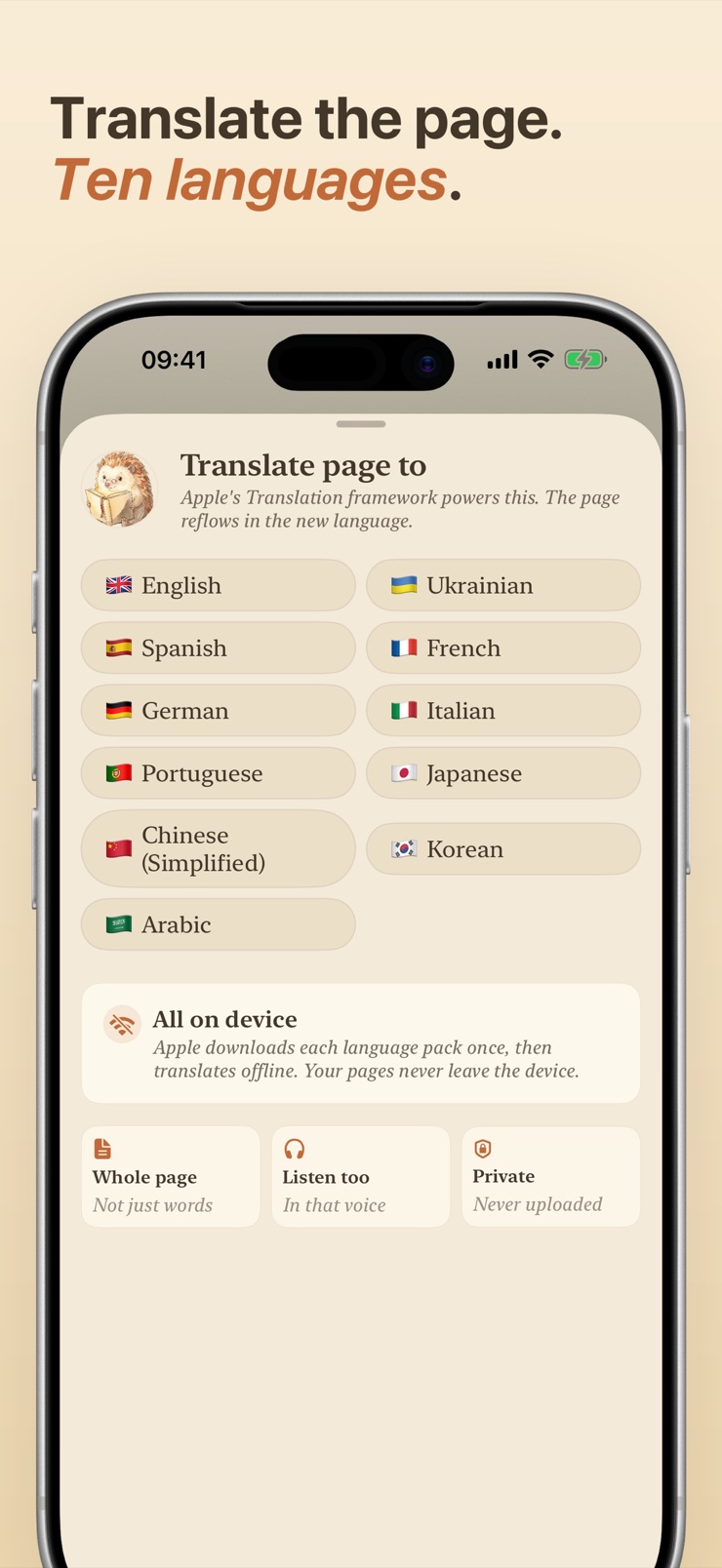
Two things set Quill apart from a basic file viewer. Tap the globe and the whole page reflows into your language — inline translation in ten languages, including Ukrainian, powered by the Apple Translation framework and running on your device. Press play and the page reads itself aloud with sentence-by-sentence highlighting; when a translation is on, Listen speaks in that language automatically.
There is no account and no store. Your library, highlights, and reading place stay on your iPhone, and optional iCloud sync mirrors them to your other devices only when you turn it on. Quill is not a bookstore, not a streaming app, and not a PDF form-filler — it simply reads your own files, cosily.
EPUB, PDF, CBZ, CBR, and plain text sit side by side in one library. Each file is fingerprinted on import, so the same book never lands twice.
Tap the globe and the page reflows into your language — not word by word, but the full page. Ten languages, including Ukrainian, all processed on device.
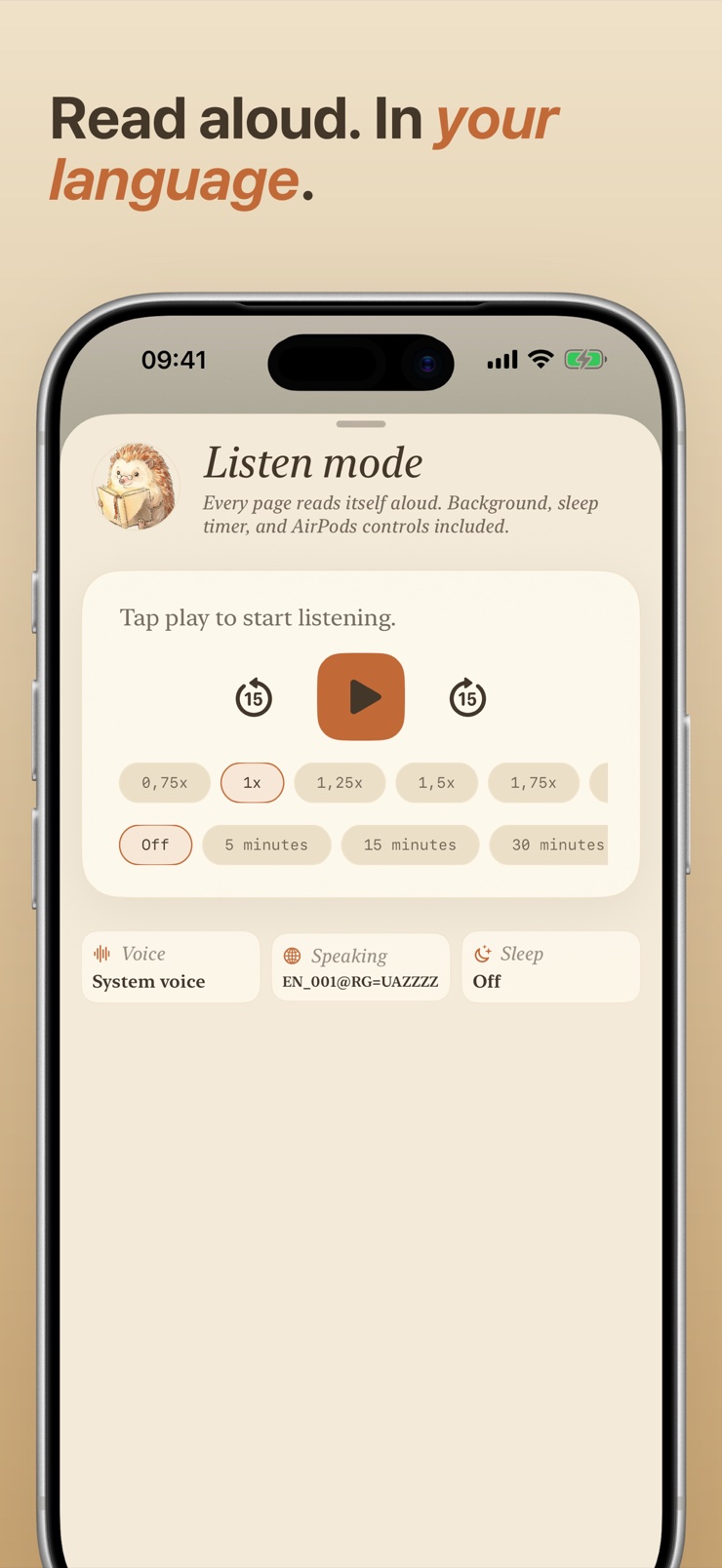
On-device text to speech reads any book aloud with sentence highlighting. Speed chips from 0.75x to 2x, a sleep timer, background audio, and AirPods controls.
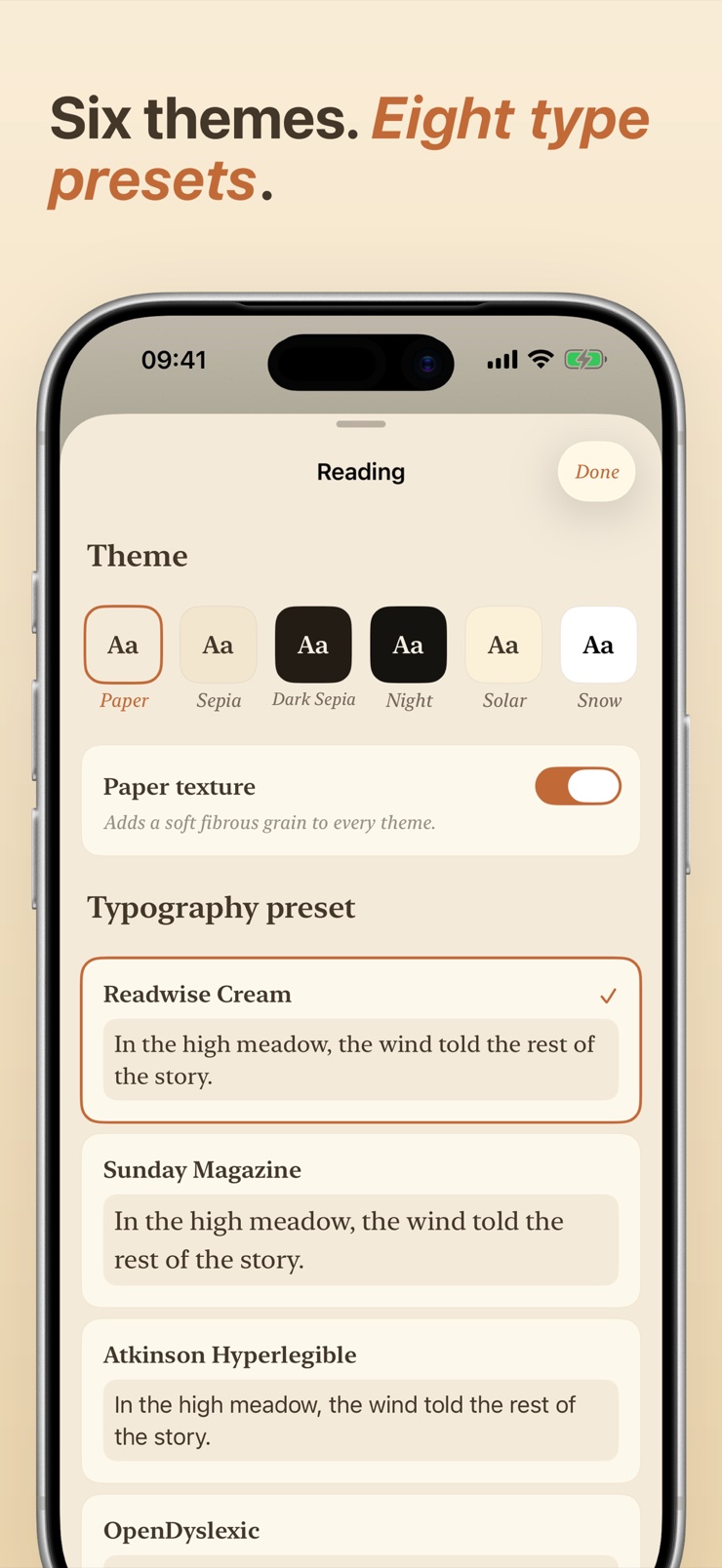
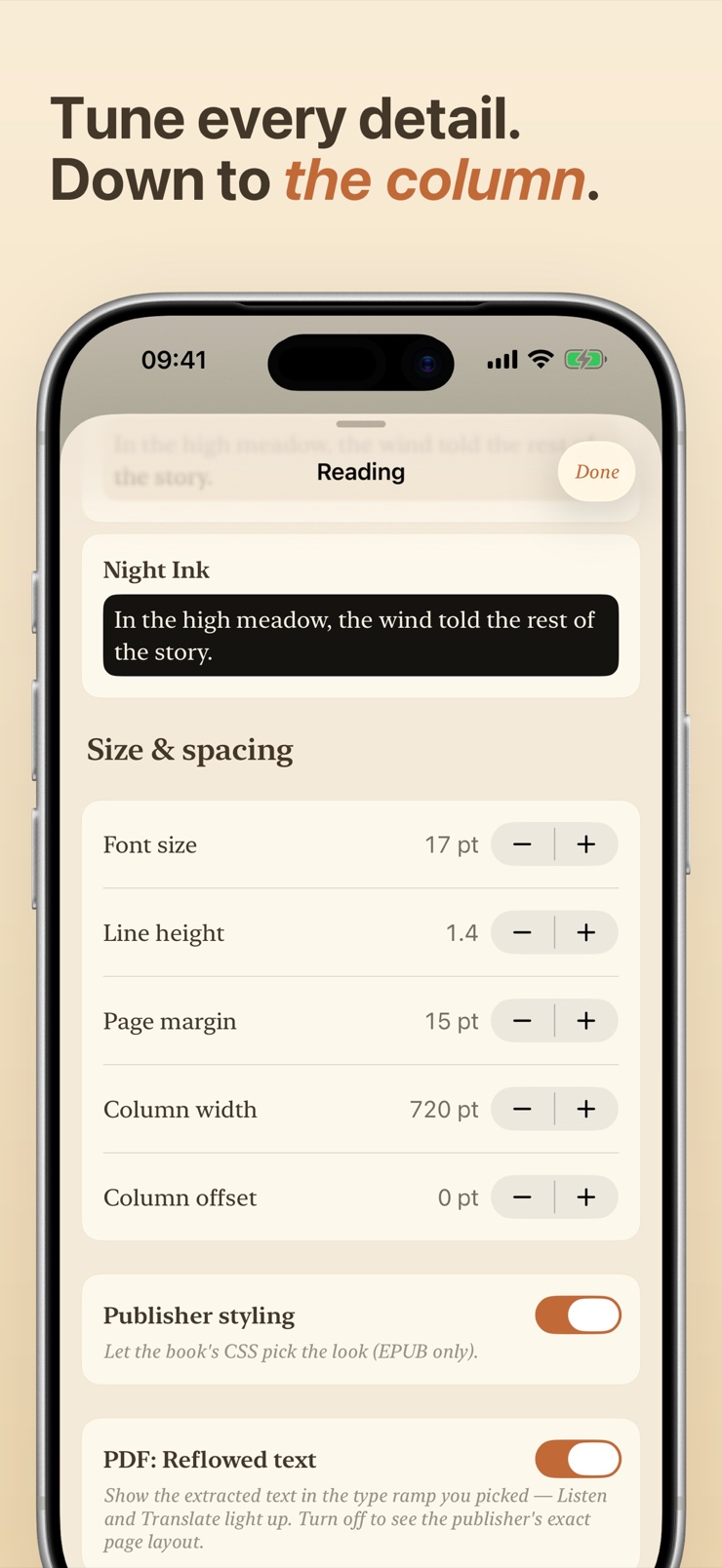
Six reading themes from warm Paper to pure Snow, and eight typography presets including OpenDyslexic and Atkinson Hyperlegible, with sliders for size, line height, and margin.
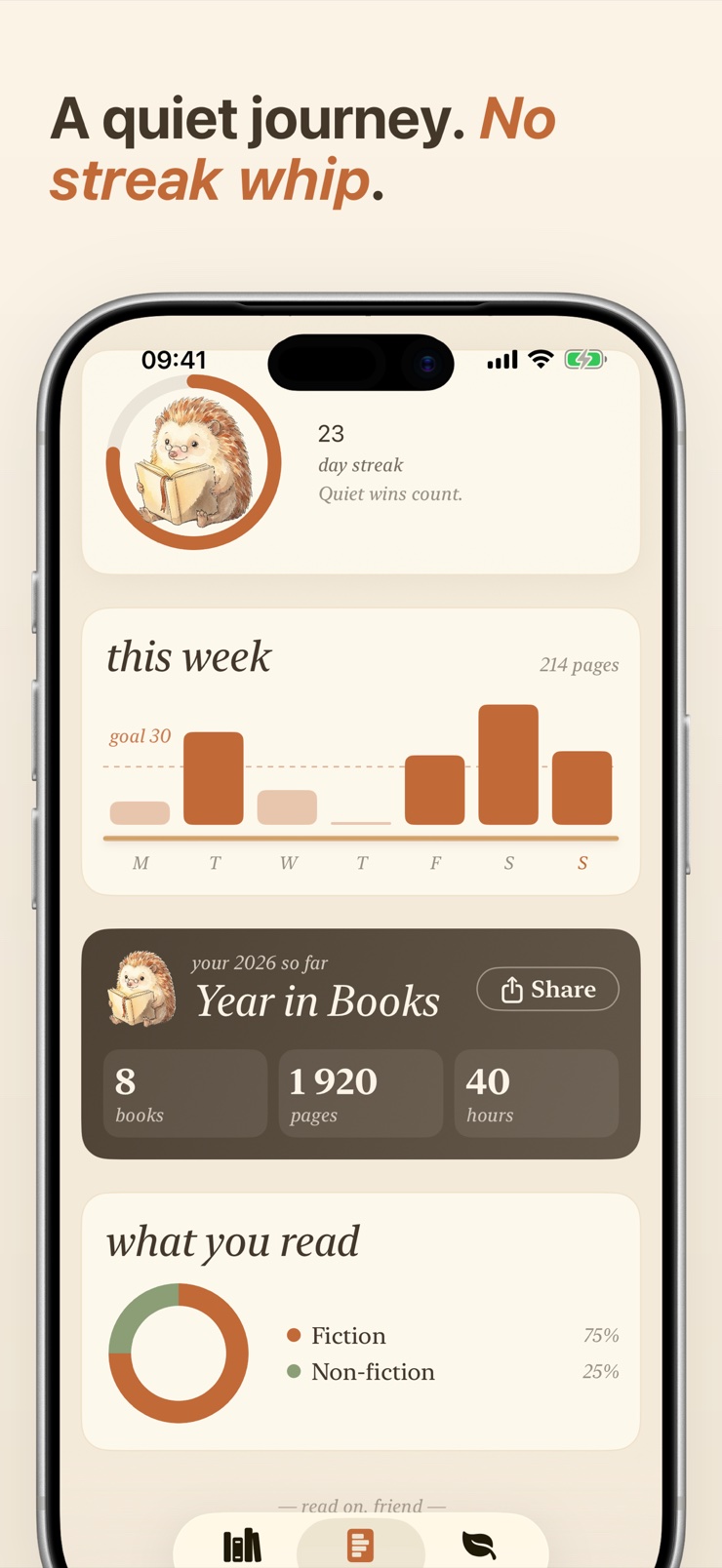
A gentle day-streak ring, a pages-this-week chart, and a finish ETA for the book you are on. Encouragement, never a streak whip.
No account, no required cloud, no analytics linked to you. Your books stay on your device, and optional iCloud sync is off by default.
Import from Files, iCloud Drive, AirDrop, another app's share sheet, a direct download link, or a document scan. EPUB, PDF, CBZ, CBR, and TXT all open without conversion.
Pick one of six themes and eight type presets, then fine-tune size, line height, margins, and column width until the page feels right.
Tap the globe to reflow the page into your language, or press play to hear it read aloud — in the translated language when a translation is on.
Quill saves your place with character precision, tracks a gentle weekly chart, and can mirror it all across your devices with optional iCloud sync.
iPhones do not open EPUB files out of the box in every app, so you need a reader that supports the format. Quill opens EPUB books directly — import one from Files, iCloud Drive, AirDrop, or a share sheet and it appears on your shelf, ready to read with your choice of theme and typeface. Your place is saved with character precision, so reopening the book puts you back on the exact line.
CBZ and CBR are archive formats used for comics and manga, and iOS has no built-in viewer for them. Quill reads both natively, with no unzipping or conversion, and shelves them next to your books and PDFs. Page position is remembered per file, so long series are easy to pick back up.
Yes — Quill has a built-in Listen mode that uses on-device text to speech to read any EPUB, PDF, or text file aloud, highlighting each sentence as it goes. It supports background audio, AirPods controls, Now Playing on the lock screen, a sleep timer, and playback speeds from 0.75x to 2x. Because the speech runs on your device, it works offline too.
In Quill you tap the globe icon and the entire page reflows into your chosen language — a full inline translation rather than a word-at-a-time lookup. Ten languages are supported, including Ukrainian, and the translation runs on device through the Apple Translation framework. A chunked translator keeps the rest of the book flowing in while you read the first chapter.
Yes. Quill's inline page translation includes Ukrainian among its ten languages, so you can open an English EPUB or PDF and read it as Ukrainian text. Listen mode follows the translation, speaking the page in a Ukrainian voice automatically. You will need the system language pack downloaded, since all translation happens on your device.
Quill treats PDFs as first-class books rather than documents: they sit on the same shelf as your EPUBs and comics, keep a precise reading position, and work with Listen mode for read-aloud. There is no editing, signing, or form-filling — Quill focuses purely on comfortable reading. That makes it a good home for PDF novels, papers, and scanned books.
Quill accepts books from the Files app, iCloud Drive, AirDrop, any app's share sheet, a direct download link, or even a scanned page. There is no account to create and no upload step — files are added straight to your on-device library. Each import is fingerprinted, so adding the same book twice never creates a duplicate.
Yes. Reading, listening, highlights, and your library all work with no connection, because everything is stored and processed on your device. Translation also runs on device once the system language pack is downloaded. You only need a connection to fetch a book from a link or to use optional iCloud sync.
OpenDyslexic is a typeface designed to reduce letter confusion, and Atkinson Hyperlegible was built for maximum character distinction. Quill ships both among its eight typography presets, alongside sliders for text size, line height, and margins. Combined with six themes — including a pure white Snow mode — you can shape the page to whatever reads most comfortably.
Yes. Quill lets you highlight passages as you read and keeps your exact position in every book automatically, so you rarely need manual bookmarks at all. Highlights stay on your device with the rest of your library, and optional iCloud sync can carry them to your iPad or other iPhone.
EPUB text reflows to fit your screen, type size, and margins, which makes it the most comfortable format on a phone. PDF preserves a fixed page layout, which suits scanned books, papers, and anything where design matters. Quill reads both — EPUBs get full typography control, and PDFs keep their layout — so you do not have to convert one into the other.
Yes. Quill's Listen mode supports background audio, so playback continues when you lock the screen or switch apps. You get AirPods controls and Now Playing on the lock screen, plus a sleep timer for reading in bed. The sentence highlight picks up where the audio is whenever you return to the page.
Some do, but Quill keeps your reading private: there is no account, no analytics tied to you, and your library never leaves your device. iCloud sync is optional, off by default, and uses your private iCloud space when enabled. If you delete the app, the files you imported are still yours.
Bring the books you already own to one cozy shelf — and read, translate, or listen your way.
Download on theApp Store