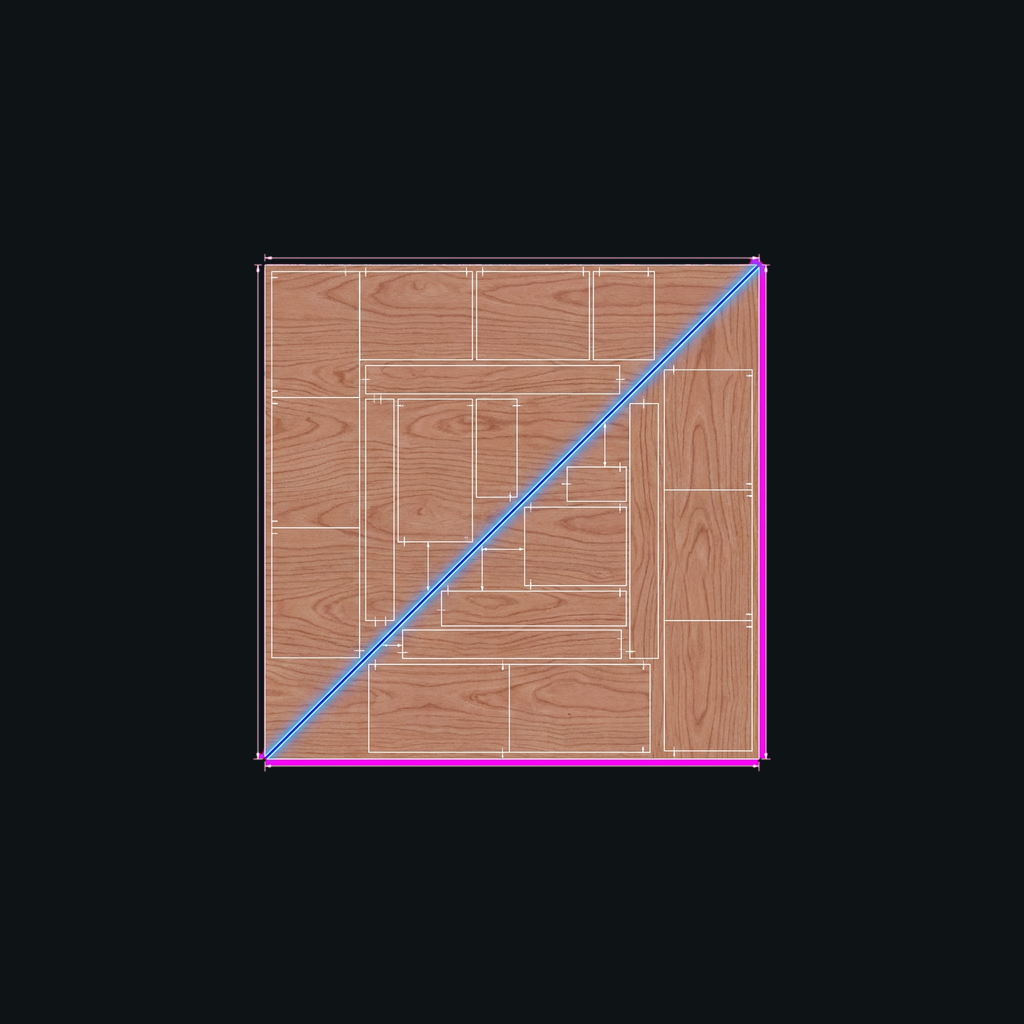
Turn a parts list into a printable cut diagram that respects grain direction and saw kerf, packed onto the fewest boards.
Download on theApp Store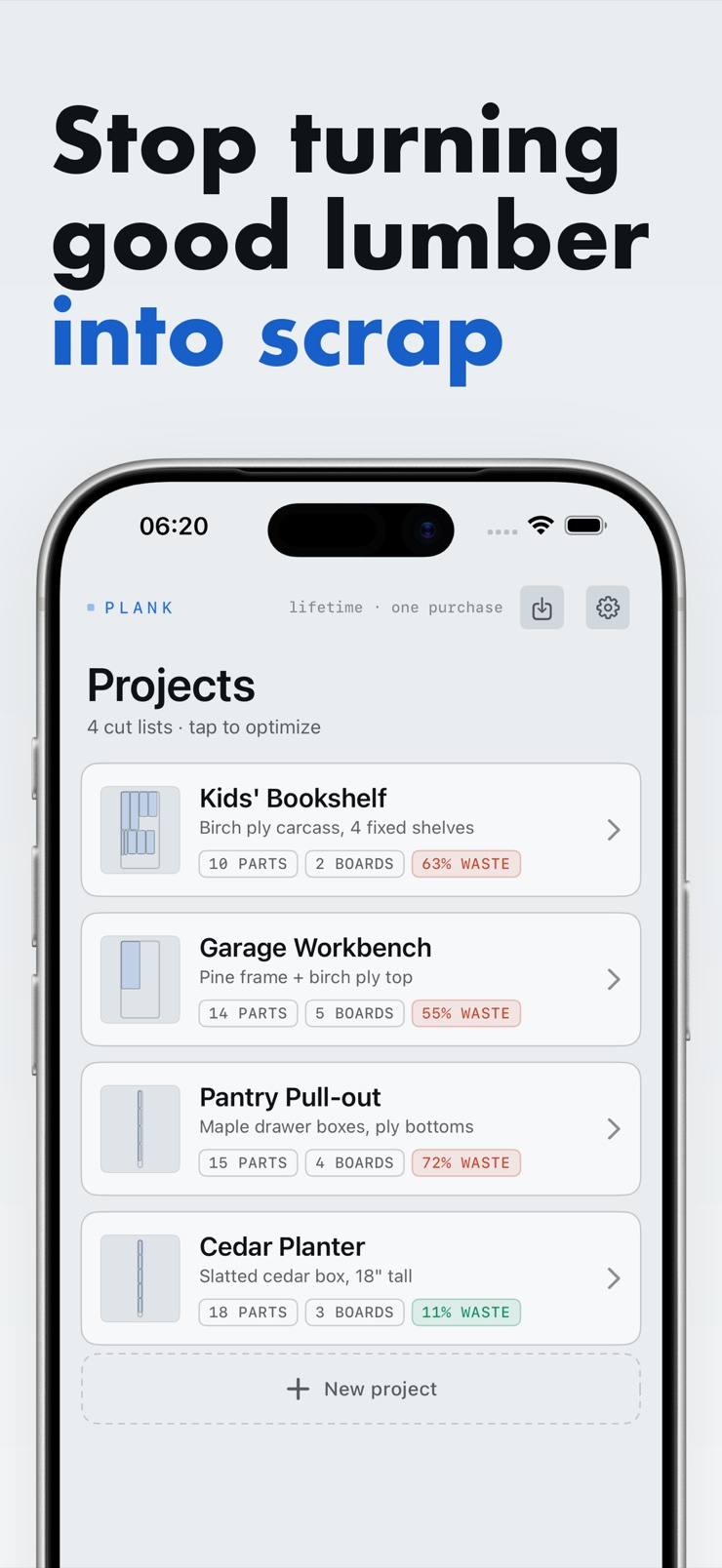
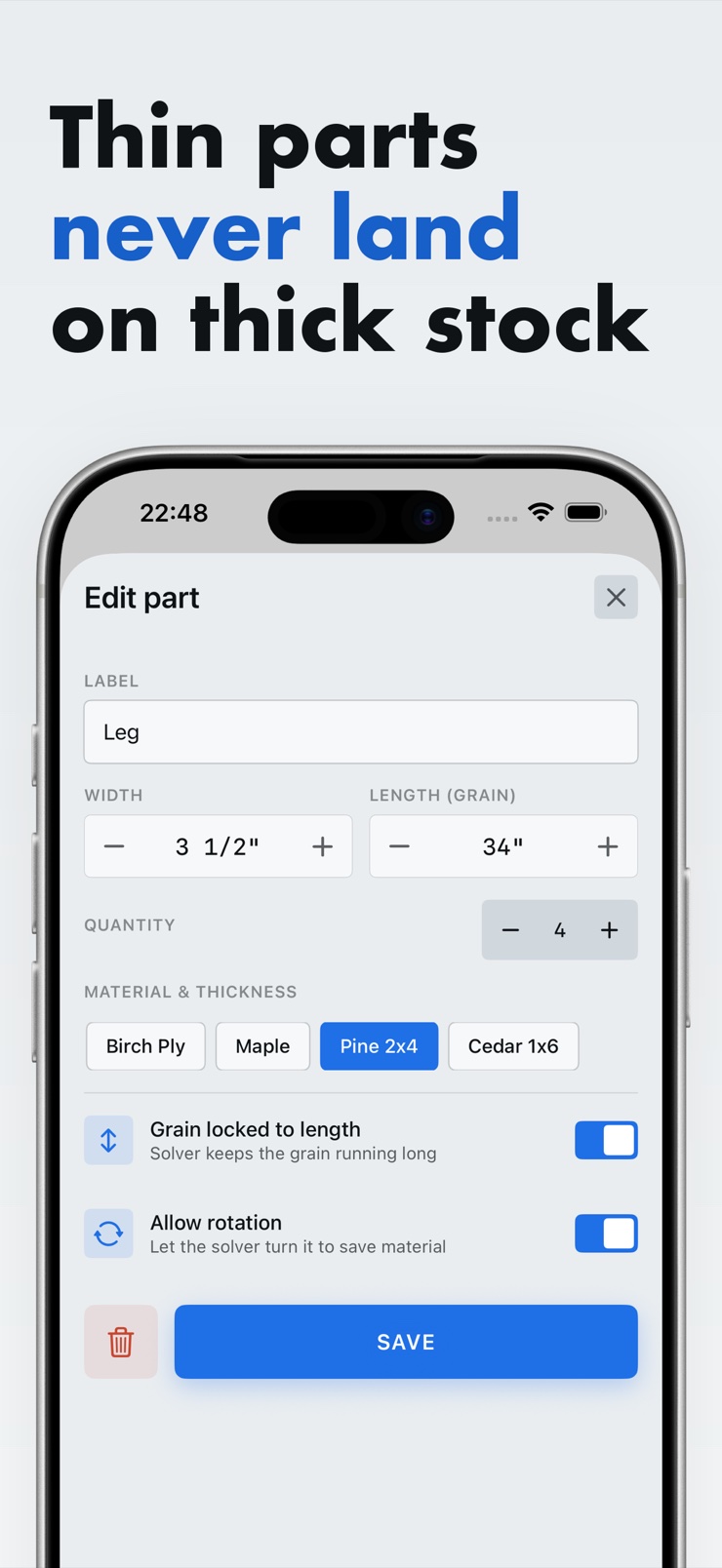
Plank turns a list of parts into a printable cut diagram for the boards and sheets you already buy at the lumberyard. Type in your parts and the stock you have on hand, and Plank packs them onto the fewest boards — with the waste total right there on a receipt.
The math matches the shop. Grain direction is a per-part toggle the solver actually respects, and the saw blade kerf is subtracted from every single cut, so the layout on paper matches what comes off your blade. Fractional inches are the primary input, with millimeters and centimeters too.
Everything runs on your device. There is no network, no account, and nothing is uploaded anywhere. When the layout is ready, print the diagram and walk to the saw.
Mark any part as grain-locked and the solver keeps it aligned with the board's grain. Parts that can rotate, do; parts that can't, don't.
Your saw blade's kerf is subtracted from every cut, so the diagram matches your blade instead of pretending cuts are zero-width.
Type 23 1/4 and it just gets it. Millimeters and centimeters work too, for metric stock and imported hardware.
Each part carries its own thickness, so a 1/4-inch panel never lands on a 3/4-inch board in the layout.
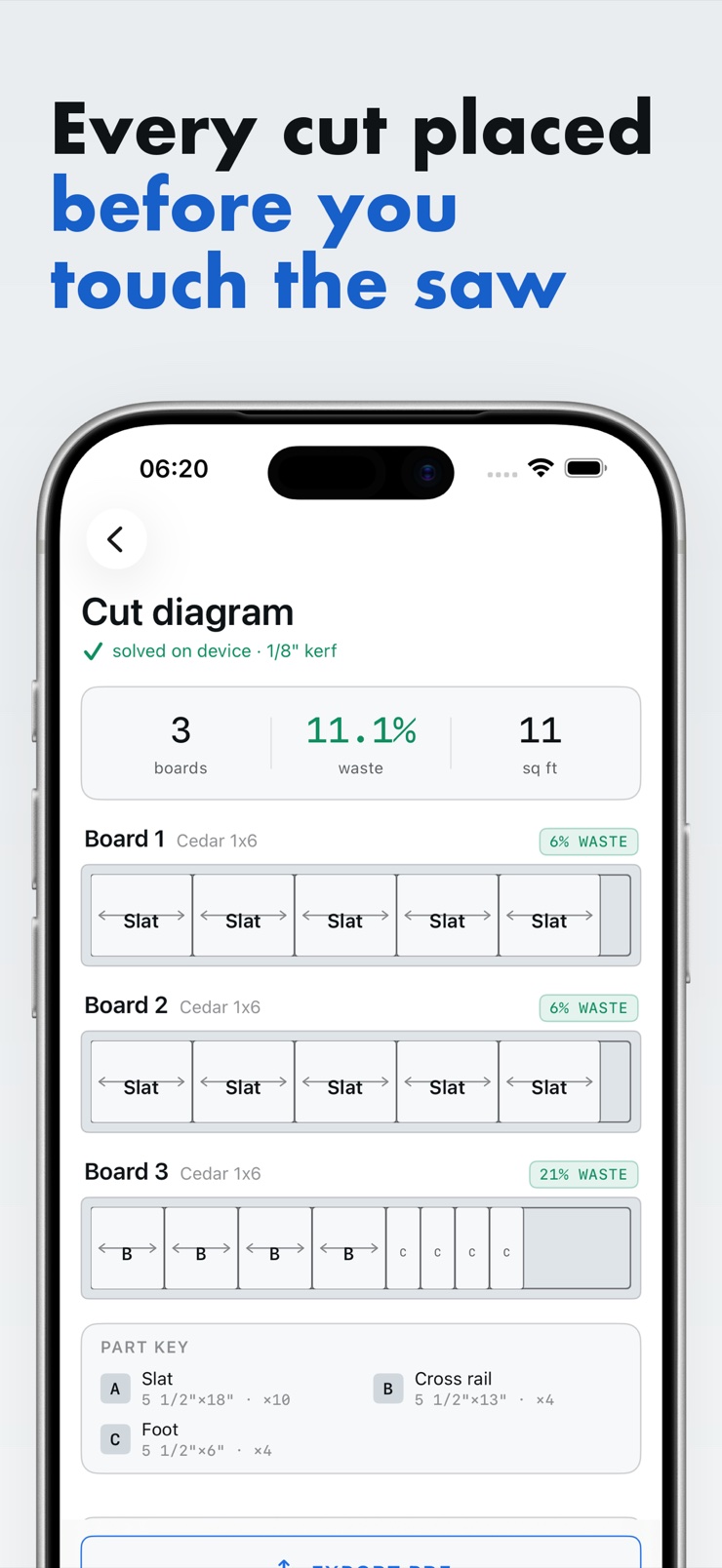
Each solution shows boards used, total waste, and any parts that did not fit — so you can check the math before you buy stock.
Export a labeled, dimensioned cut diagram with a summary block, and round-trip your parts through the Files app as plain CSV.
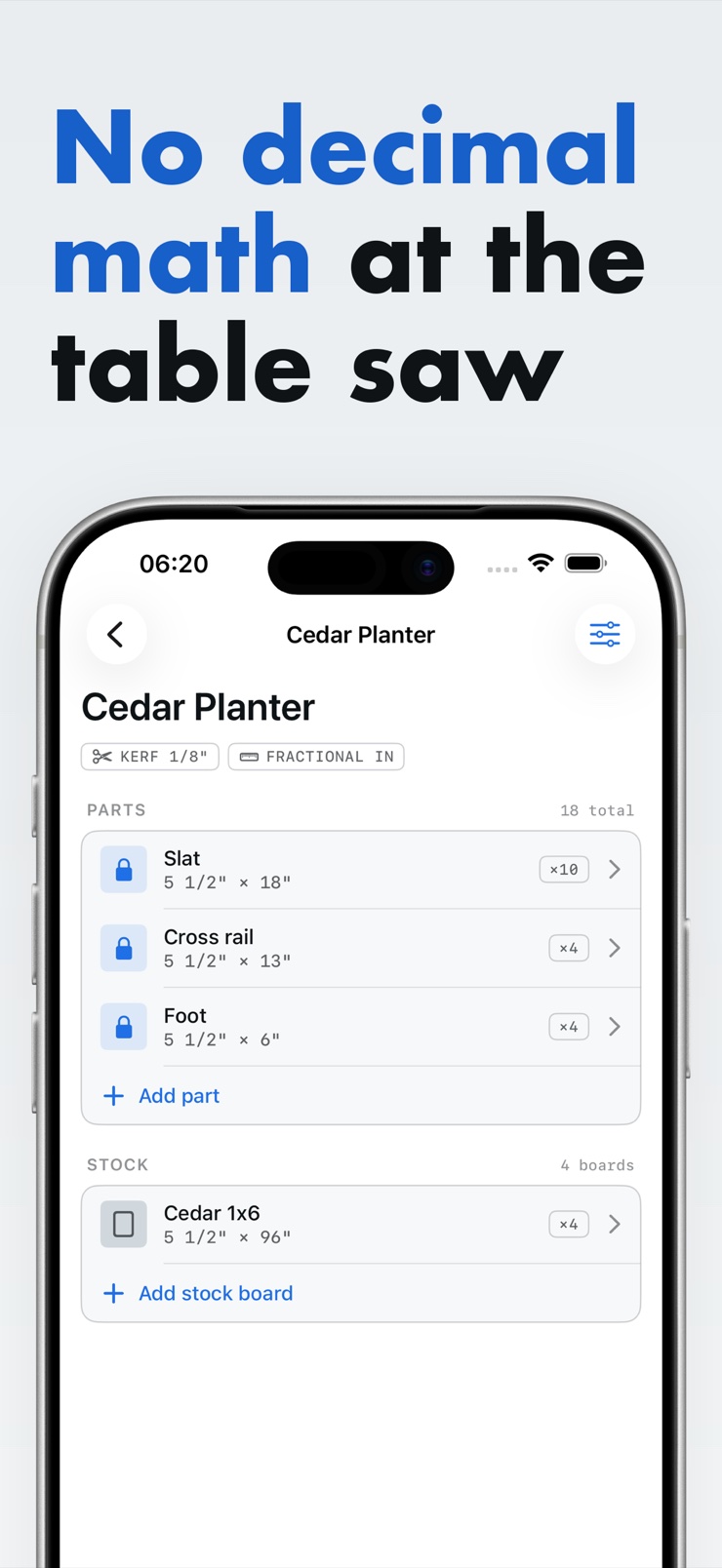
Type each part's dimensions, quantity, thickness, and whether its grain direction is locked. Fractional inches, millimeters, and centimeters all work.
Add the boards and sheets you have on hand or plan to buy, with their dimensions and your saw blade's kerf.
Plank packs the parts onto the fewest boards, respecting grain and kerf, and shows a receipt with boards used and total waste.
Export the labeled cut diagram, print it, and take it to the saw. The layout on paper matches the blade.
A cut list optimizer takes the parts you need for a project and figures out how to lay them out on your boards or sheet goods with as little waste as possible. Done by hand, this is slow trial-and-error on graph paper. Plank does the packing math on your iPhone and gives you a printable diagram plus a waste total for every solution.
Yes. Plank nests your parts onto plywood sheets and lumber boards so they use the fewest pieces of stock, and every solve reports total waste up front. You can compare stock options before you buy, instead of discovering the leftover problem at the saw.
Parts like door rails, drawer fronts, and tabletops usually need the wood grain running a specific way, which means they cannot simply be rotated to fit a gap. In Plank, grain is a per-part toggle the solver genuinely respects: grain-locked parts stay aligned with the board, and only free parts get rotated to tighten the layout.
Kerf is the width of material your saw blade removes with each cut — typically around 1/8 inch for a table saw blade. A cutting plan that ignores kerf will be off by a blade's width on every cut, and the last part on the board won't fit. Plank subtracts your blade's kerf from every cut so the printed layout matches reality.
Yes — fractional inches are Plank's primary input, because that is how lumber is actually measured in the shop. Type 23 1/4 and it is understood immediately. Millimeters and centimeters are fully supported too, so metric plans and imported stock are no problem.
Yes. The solver runs entirely on your device with no network connection and no account. That means it works in a garage or basement shop with poor reception, and your project data never leaves the phone.
Plank exports a printable diagram with labeled parts, dimensions, and a summary block showing boards used and total waste. You can print it directly from your iPhone or save it via the Files app and print from any computer, then pin the sheet up next to the saw.
Yes. Plank round-trips through the Files app using plain, generic CSV. If your project's parts live in a spreadsheet, export them as CSV and map the columns on import; you can export your Plank data back out the same way.
Plank tells you instead of silently squeezing things. Every solve produces a receipt listing boards used, total waste, and any parts that did not fit, so you know exactly what extra stock to buy before you start cutting.
Yes. Thickness is set per part, and the solver only places parts on stock of matching thickness — a thin panel never lands on a thick board. That lets you plan a whole project with mixed 1/4-inch, 1/2-inch, and 3/4-inch material in one pass.
Even a small project — a bookshelf, a garage cabinet — involves a dozen parts and a couple of sheets, which is exactly where layout mistakes waste a trip to the lumberyard. A quick solve takes seconds, shows the waste number, and catches the part that would not have fit. It is cheap insurance on material that keeps getting more expensive.
A cut list is the table of parts — names, dimensions, quantities. A cutting diagram is the picture that shows where each part sits on each board and where every cut goes. Plank takes your cut list as input and produces the cutting diagram as output, with kerf and grain already accounted for.
Plan the cuts before you reach for the saw.
Download on theApp Store