
A quiet diabetic journal — log glucose, insulin, and carbs in seconds, see your trends, and keep every reading on your own device.
Download on theApp Store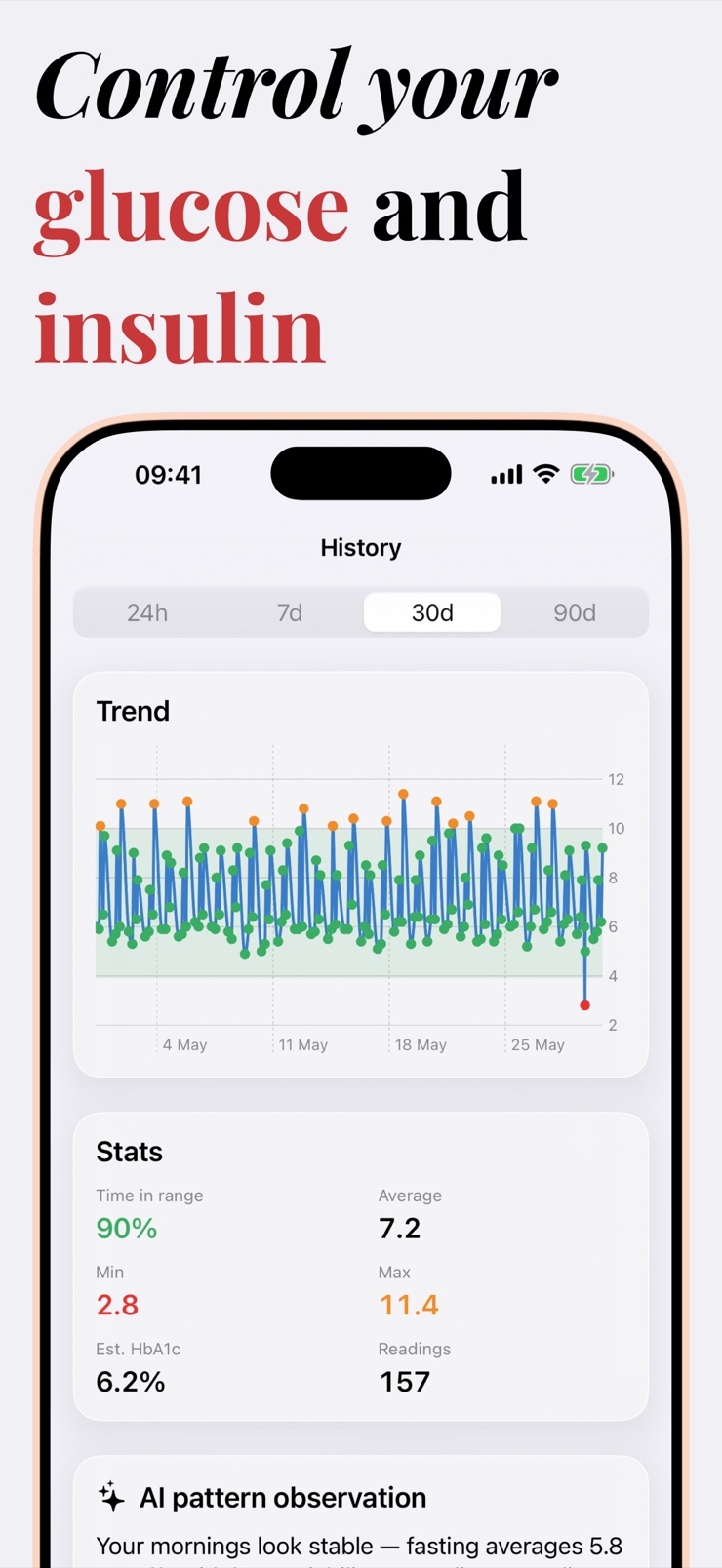
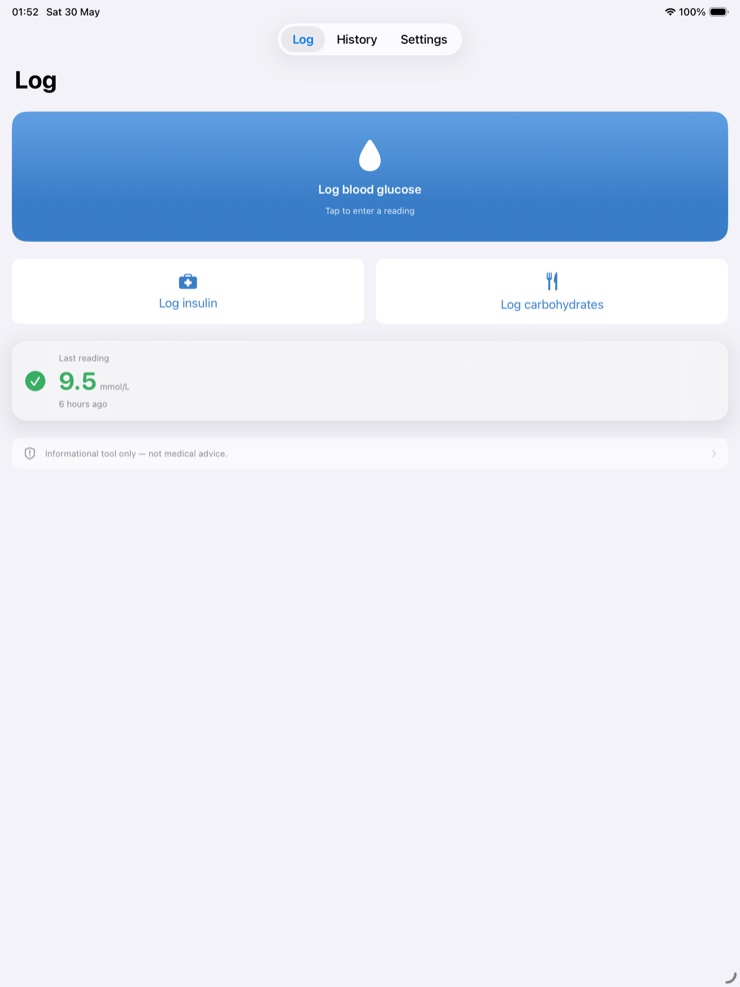
Blood Monitor is a quiet diabetic journal for your phone, watch, and Apple Health. Logging takes seconds — big buttons for glucose, insulin, and carbs, a Watch app for your wrist, and Siri if your hands are full. There is no account and no server; your data stays on your device.
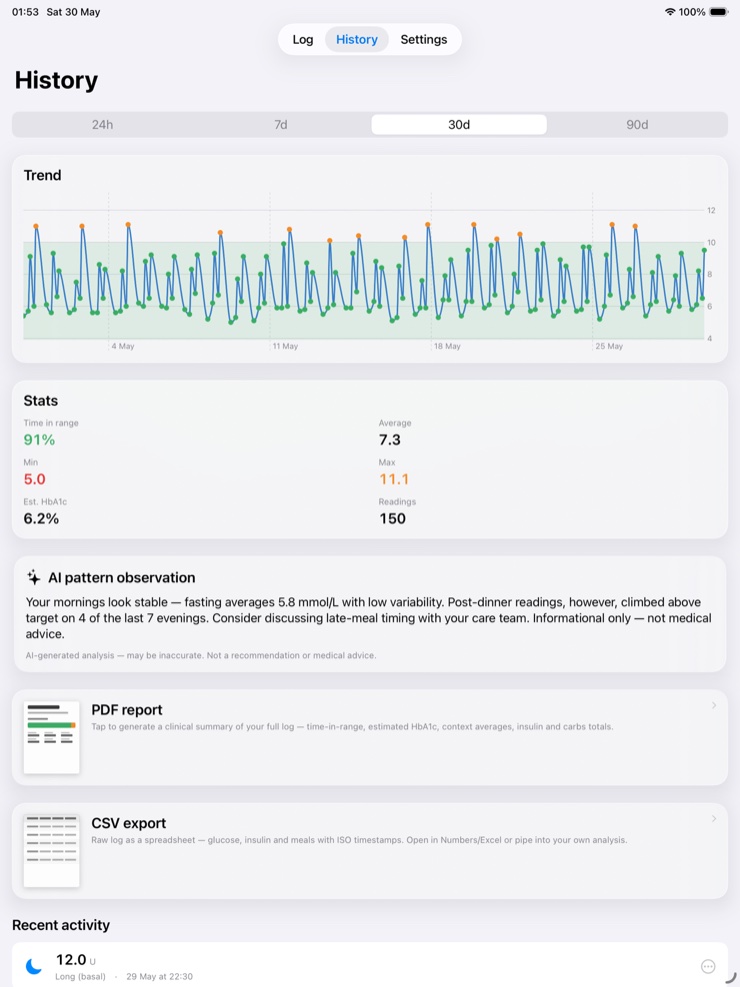
The journal turns your entries into a picture you can act on with your care team: time-in-range, average, an estimated HbA1c, and a trend chart for the day, week, month, or quarter, all on one timeline. On-device intelligence quietly points out post-meal spikes, fasting trends, and shifts in time-in-range — nothing is uploaded.
Blood Monitor is a journal, not a medical device. It does not give dosing advice, and you should never change insulin or medication because of what you see here — always follow your care team. When it is time for an appointment, export a clean PDF of your full log, or a raw CSV if you want the numbers yourself.
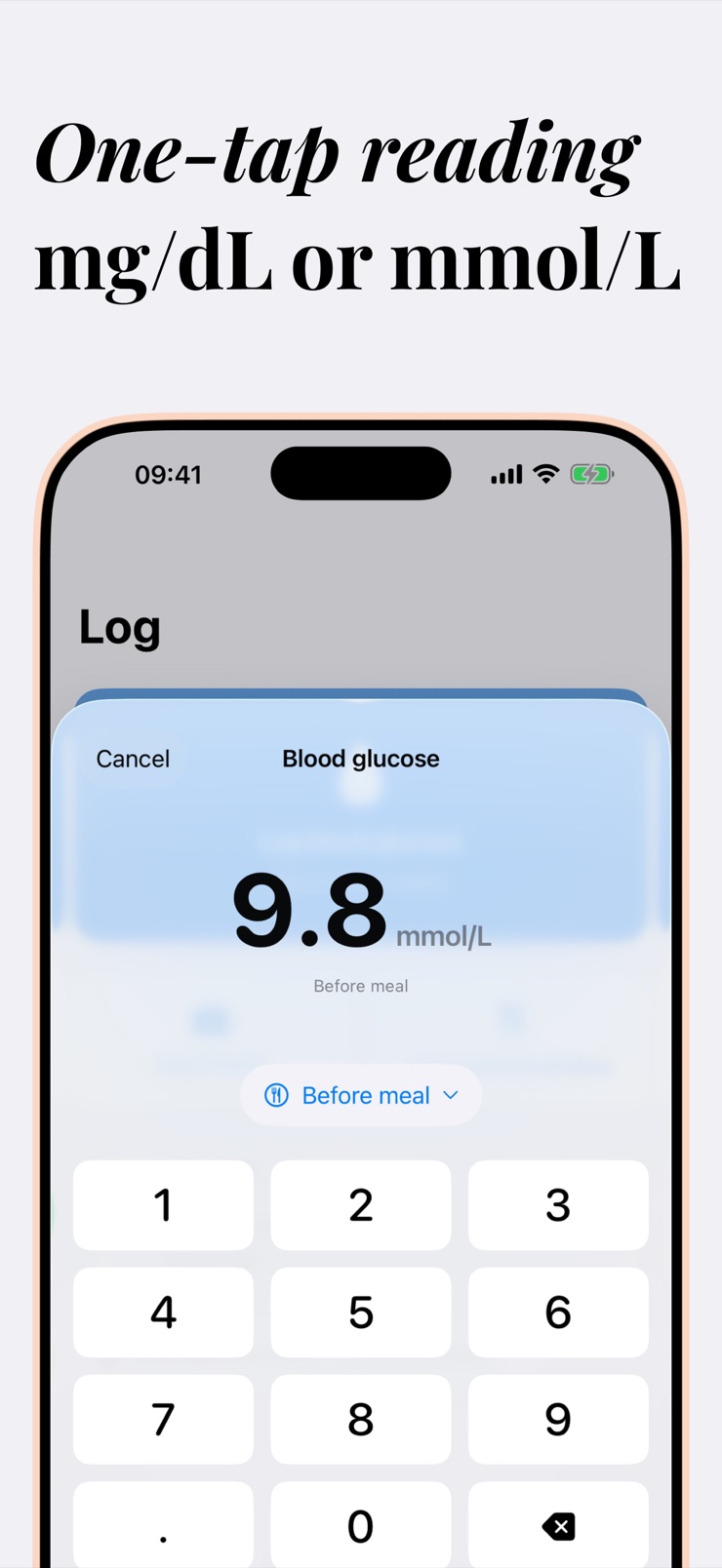
Big buttons for glucose, insulin, and carbs. Log from the iPhone, from the Apple Watch on your wrist, or by voice through Siri.
See time-in-range, average, min and max, and an estimated HbA1c, with a trend chart across day, week, month, or quarter.
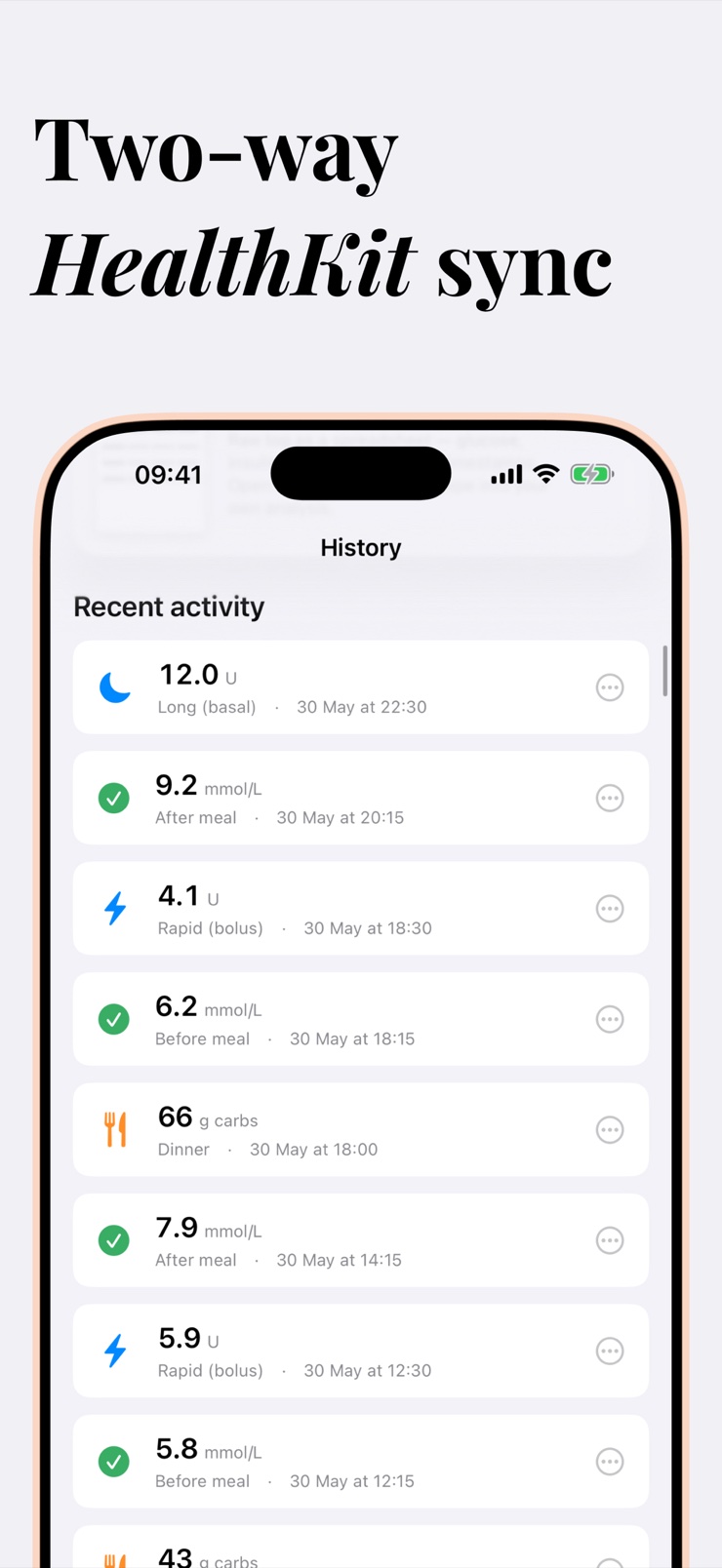
Readings flow both ways with Apple Health, in the units you already use — mmol/L or mg/dL.
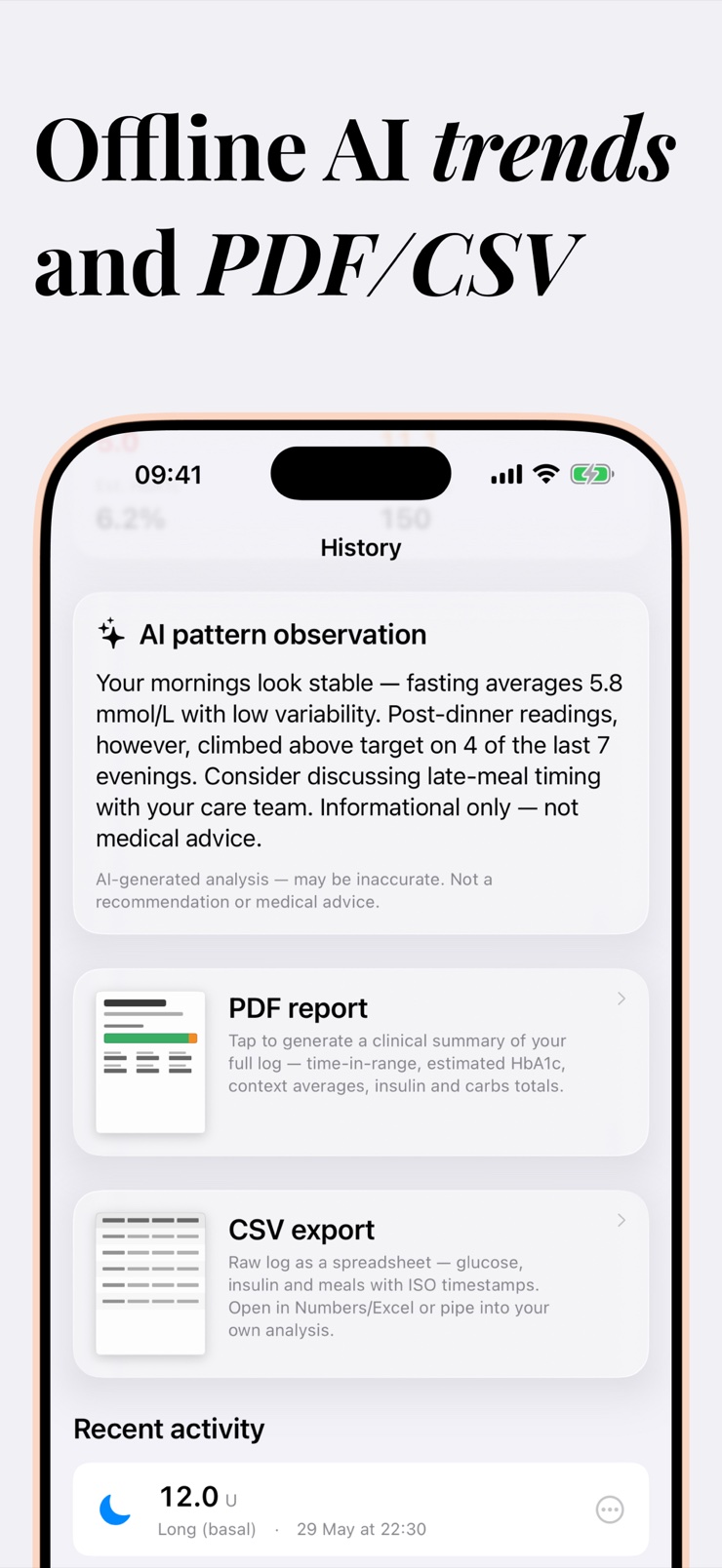
Apple Intelligence runs entirely on the device and quietly surfaces post-meal spikes, fasting trends, and time-in-range shifts. Nothing is uploaded.
Bring a clean one-tap PDF of your full log to your appointment, or export raw CSV to crunch the numbers yourself.
No account, no server. Your data lives on your device, and multiple devices stay in sync through your own iCloud, never through us.
Tap in a glucose reading, insulin dose, or carb count in seconds — on the phone, on the watch, or hands-free with Siri.
Every entry lands on one timeline with your trend chart, time-in-range, average, and estimated HbA1c.
On-device observations point out post-meal spikes and fasting trends so you know what to bring up with your care team.
Generate a clean PDF of your full log, or a CSV, and walk into the appointment with the whole picture.
Yes. Blood Monitor is a diabetic journal for iPhone and Apple Watch that logs glucose readings, insulin doses, and carbs, then shows them on one timeline with time-in-range, averages, and an estimated HbA1c. Logging is designed to take seconds, because a journal only works if you actually keep it.
Yes. Blood Monitor includes a Watch app, so you can record a glucose reading, insulin dose, or carbs directly from your wrist without pulling out the phone. Entries sync into the same timeline as everything else.
Time-in-range is the share of your readings that fall inside your target glucose band, and many care teams treat it as a more actionable day-to-day measure than a single average. Blood Monitor calculates it automatically from your logged readings and shows how it shifts over days, weeks, and months.
HbA1c is the lab measure of average blood glucose over roughly three months. An estimated HbA1c is a rough projection computed from your logged glucose average — useful as a between-labs orientation, never a replacement for the lab test. Blood Monitor shows the estimate alongside your trend chart and clearly treats it as an estimate.
Yes, in both directions. Readings you log in Blood Monitor can flow into Apple Health, and glucose data already in Apple Health appears in the app, in the units you already use. That keeps your journal aligned with the rest of your health data without double entry.
Both. Blood Monitor follows the glucose unit you use — mmol/L or mg/dL — and keeps it consistent across the app, the Watch, Apple Health sync, and exports.
Blood Monitor deliberately does not. It is a journal, not a medical device, and it never gives dosing advice or treatment recommendations. Insulin and medication decisions belong with you and your care team; the app's job is to make the record you bring them complete and readable.
Export a clean PDF of your full log in a couple of taps and email it, print it, or show it at the appointment. If you or your clinic prefer raw data, there is a CSV export too. Many people find appointments go faster when the whole log arrives as one tidy document.
Yes. There is no account and no server — your entries are stored on your device. If you use more than one device, they sync through your own iCloud, never through us. The on-device analysis also stays local; nothing about your readings is uploaded.
Yes. If your hands are full — cooking, driving, holding a lancet — you can log a reading by voice through Siri and it lands on the same timeline as your other entries.
The on-device intelligence looks for the patterns worth discussing with your care team: post-meal spikes, fasting-glucose trends, and shifts in your time-in-range. It observes and points things out in plain language — it never tells you to change treatment, and the analysis never leaves the phone.
A glucose journal is useful whenever you and your clinician want a clearer picture between visits — that includes type 1, type 2, gestational diabetes, and prediabetes monitoring. Blood Monitor does not assume a diagnosis; it records what you log, shows the trends, and leaves interpretation to you and your care team.
Yes. Carbs are one of the three big-button entries, next to glucose and insulin, so a meal takes seconds to record. Having carbs on the same timeline is what makes post-meal patterns visible later.
A quiet, private glucose journal that is ready before your next appointment.
Download on theApp Store