
Name the feeling, rate it 0 to 10, note what helped — and see your whole week on one page.
Download on theApp Store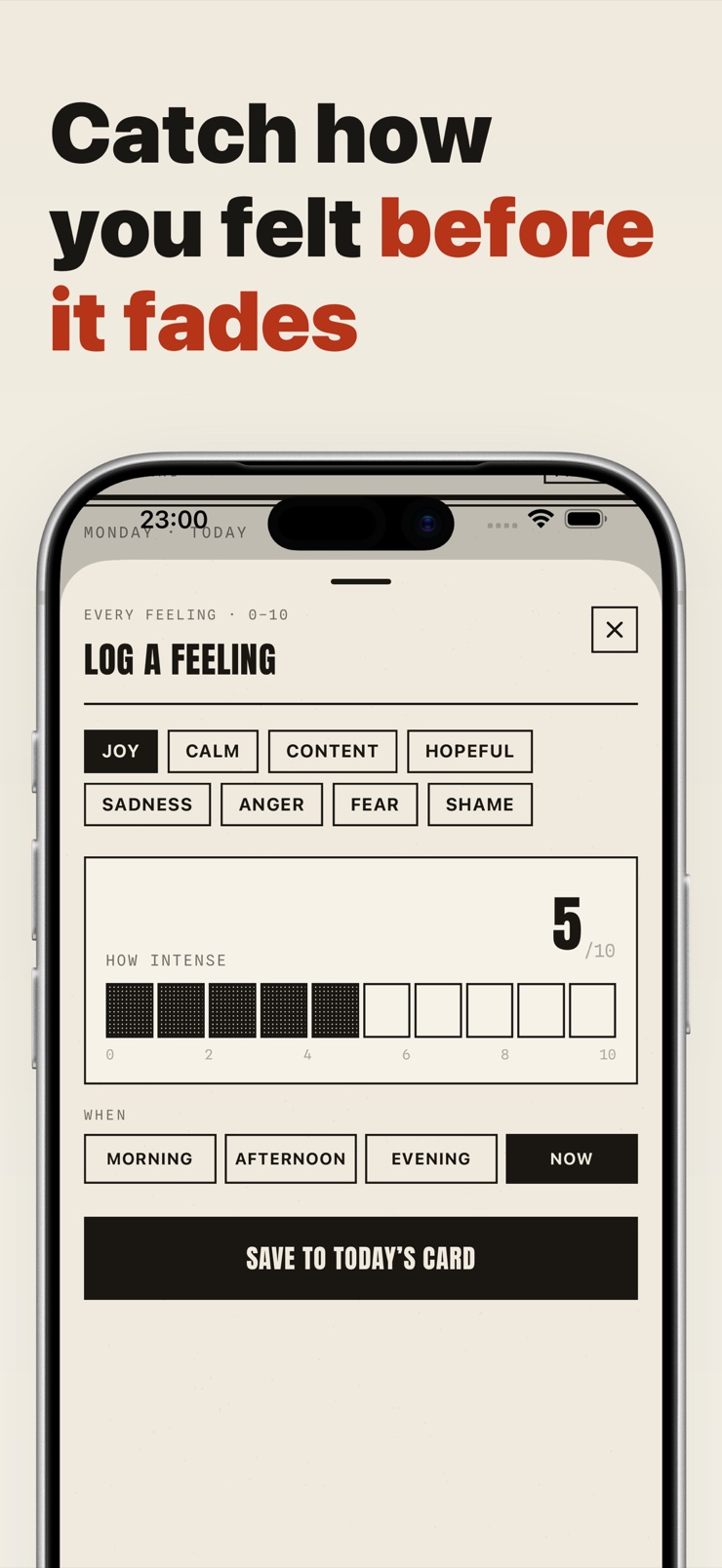
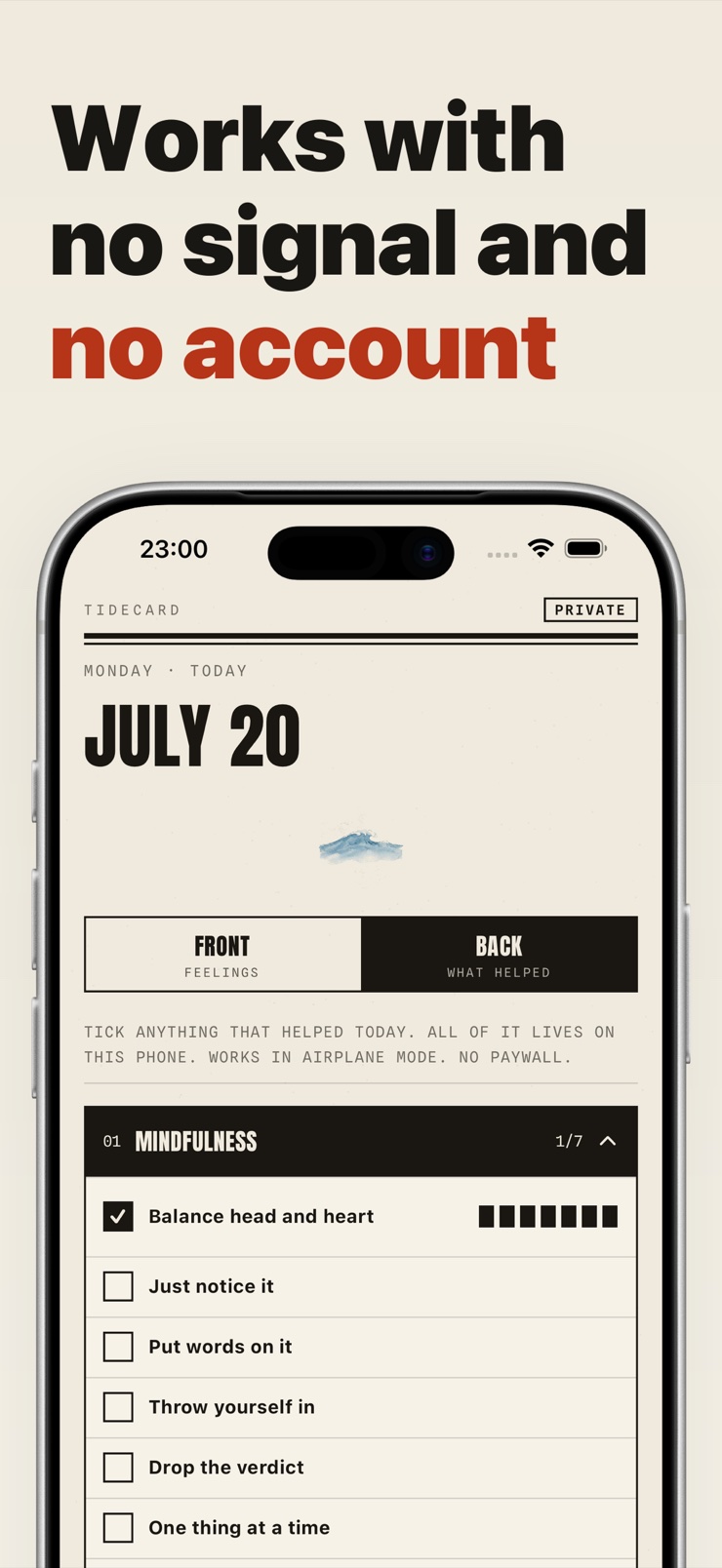
Tidecard is a small journal for how you feel. Open it, pick the feeling, set how strong it was on a 0 to 10 scale, add a note if you want, and close it again. It takes seconds, which is the only reason a journal like this ever gets kept.
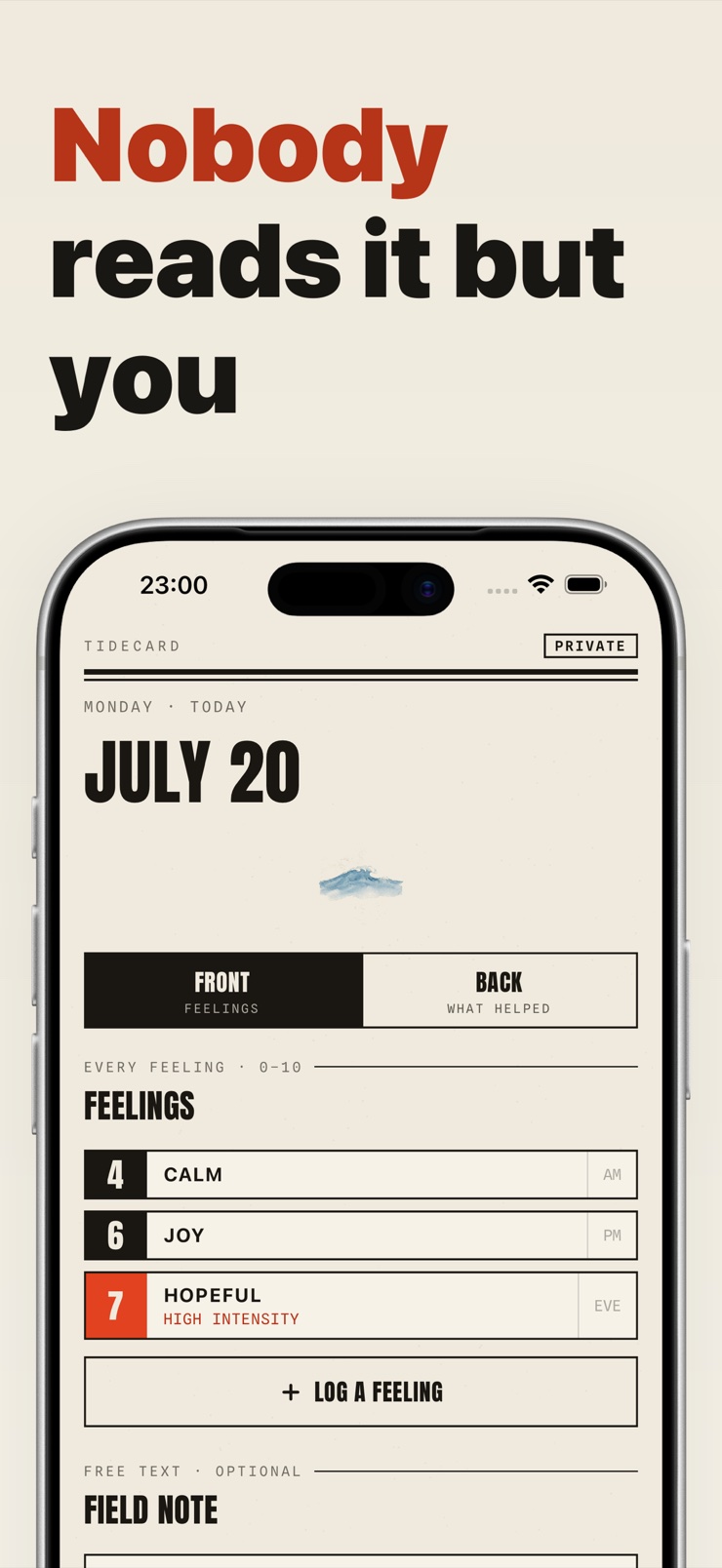
Real days are messy, and the journal is built for that. You can log the same feeling several times in one day, each with a real timestamp, and note what you did that helped. At the end of the week, a summary shows the whole thing at a glance.
Everything stays on your device. There is no account to create and nothing is uploaded — the only way an entry leaves your phone is if you export a PDF yourself.
How strong a feeling was is the part that changes week to week, so intensity is part of every entry instead of a checkbox.
The same feeling can be logged several times per day with real timestamps, because real days work that way.
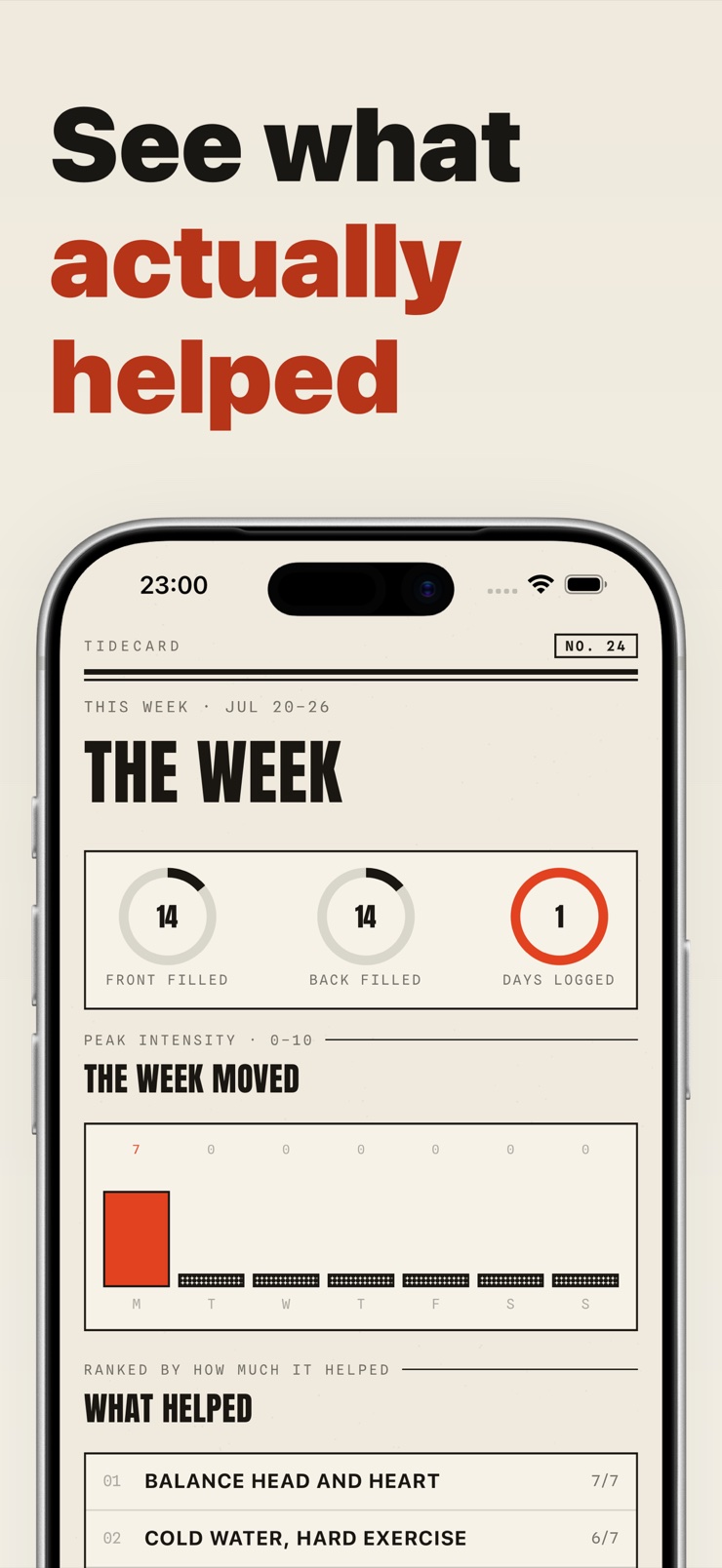
A built-in library of small things people try when they need a moment — slow down, settle, reach out. Tag what you used and how much it helped.
A clean summary of the week: what came up, how strong it was, and what you leaned on.
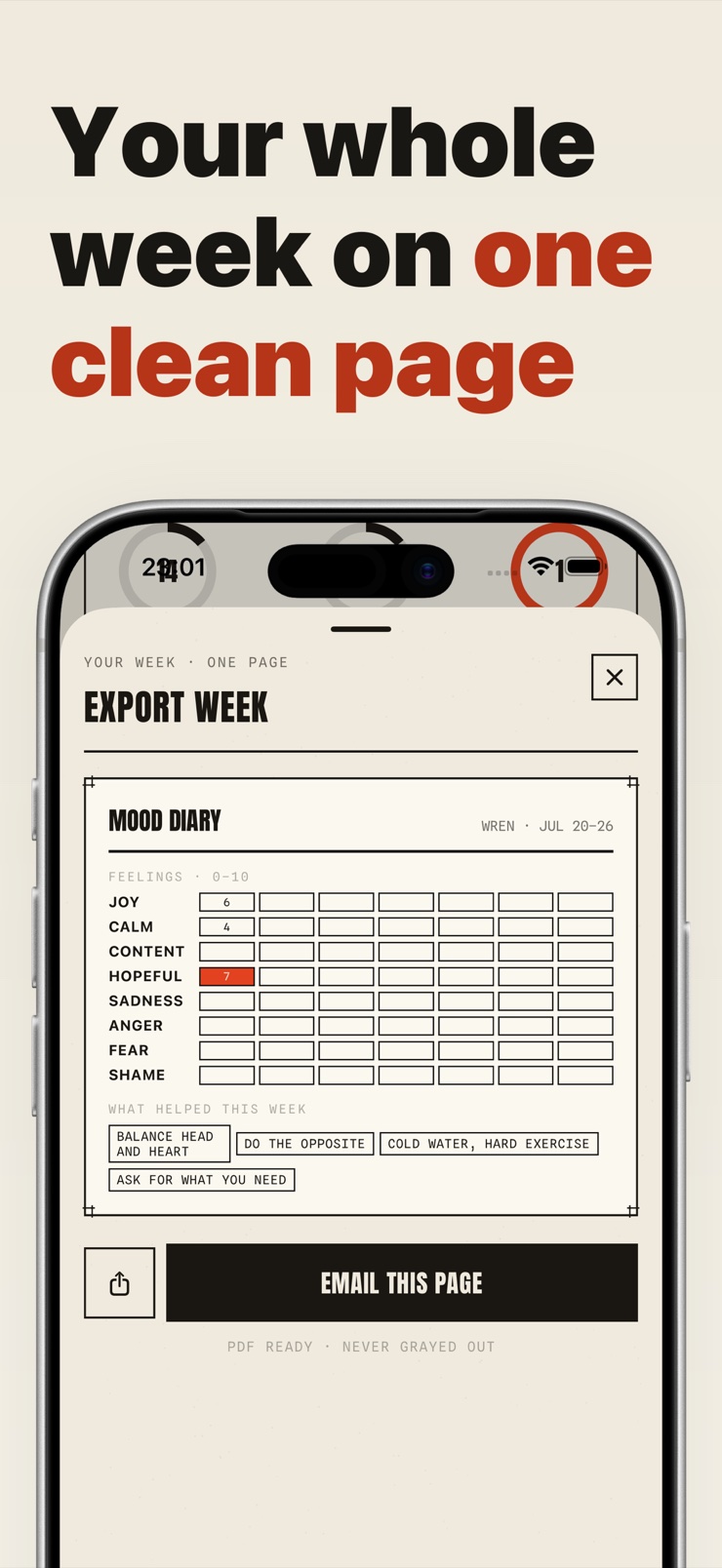
Export a tidy one-page PDF of your week in a few taps. Sharing is always your choice.
Entries are stored on your device. There is no account, and nothing you write is uploaded anywhere.
Pick the feeling and set how strong it is on the 0 to 10 scale. It takes seconds, and you can do it as many times a day as you need.
A line of context if you want one, plus the time of day. Both are optional.
Pick from the built-in list of small things to try, and rate how much each one actually did.
Read the weekly summary to see the shape of the week, and export a one-page PDF if you want a copy.
A mood journal is a running record of how you felt and when. Instead of trying to remember a whole week at once, you capture each moment as it happens — the feeling, how strong it was, and anything worth noting. Over time the pattern is far more accurate than memory.
Tidecard is built to be exactly that: open it, pick a feeling, set 0 to 10, close it. There is no setup, no account, and no daily questionnaire. It works on iPhone and iPad, offline, and exports a one-page PDF when you want one.
The journals that get kept are the ones that take seconds. Tidecard is designed around that: open, rate what you feel, close. Because an entry takes moments and can happen any time — not just at a scheduled hour — the habit is much easier to hold than a paper notebook.
A checkbox says a feeling happened; a 0 to 10 rating says how strong it was, and that is the part that actually moves week to week. Intensity is what shows whether something is easing off or whether a particular thing you tried is helping.
Yes, and it matters. Frustration at 8 in the morning and frustration at 2 in the evening are two different data points, not one average. Tidecard lets you log the same feeling multiple times per day, each with its real timestamp, so the record reflects the day you actually had.
A short list of everyday things people try when they need a moment — ways to slow down, settle yourself, or approach a conversation. You tag what you used and rate how much it helped, so over time you can see what is actually pulling its weight for you.
Only you. Entries are stored on your device, there is no account to create, and nothing you write is uploaded anywhere. The only way anything leaves the device is if you export a PDF yourself.
Yes. The library is built in and everything is stored locally, so the journal works with no signal at all — on a subway, in a rural area, or in airplane mode.
Yes. Tidecard generates a clean, one-page PDF of your week that you can email, print, or show on your phone. Nothing is exported automatically — it is always something you start.
Yes, Tidecard runs on both iPhone and iPad. Entries are stored locally on each device, so pick the one you will actually reach for and keep your journal there.
The journal that takes seconds to fill and gives you your week on one clean page.
Download on theApp Store