
Draw the play, place the squad, and save every board forever — on iPhone and iPad, fully offline.
Download on theApp Store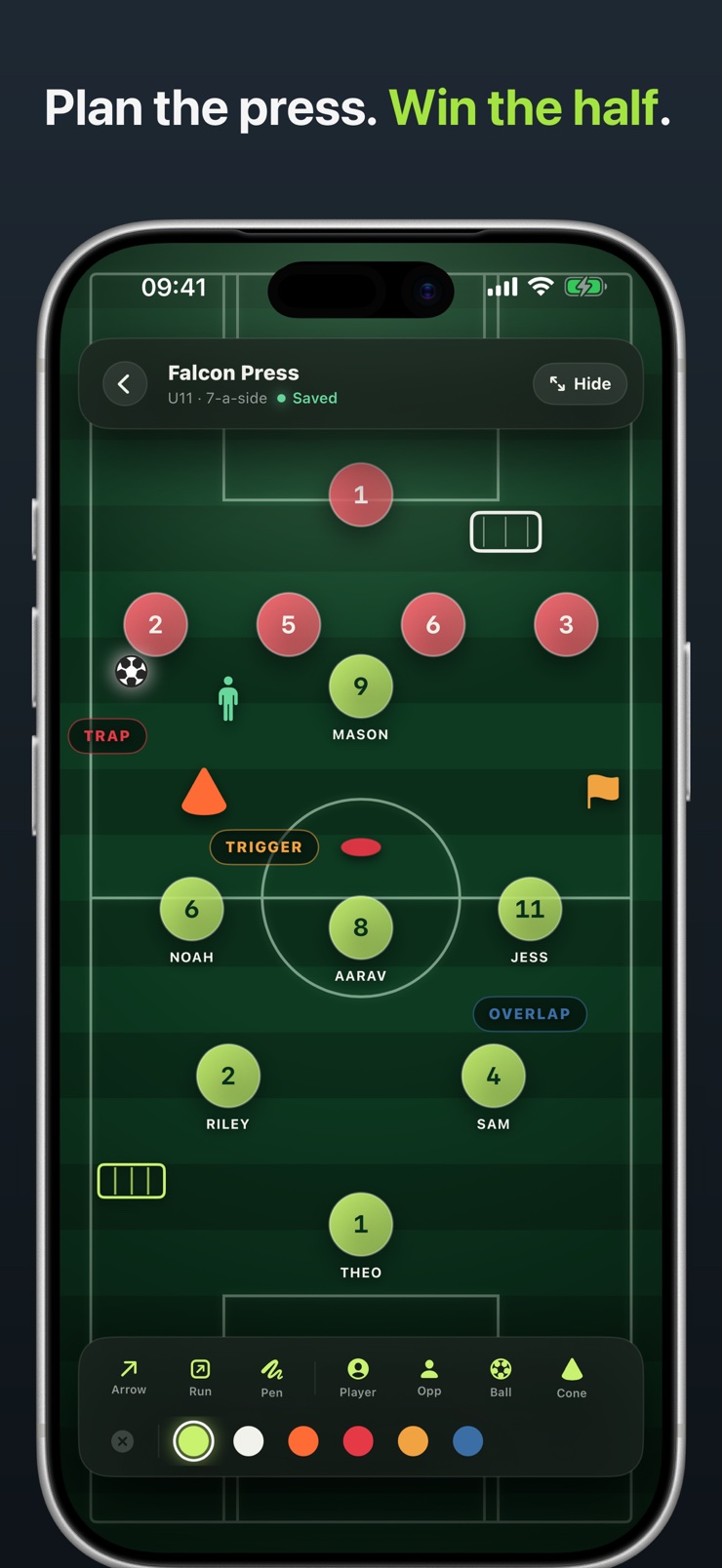
Football Coach is a tactics board for grassroots and youth football. Place player chips with names, shirt numbers, and roles directly on the pitch, drag anyone anywhere, and draw the play on top — arrows for passes, dashed lines for off-ball runs, free pen for everything else, in six chalk ink colors.
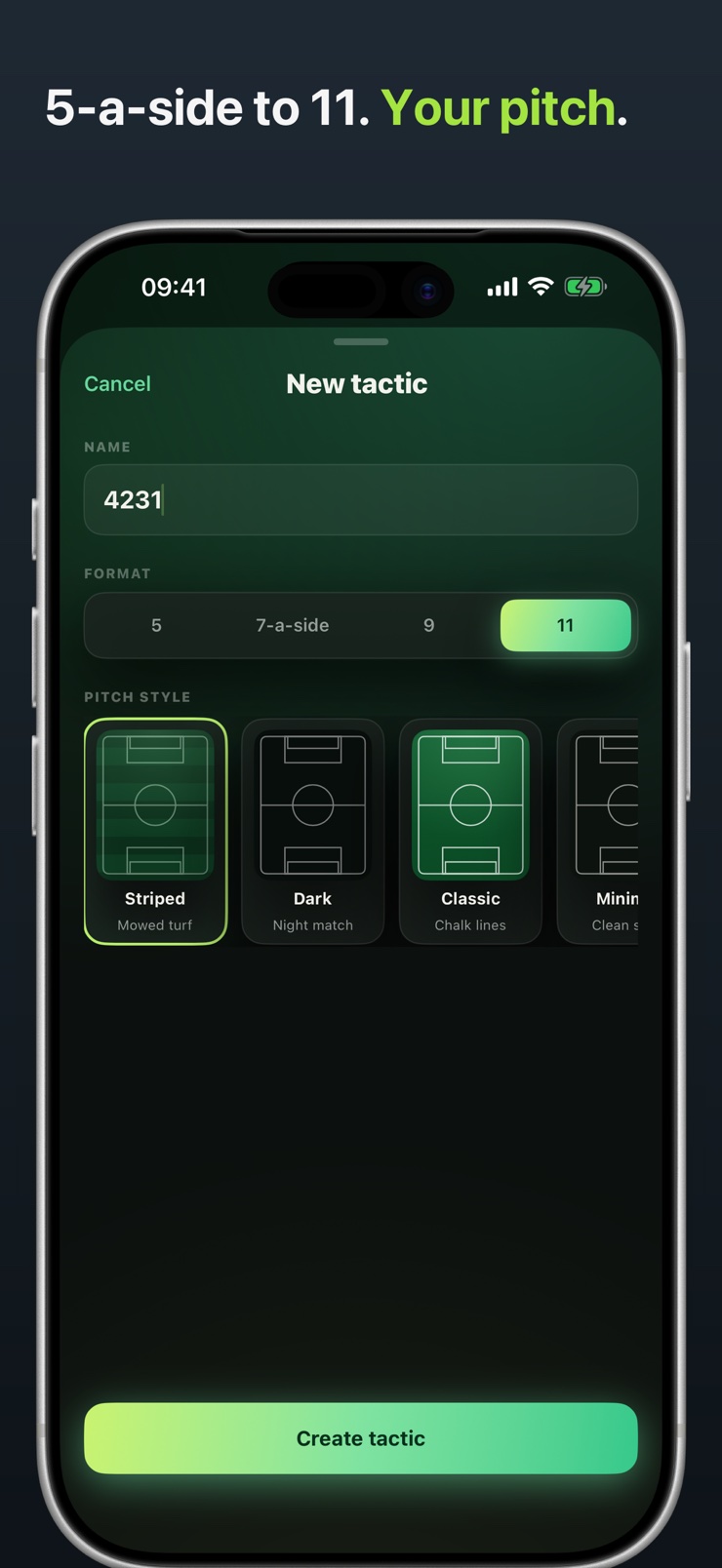
It also carries the training session: drop cones, mannequins, poles, agility ladders, markers, and mini-goals exactly where they belong, and add color-coded labels for press triggers and movement calls. Pick 5-a-side, 7, 9, or 11 to match the format, and choose from four pitch styles.
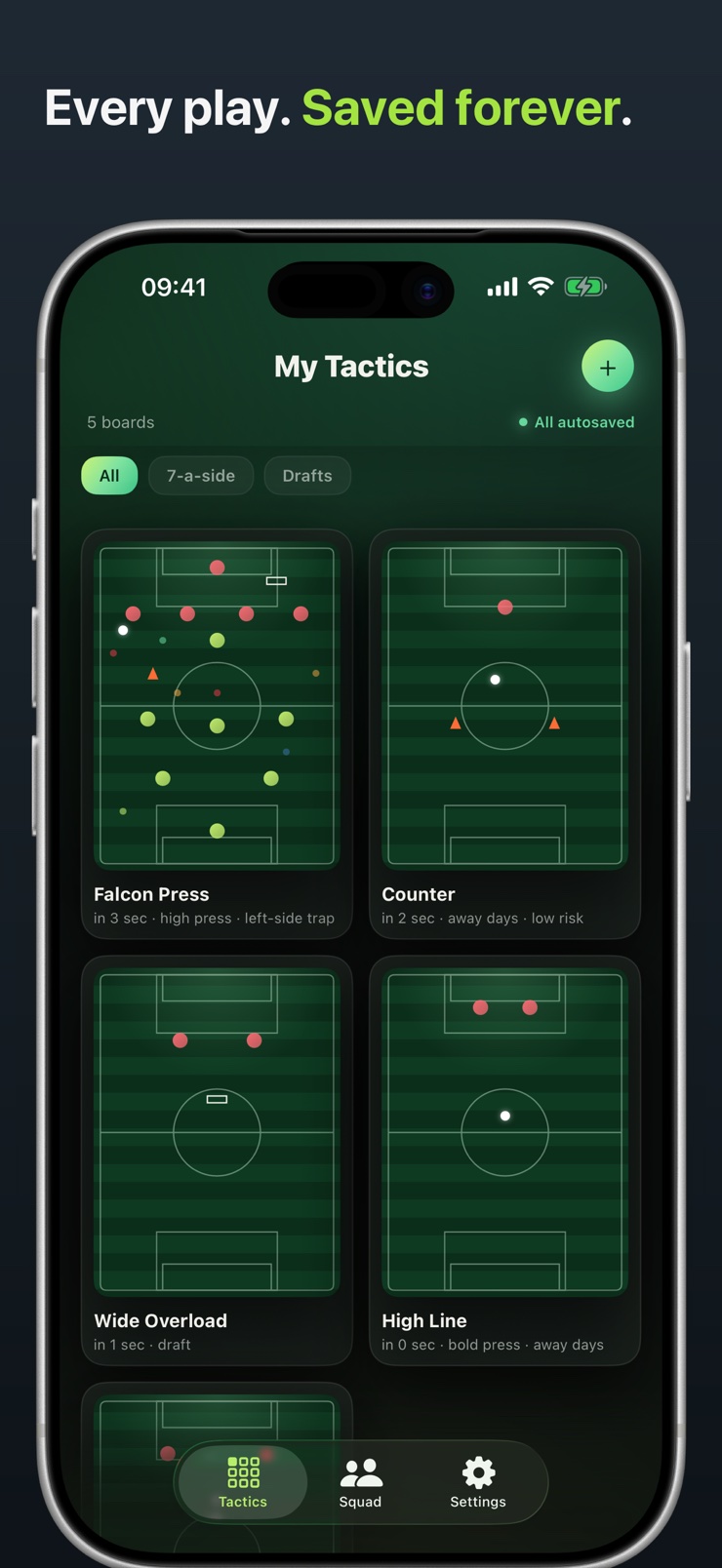
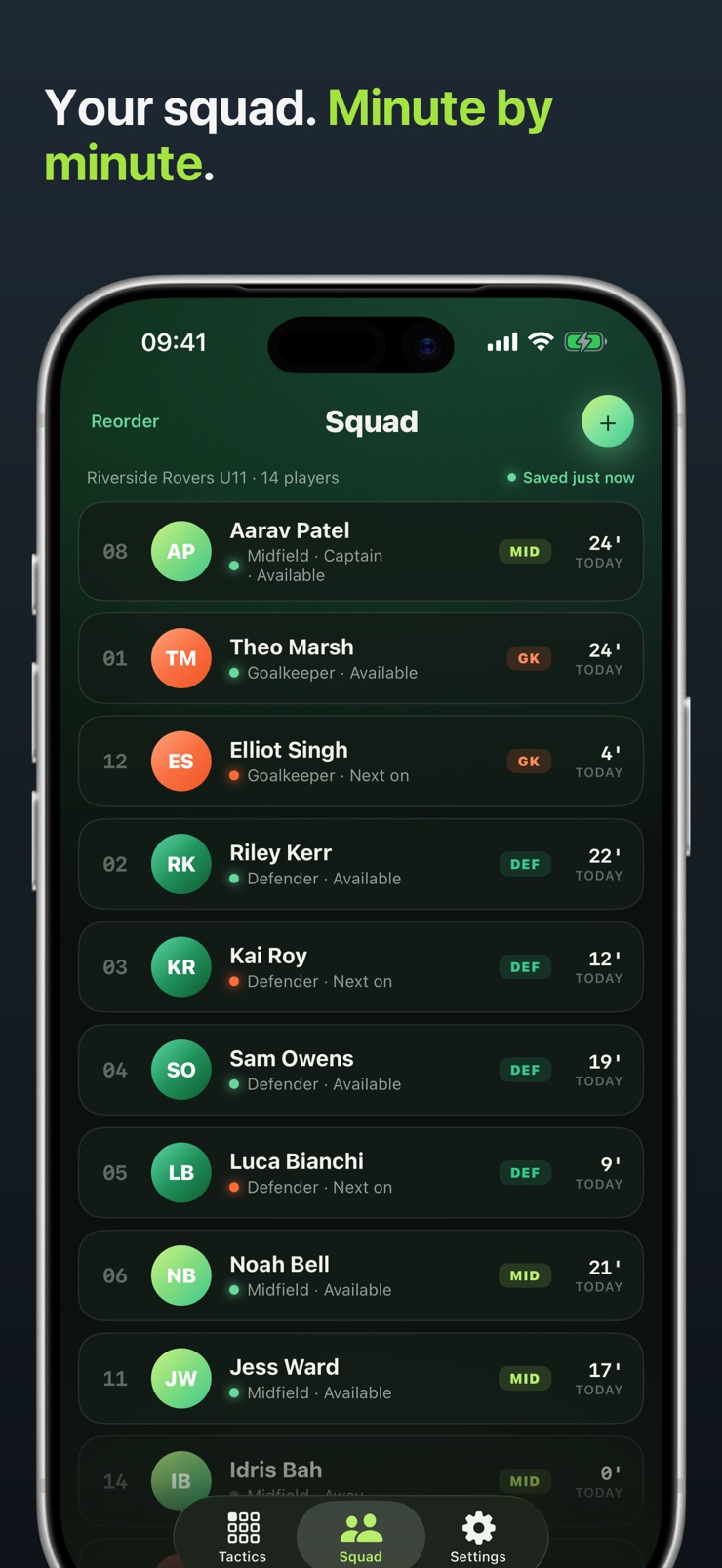
The squad tab thinks like a youth coach: roles, per-player availability, a captain marker, and minutes tracked today so equal-time decisions stay honest. Every board autosaves to the tactic library with a last-edited timestamp, and the same plan opens on iPhone at the touchline or iPad in the locker room — no account, no internet needed, no ads.
Players carry their name, shirt number, and role right on the pitch. Drag anyone anywhere and the board keeps up.
Arrows for passes, dashed runs for off-ball movement, and a free pen — six ink colors so a press trap reads different from an overlap call.
Cones, mannequins, poles, agility ladders, markers, mini-goals, and color-coded labels place a full session plan on the board.
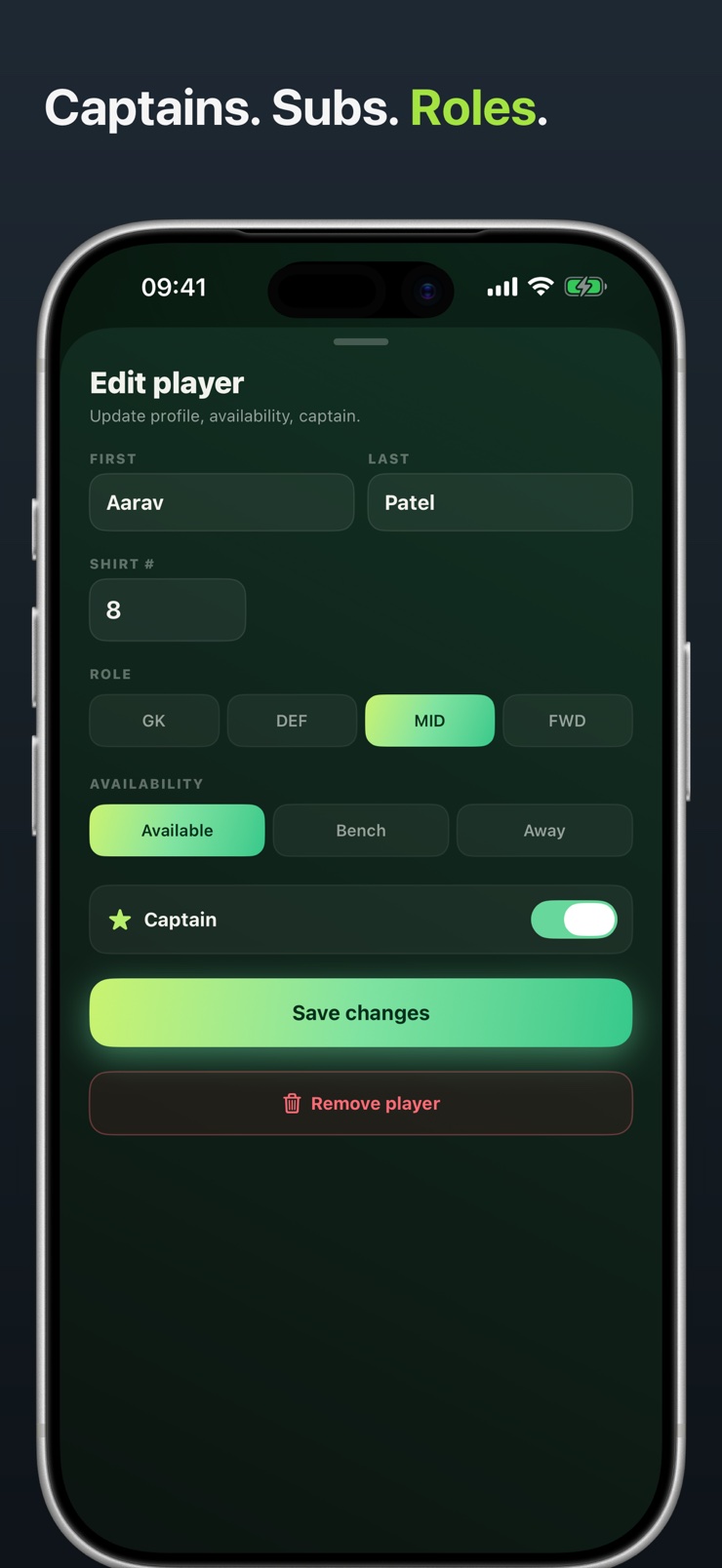
Roles, availability, a captain marker, and minutes-tracked-today on the roster keep equal playing time honest across the season.
Match the board to the format — 5, 7, 9, or 11 a side — and pick a pitch style: turf stripes, night-match dark, chalk lines, or clean slate.
Every board autosaves with a last-edited timestamp, so Saturday's press plan is still there on Wednesday night.
Start a new tactic with 5, 7, 9, or 11 a side and the pitch style that fits the session.
Drop player chips onto the pitch with names, numbers, and roles, and add cones, goals, or ladders for training drills.
Sketch passes, runs, and press triggers in chalk ink over the board until the idea reads at a glance.
The board autosaves to your library and opens on whichever screen is at hand — phone on the touchline, tablet in the locker room.
Yes. Football Coach is a digital tactics board for iPhone and iPad built for grassroots and youth football. You place named player chips on the pitch, draw passes and runs in chalk ink, and every board saves automatically to a library. It works fully offline with no account.
On a paper sheet you redraw it every week; on a tactics board app you build it once. In Football Coach each chip carries a player's name, shirt number, and role, so you drag your actual squad into a 4-3-3 or any shape you like and the board remembers it. Next session, the same lineup opens exactly where you left it.
Football Coach includes a drawing layer on top of the board: solid arrows for passes, dashed lines for off-ball runs, and a free pen for anything else, in six ink colors. Combined with cones, mannequins, ladders, and mini-goals, it covers both match tactics and training drills on one screen.
Yes. Football Coach supports 5-a-side, 7-a-side, 9-a-side, and full 11-a-side boards, so the pitch always matches your age group's format. Youth coaches moving between formats during a season can keep separate saved boards for each.
The reliable way is to record minutes as they happen instead of reconstructing them after the match. Football Coach shows minutes-tracked-today next to each player on the roster, together with availability and a captain marker, so substitution decisions during the game stay fair and visible.
Yes. Football Coach lets you lay out a session the way you would on the training pitch: drop cones, poles, agility ladders, markers, and mini-goals where they belong, then add color-coded labels for press triggers or movement calls. The plan saves to your library and reopens at the touchline.
Football Coach does — it is fully offline by design. Boards, squads, and drawings live on the device, so a pitch with no signal changes nothing. There is no account to sign into and no ads.
Yes. Football Coach is built for both: the same plan opens on whichever screen is at hand, typically the phone at the touchline and the tablet in the locker room or at home. Boards keep their layout across screen sizes.
A magnetic whiteboard is erased at the end of every session; a tactics board app keeps the plan. Football Coach autosaves each board with a last-edited timestamp, supports named chips instead of anonymous magnets, and adds drawing tools and training equipment a physical board can't carry in a kit bag.
In the squad tab, each player has a role (GK, DEF, MID, FWD), an availability state — Available, Bench, or Away — and an optional captain marker. Setting availability before kickoff means the board only offers the players you actually have that day.
Yes, the tactic library holds every board you make, each autosaved with a last-edited timestamp. Coaches typically keep separate boards for the starting shape, the press plan, set-piece ideas, and each training session, and switch between them in a tap.
It is for association football — soccer. The boards, formats (5, 7, 9, 11 a side), pitch styles, and equipment tokens are all built around the soccer training ground and match day.
Put the whole match plan in your pocket — and keep it forever.
Download on theApp Store