
Plan lessons, log daily hours and attendance, track grades and GPA, then export a signed transcript you can hand to your district.
Download on theApp Store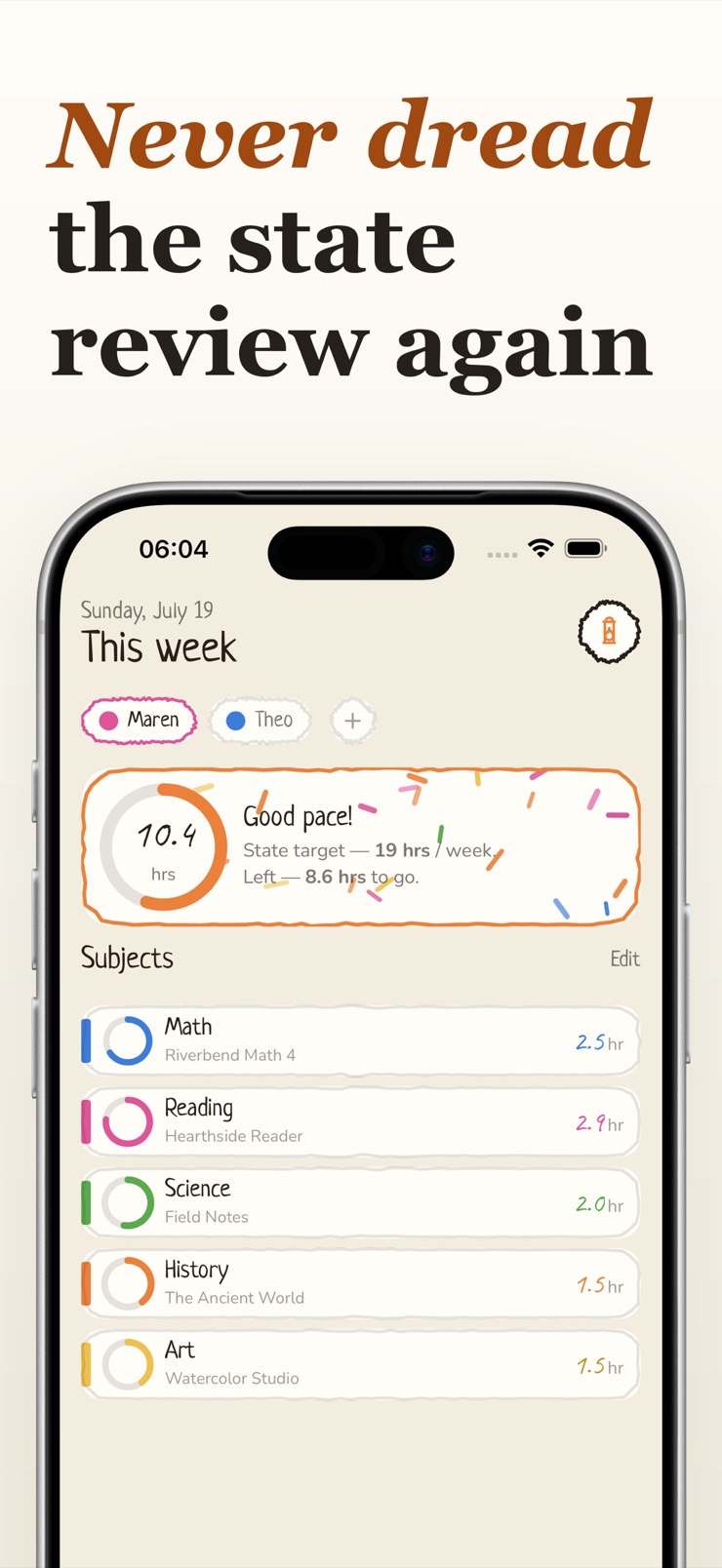
Hearth is the quiet desk where your homeschool year becomes a record you can hand to your district. Plan lessons and assignments per subject and school year, log daily hours and attendance with one tap, and watch grades add up into a running GPA.
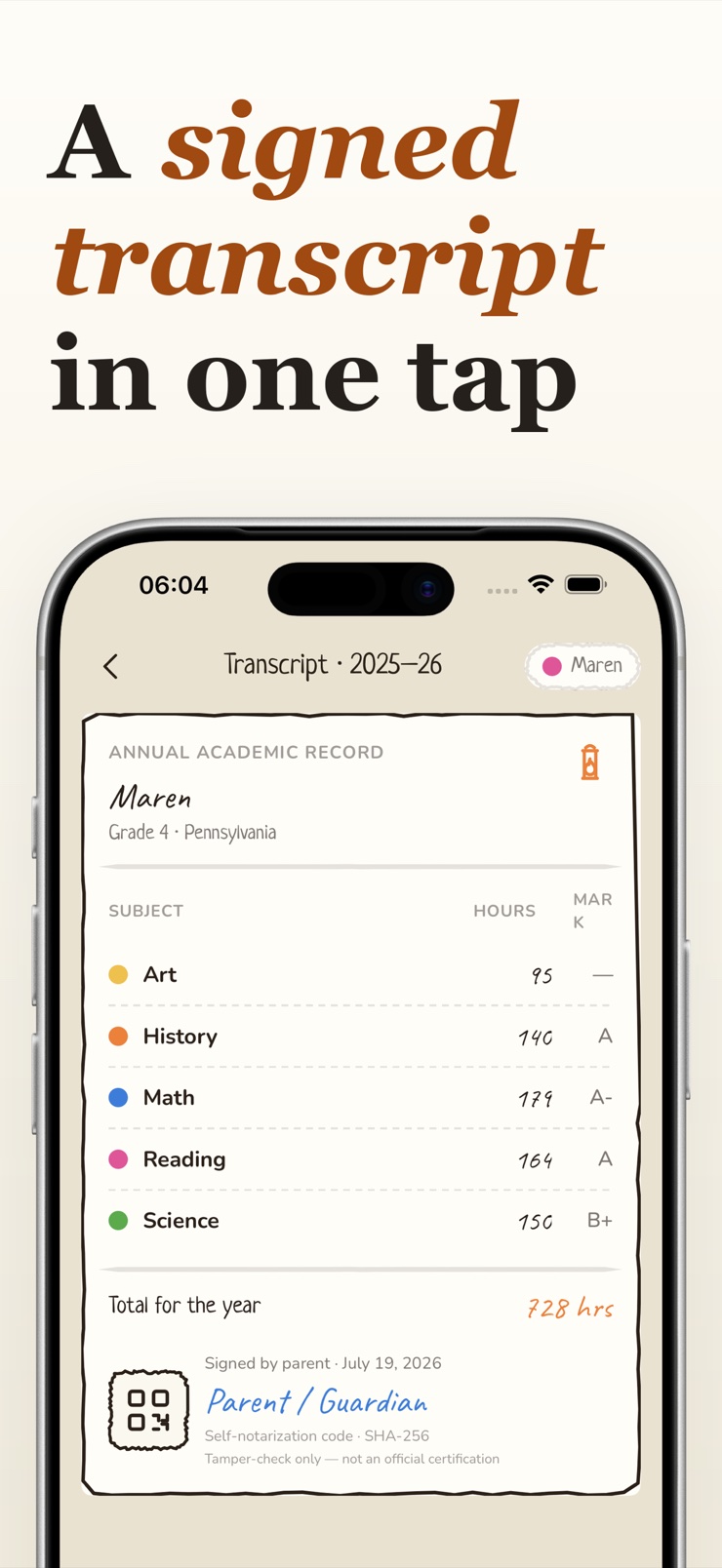
At the end of the year, everything folds into a parchment-style transcript signed with your name and a self-notarization code. Export it as a PDF and email it to a reviewer, an umbrella school, or your state office.
There is no account to create and no vendor cloud. Records live on the device you keep them on, and they leave only as files you export yourself.
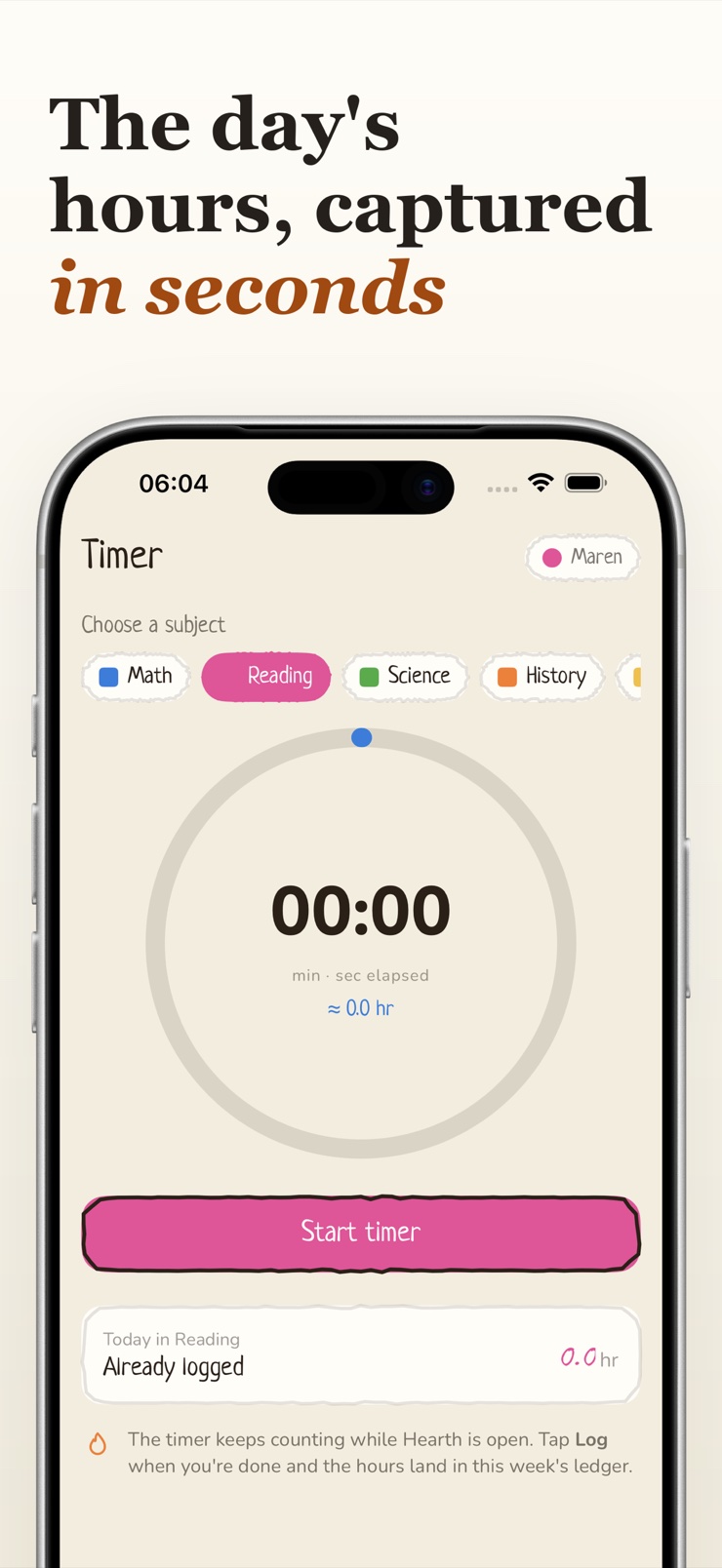
Mark attendance with a single tap, or run the built-in lesson timer and let the session log itself. The day's ledger updates instantly.
Export a parchment-style transcript with subject hours, grades, and a signed footer carrying a self-notarization code your reviewer can verify.
Enter grades per assignment or subject and Hearth keeps a GPA running across the whole school year — no spreadsheet math.
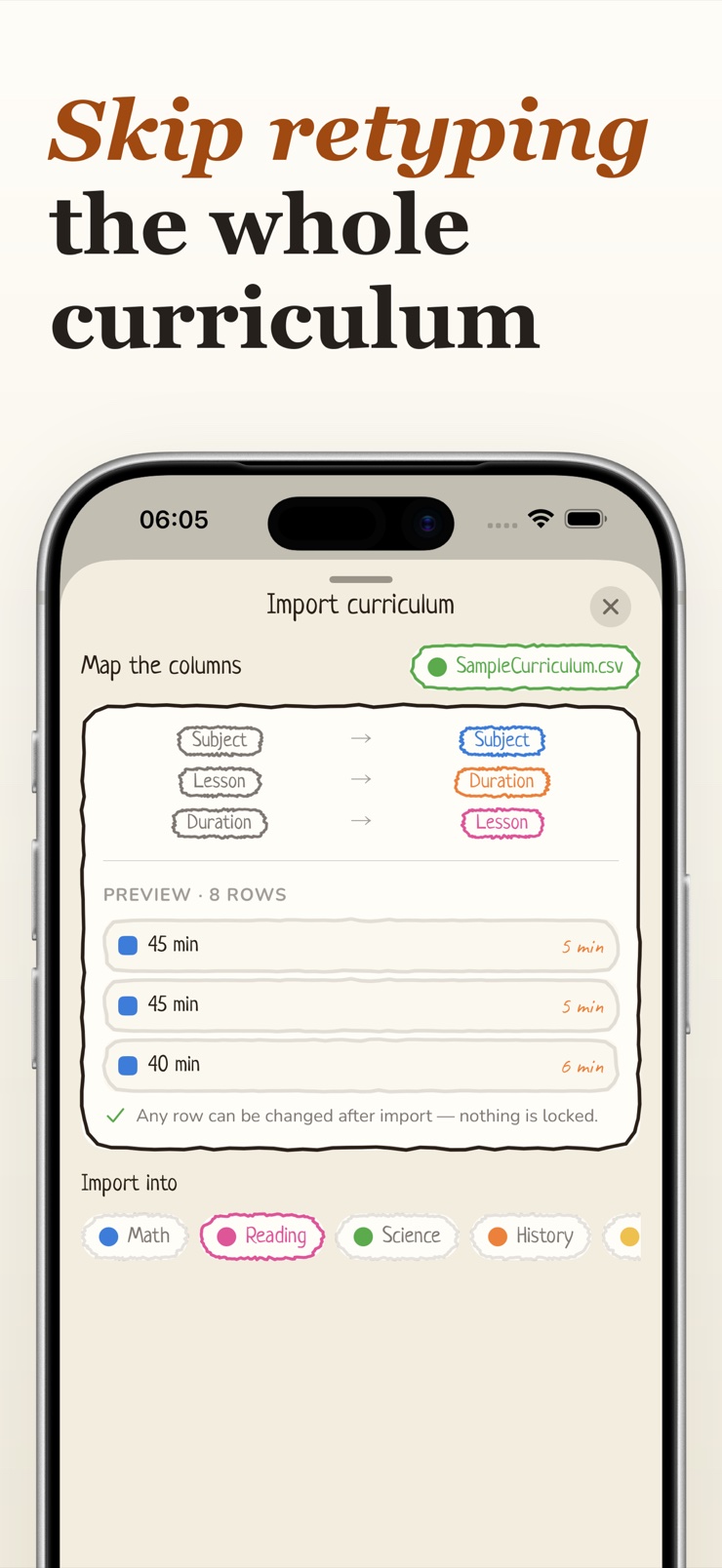
Bring in a curriculum from a CSV file or a scanned paper page, map the columns yourself, and edit every row before it lands in your plan.
Plan lessons per subject and school year, check assignments off as they finish, and see the week at a glance on the Today screen.
Everything is stored on your device and exports to PDF, CSV, and JSON in the Files app, so the records stay ordinary files you own.
Add a student, a school year, and the subjects you teach — or import an existing curriculum from a CSV or a photographed page.
Tap attendance in, or start the lesson timer and stop it when you finish. Hours, attendance, and completed assignments land in the ledger.
Record grades when work is done. Hearth tracks per-subject averages and a running GPA across the year.
Pick the school year and tap Export. You get a signed PDF transcript ready to email to your district or umbrella school.
A homeschool transcript lists the student's subjects, hours, grades, and a parent signature for each school year. Most families assemble it by hand from planners and spreadsheets at review time. Hearth builds it automatically from the hours and grades you logged during the year and exports a signed, parchment-style PDF you can email to your district or umbrella school.
Yes. Hearth requires no sign-up and no vendor cloud — your records are stored on your own device, and the app works entirely offline. Your child's records never sit behind someone else's login, and you can lift them out as PDF, CSV, or JSON files whenever you want.
States that require attendance usually want a count of instruction days or hours per school year. Hearth records attendance with a single tap on the Today screen, so marking the day takes seconds, and the lesson timer logs timed sessions on its own. The attendance record rolls into the year-end transcript alongside hours and grades.
It depends on your state — some require a set number of instruction hours or days per year, while others ask for a portfolio instead. Check your state's homeschool statute or your umbrella school's requirements for the exact number. Hearth totals hours per subject and per year automatically, so whatever your target is, you always know where you stand.
A GPA converts each course grade to grade points and averages them, usually on a 4.0 scale. Doing this by hand across a year of subjects is tedious and easy to get wrong. Hearth keeps a running GPA as you enter grades, so the transcript's GPA is always current and consistent with the underlying grade records.
Portfolio states typically expect a log of instruction, samples of the student's work, attendance, and evidence of progress in each subject. Requirements vary, so confirm the list with your state office or evaluator. Hearth covers the record-keeping side: hours, attendance, assignments, and grades, all exportable as a signed PDF transcript and CSV files.
An umbrella school is an organization that enrolls homeschool students and handles state reporting on the family's behalf, usually in exchange for periodic records. Families in umbrella programs still need clean hour, attendance, and grade records to submit. Hearth keeps those records in one ledger and exports them in a format you can hand to your umbrella administrator.
Yes. Hearth imports any CSV file with a generic column-mapping step, so it works with a curriculum exported from a spreadsheet regardless of how the columns are named. You can also photograph a printed scope-and-sequence page and Hearth reads the lines into editable rows. Every imported row can be edited before it becomes part of your plan.
Yes. Hearth keeps a separate ledger per student — subjects, hours, attendance, assignments, and grades are recorded against the child you have selected, and you switch between them at any time. Each student gets their own transcript at the end of the year, so a family with three learners produces three clean records rather than one tangled one.
Each exported transcript carries a QR code linked to a cryptographic hash of the document, alongside the parent's signature line. Anyone reviewing the PDF can use it to confirm the file has not been altered since it was signed. It gives a homemade transcript a verifiable anchor without involving any third-party service.
On the device itself, in the app's own storage — there is no developer account, no server, and no vendor cloud holding your child's year. That also means the records live where you keep them rather than syncing themselves between devices, so treat the year-end PDF, CSV, and JSON exports as your backup and copy them somewhere safe.
Yes. Hearth exports the transcript as a PDF and the underlying hours and grade records as CSV and JSON, all saved to the Files app where you can copy them anywhere. Your homeschool records are ordinary files you own, not entries in a service that could disappear.
Keep the whole homeschool year in one calm ledger — and hand your district a transcript, not a shoebox.
Download on theApp Store