
Record, transcribe, and summarize conversations entirely on your iPhone — no cloud, no servers, no account, nothing ever leaves the phone.
Download on theApp Store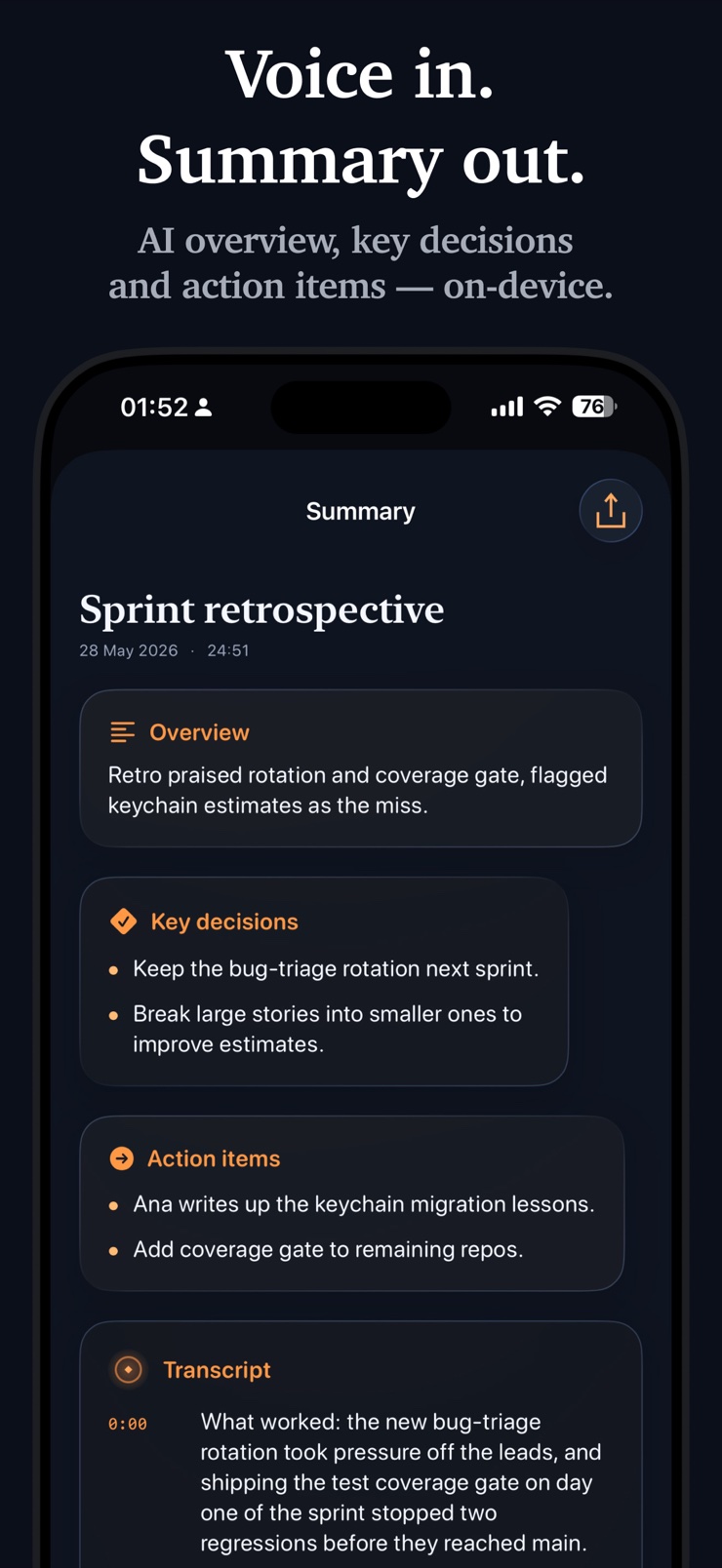
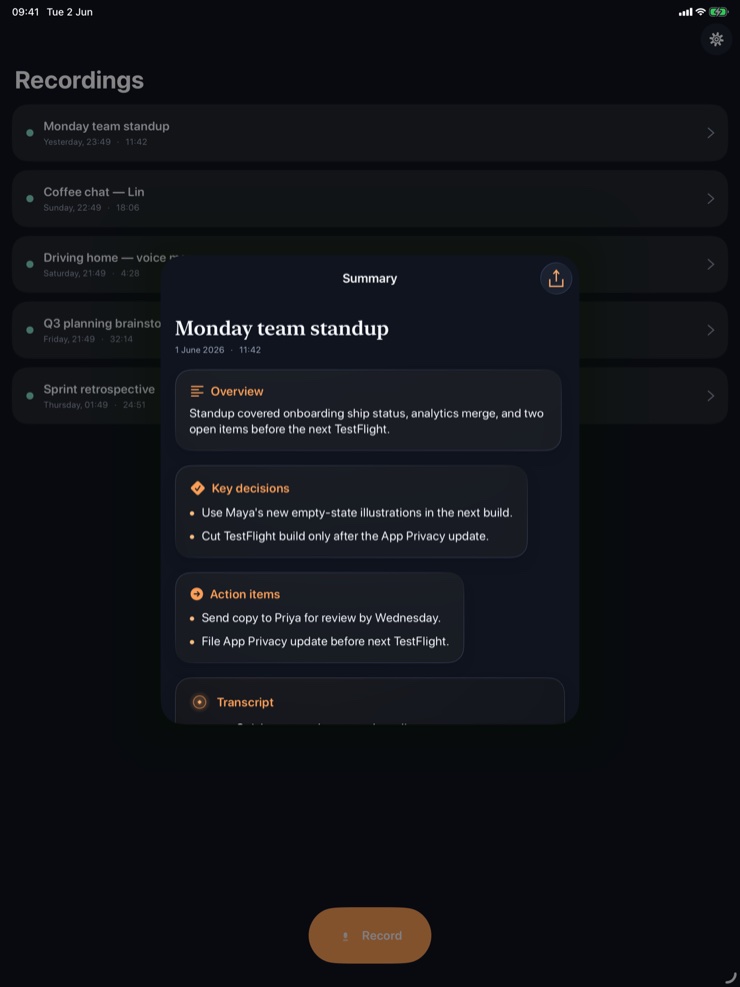
Offline Voice Memo is the recorder for conversations that should stay yours. It records, transcribes on the device with iOS 26 SpeechAnalyzer, and turns the transcript into a clean summary and action items with on-device Apple Intelligence. Nothing leaves the phone — no cloud round-trips, no servers, no account.
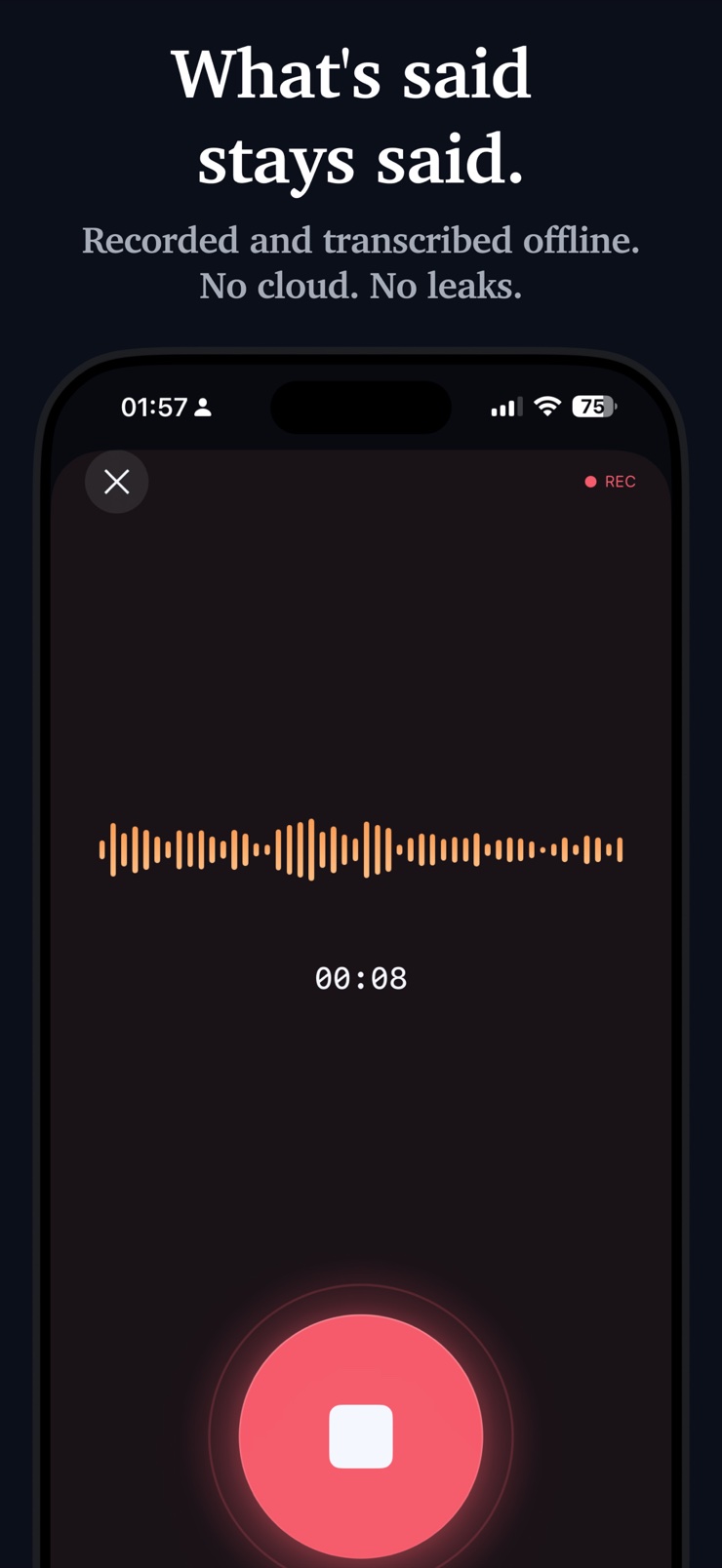
Tap the glass record button and you are recording in under a second. The waveform pulses in real time, a Live Activity slides into the Dynamic Island so the recording stays visible whatever you do next, and a haptic confirms each stop. Open any recording and you get the audio, the transcript, a written summary, key decisions, and an action items checklist — all generated locally.
It is built for people who cannot put a conversation in the cloud: lawyers reviewing depositions, therapists between sessions, executives in board prep, journalists protecting sources. There is no setting in this app that sends audio to a server — and no setting that ever could.
The glass record button starts capture in under a second, with a live waveform and a haptic confirming each stop.
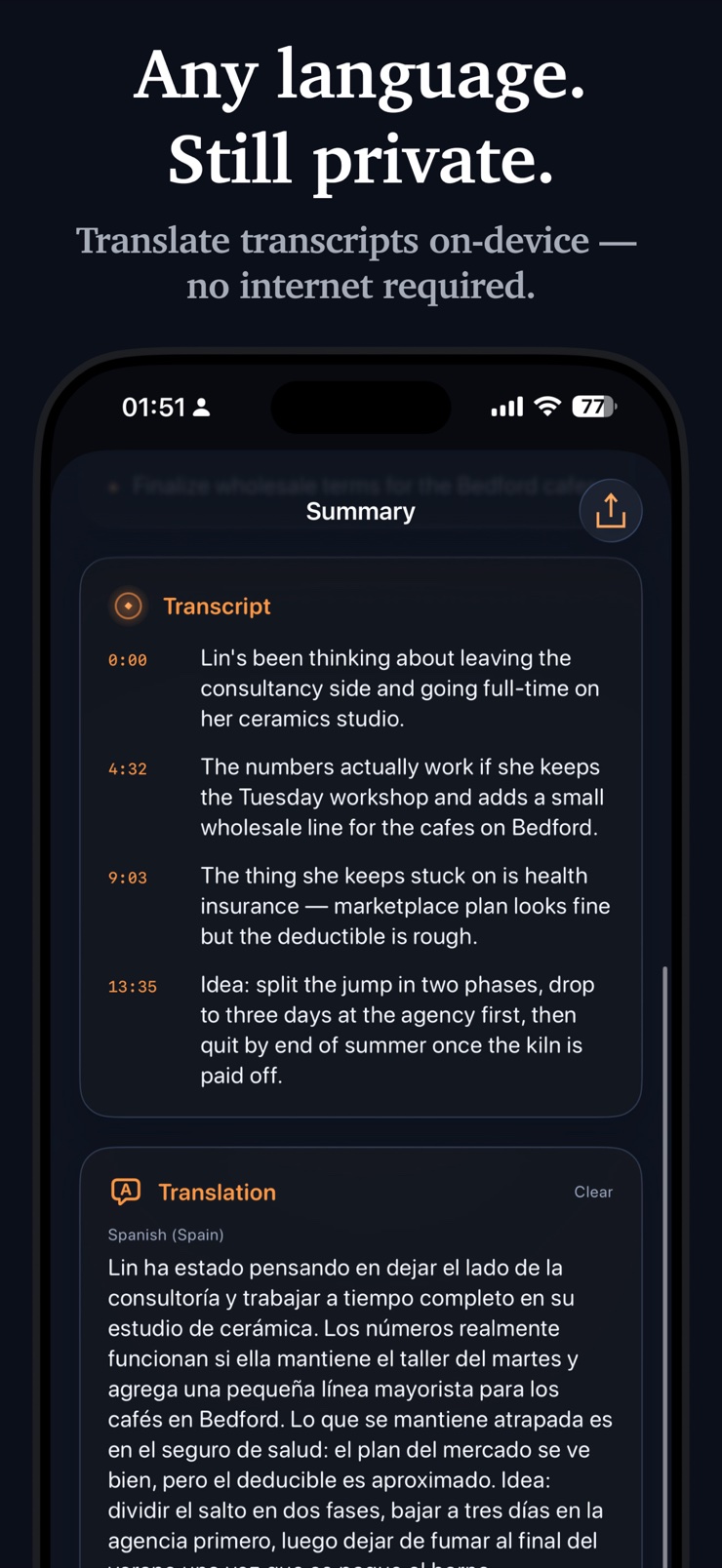
iOS 26 SpeechAnalyzer turns the audio into a full text transcript right on the phone. No audio is ever uploaded.
On-device Apple Intelligence writes a summary, lists key decisions, and builds an action items checklist for every recording.
Elapsed time and a stop control stay on the Lock Screen and in the Dynamic Island while you use other apps.
No cloud, no account, no third-party transcription service. Recordings, transcripts, and summaries live only on your device.
Transcripts, summaries, and action items are plain text. Share a file to Files, iCloud Drive, or the Share Sheet only when you decide to.
One tap on the glass button and you are recording, with the waveform pulsing in real time.
Lock the phone or switch apps — the Live Activity keeps the recording visible with a stop control.
Each recording carries its audio, full transcript, summary, key decisions, and an action items checklist, all generated on-device.
Everything stays in the app until you export a recording or its plain-text transcript yourself.
Yes. Offline Voice Memo transcribes with Apple's on-device SpeechAnalyzer, so the speech-to-text step runs entirely on the iPhone's own hardware. There is no server component at all — the app cannot send audio to the cloud even if you wanted it to.
Use a recorder with no network path: local capture, local transcription, local storage. Offline Voice Memo keeps recordings, transcripts, and summaries on the device with no account and no cloud sync, which is why it suits lawyers, therapists, executives, and journalists. Remember that laws on recording conversations vary by place, so make sure you have the consent your jurisdiction requires.
Yes. Recording, transcription, summaries, and action items are all computed on the device, so the app works with no connection at all — in airplane mode, in a basement, or in the field.
Yes. iOS 26 includes SpeechAnalyzer, an on-device speech-to-text engine, and Offline Voice Memo uses it to produce a full transcript of each recording without any internet connection. Accuracy is strongest with clear speech and a reasonably close microphone.
Yes. After each recording, Offline Voice Memo generates a written summary, a short list of key decisions, and an action items checklist from the transcript — the shape of usable meeting notes. Unlike most note-taker services, it does this with on-device Apple Intelligence instead of a cloud LLM.
Start recording and a Live Activity appears on the Lock Screen and in the Dynamic Island with the elapsed time and a stop control. You can switch apps or lock the phone and the recording continues, visibly, until you stop it.
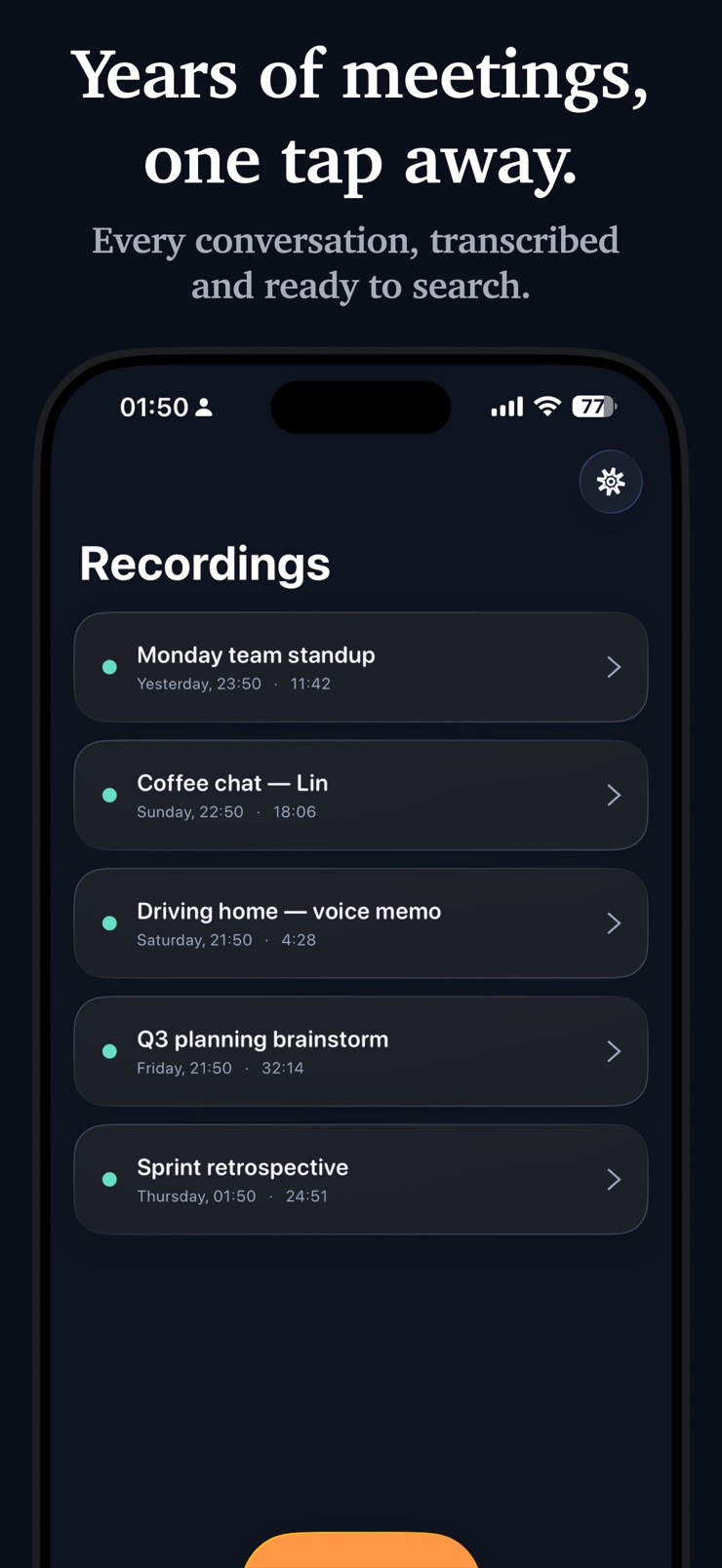
Recordings live in the app's local storage on your device. When you want one out, export it to Files, iCloud Drive, or any Share Sheet destination — the audio, transcript, summary, and action items are all standard formats, with the text as plain text, so nothing is locked to the app.
Cloud transcription uploads your audio to a company's servers, processes it there, and sends text back — your conversation transits and often persists outside your control. On-device transcription runs the same job on the phone's own chip, so the audio never leaves your hardware. For privileged or sensitive conversations, that difference is the whole point.
Not here. The summaries, key decisions, and action items are generated by Apple's on-device Foundation Models, which run locally on the iPhone. No prompt, transcript, or audio is sent to Apple's servers or any cloud LLM.
No. iOS does not let third-party apps capture phone call audio, so Offline Voice Memo records through the microphone only — in-person conversations, meetings, dictation, interviews, and your own notes.
There is no fixed cap — record a two-minute note or a multi-hour session. Long recordings are transcribed and summarized in the same on-device pipeline; processing time simply scales with length.
The safety question is where the audio goes, and here the answer is nowhere: capture, transcription, and summarization all happen on the device, with no account and no server. You remain responsible for professional obligations like client consent and record-keeping rules, but the tool itself adds no third party to the conversation.
No. There is no registration, login, or profile. The app opens to the record button, and the first microphone permission prompt explains that audio stays on the device.
Record and transcribe conversations that never leave your phone.
Download on theApp Store