
See every recurring charge on a twelve-month calendar, get reminded before renewals land, and decide what is worth keeping.
Download on theApp Store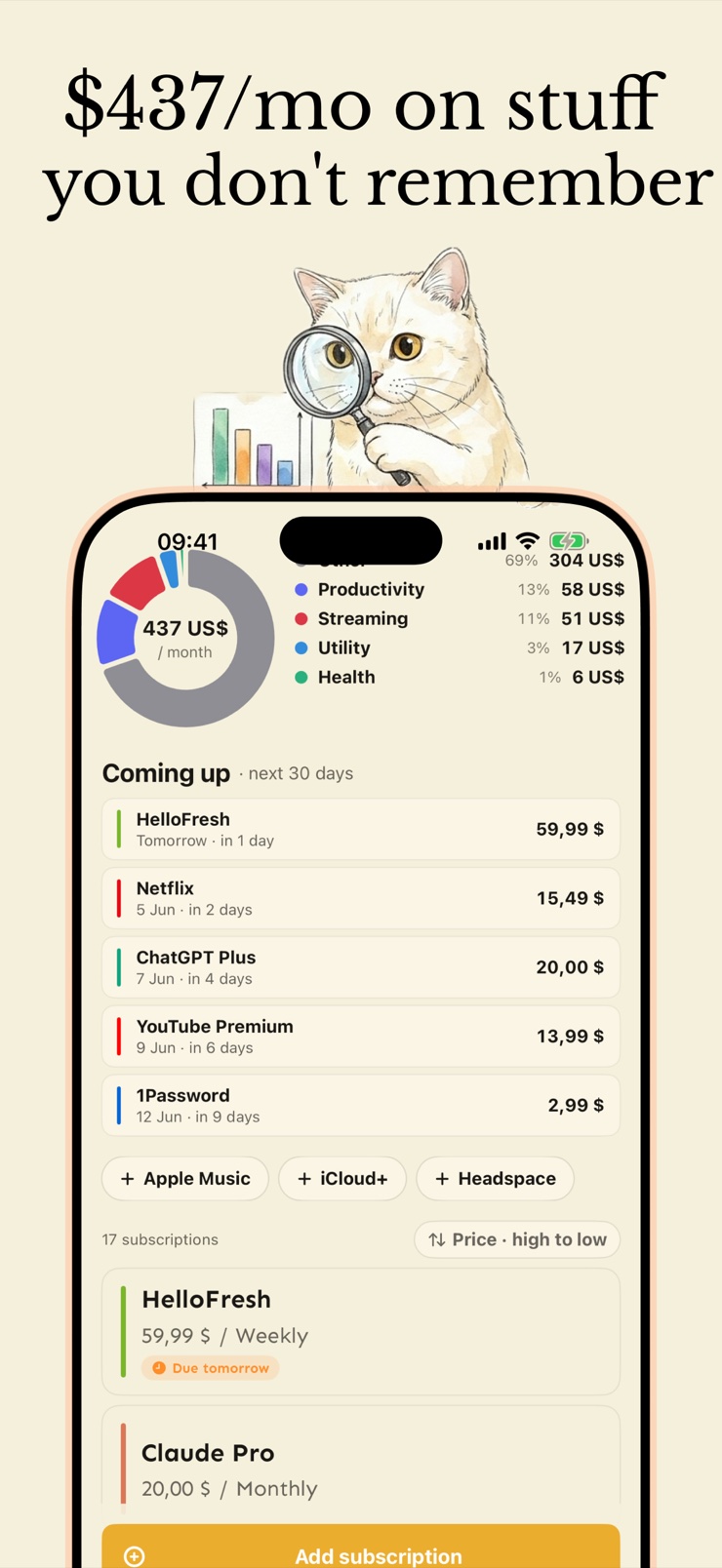
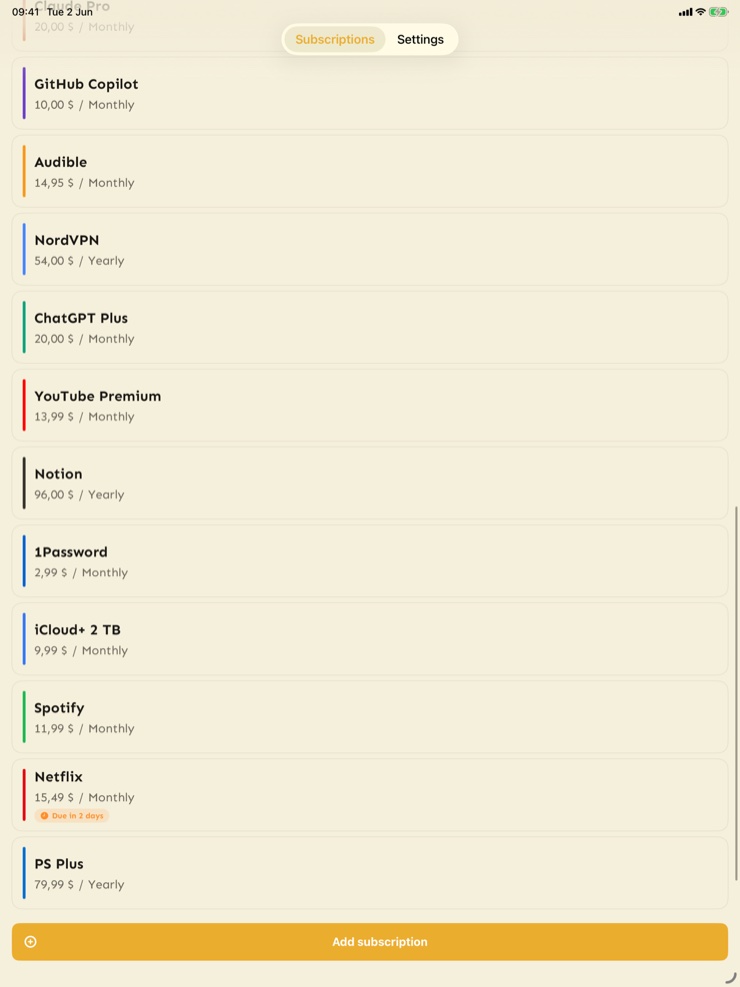
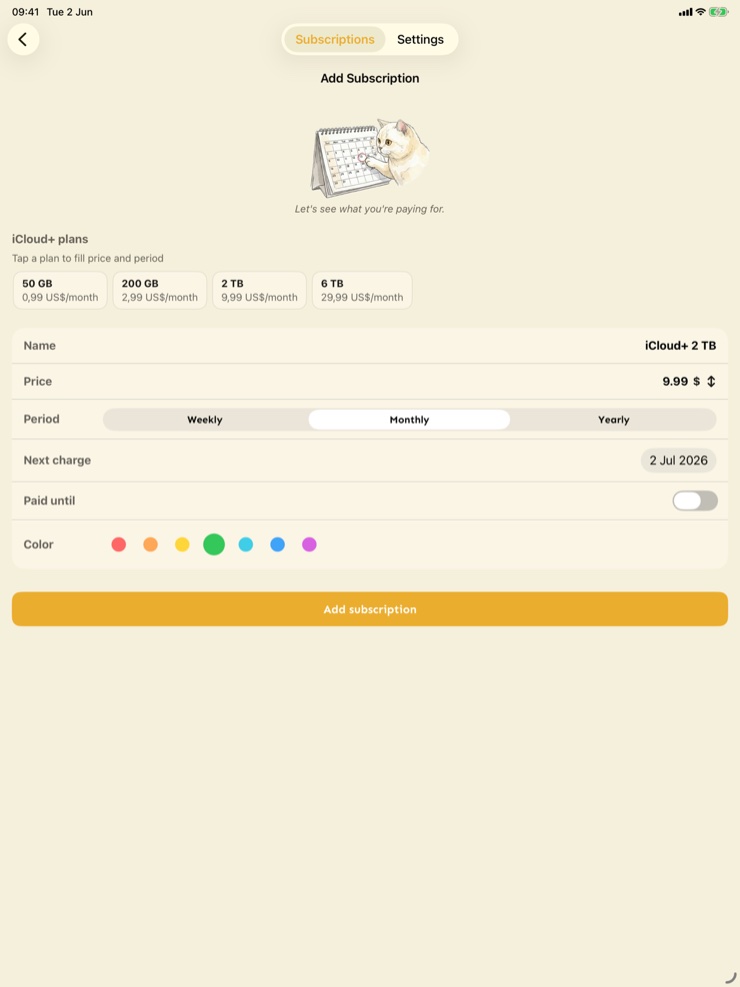
Cutty is a calm subscription manager for people whose recurring charges have quietly taken over the card statement. It runs on iPhone, iPad and Apple Silicon Mac, and the goal is small: find what you are paying for, see when the next charge lands, and decide what is worth keeping.
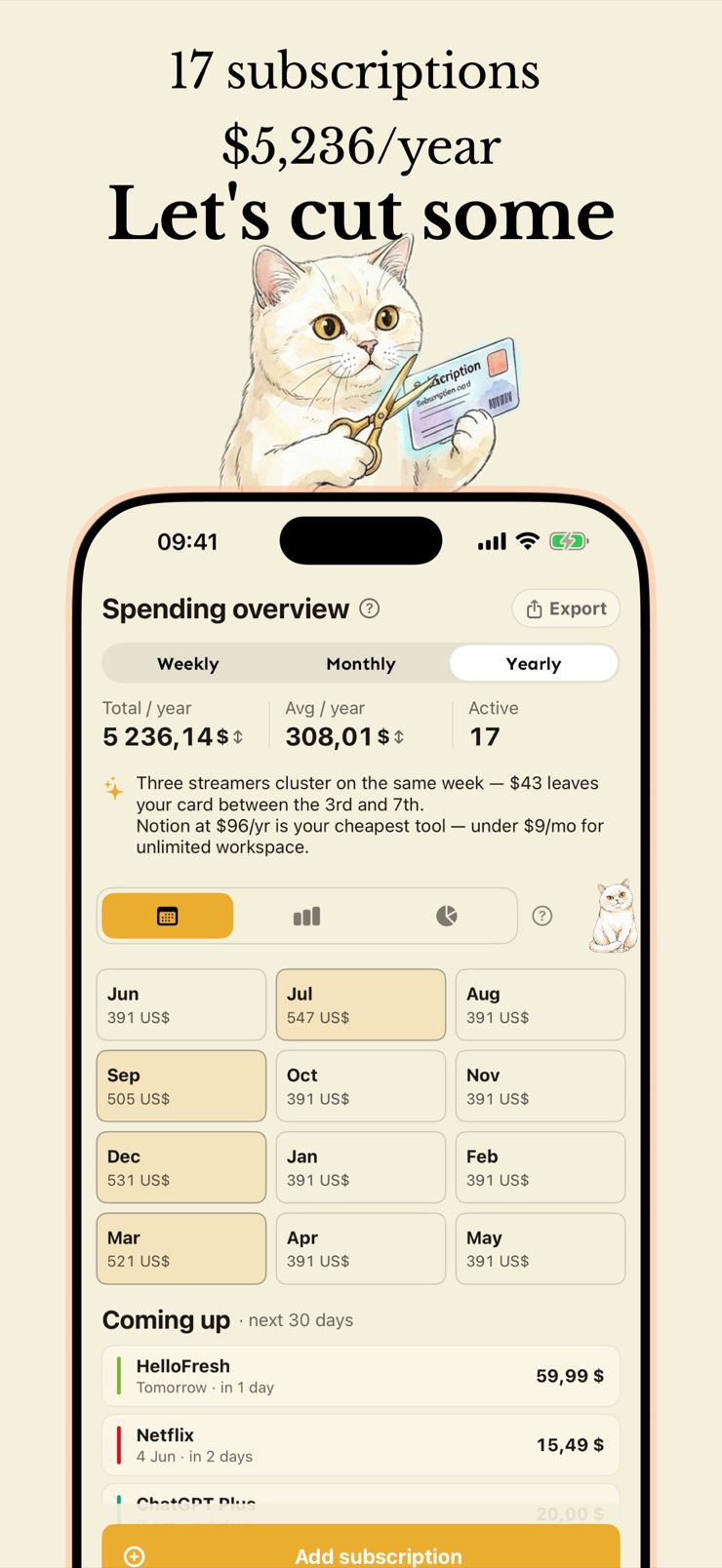
The home screen opens on a calendar heatmap of the next twelve months, so the heaviest months and the surprise yearly bills are visible at a glance. Tap any month to see which subscriptions land there, on which days, and how much, in your own currency. A cozy little cat mascot keeps watch while you tidy things up — nothing about money admin needs to feel like a spreadsheet.
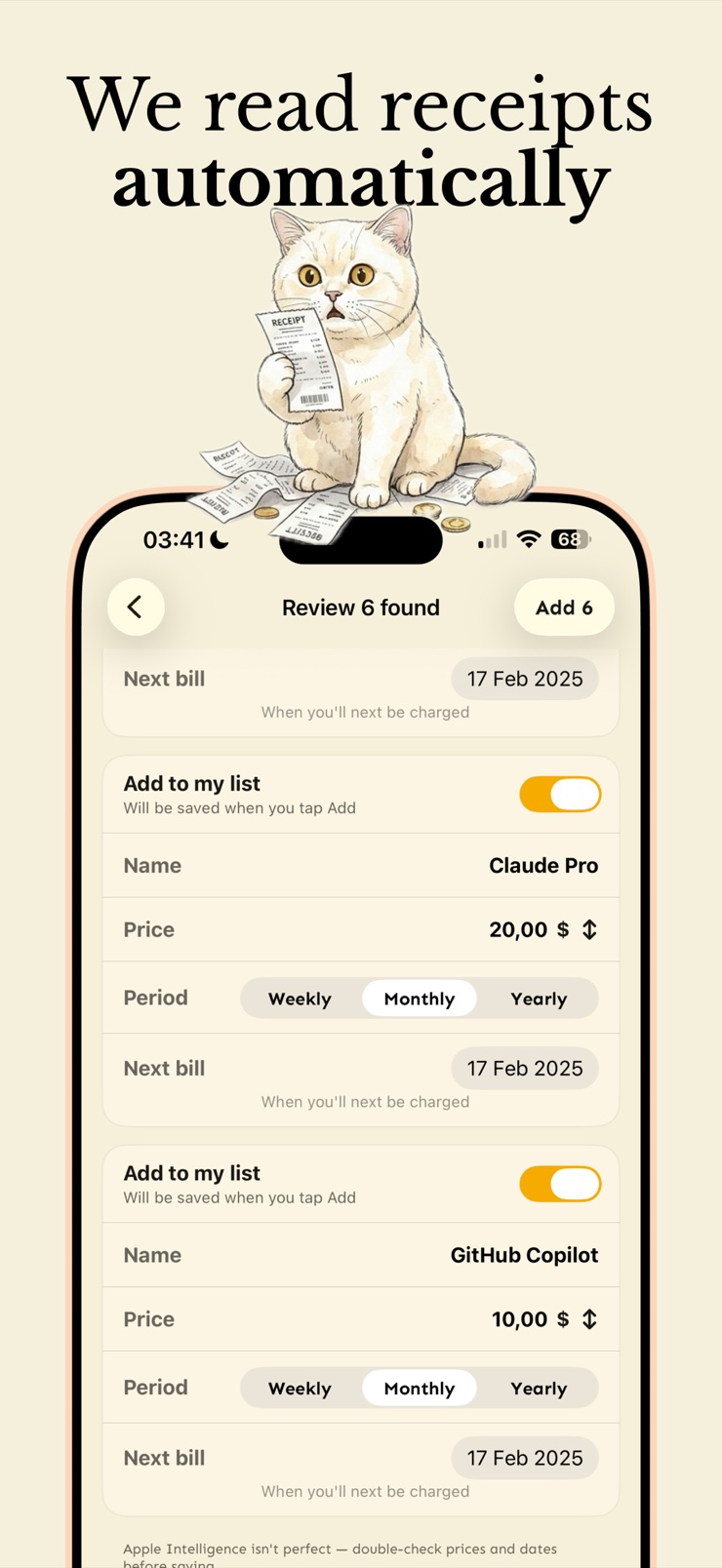
Cutty also brings on-device Apple Intelligence into the picture. Hand it a PDF receipt, a screenshot of an email, or pasted text, and it pulls subscription names, prices and cycles out of the noise. Everything stays on your device: no accounts, no analytics linked to you, no cloud sync unless you turn on iCloud yourself.
A calendar view of the year ahead shades the heavy months darker, so annual renewals and pile-up weeks stand out before they hit the card.
Every subscription carries its next renewal date, and Cutty notifies you before the charge lands so nothing renews behind your back.
Feed it a PDF receipt, an email screenshot, or pasted text, and Apple Intelligence extracts the service name, price and billing cycle — entirely on your device.
When you decide a service is not worth keeping, Cutty gives you a direct link to its cancellation page instead of leaving you to hunt for it.
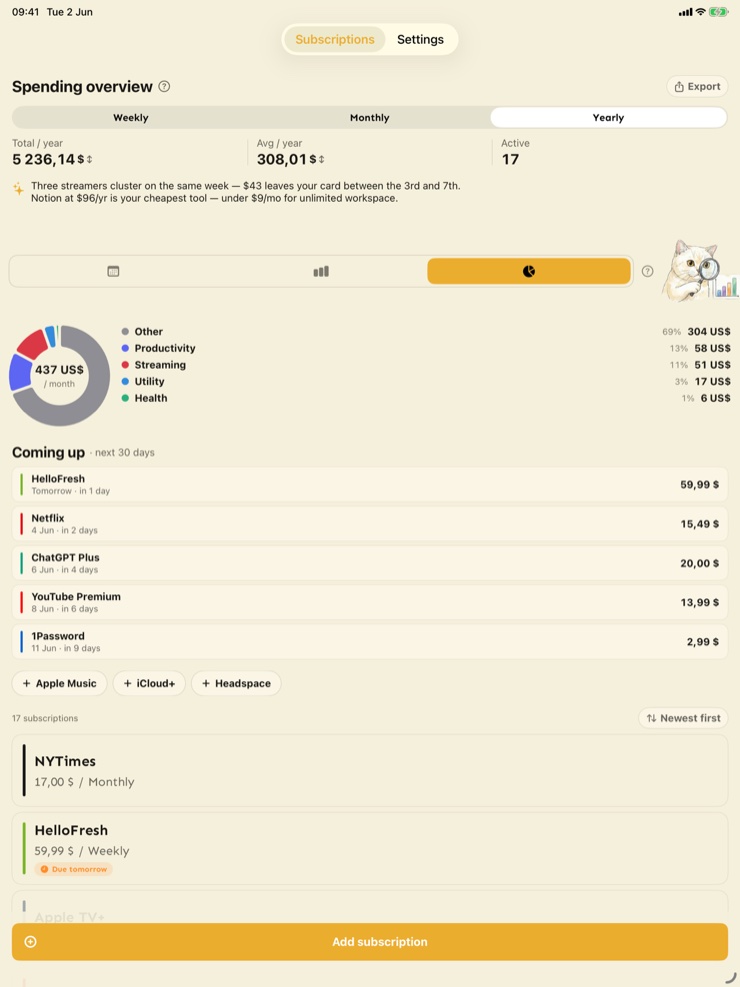
Charts show where the money goes month by month, with plain-English notes about what the months ahead will cost, plus monthly budget alerts and CSV export.
No accounts, no analytics tied to you, no bank connection required. Your list lives on your device, with optional iCloud sync only if you enable it.
Adding one is a single tap — name, price, cycle, a color. Or import several at once from a receipt, screenshot, or pasted text with on-device AI.
The heatmap shades the next twelve months by cost. Tap a month to see exactly which services renew, on which days, and for how much.
Cutty notifies you ahead of each renewal date, so trials and annual plans stop converting silently.
Review the charts, spot the services you forgot about, and follow the cancel link straight from the app.
The reliable way is to go through recent card and bank statements and list every recurring charge, then check email for receipts from services you forgot. Cutty speeds up the second half: paste text, a PDF receipt, or an email screenshot, and its on-device AI pulls out the service name, price and billing cycle. Once everything is in one list, the twelve-month calendar shows what your subscriptions actually cost.
Yes — subscription trackers like Cutty attach a next-renewal date to every service and send a notification before the charge lands. That warning window is what lets you cancel a service you stopped using instead of paying for another cycle. Reminders work for everything you track, whether it bills monthly, yearly, or on a custom cycle.
Cutty's home screen is a calendar heatmap of the next twelve months, where heavier spending months are shaded darker. Tap any month to see which subscriptions renew there, on which days, and how much they total in your own currency. It makes surprise annual renewals visible months before they arrive.
iOS only lists subscriptions bought through the App Store, in Settings under your Apple account — it cannot see streaming plans, software, gym memberships or anything billed elsewhere. A tracker like Cutty covers the full picture, and its Apple Intelligence import reads receipts, screenshots and pasted text so you rarely have to type entries by hand. Everything is processed on the device itself.
No. Cutty never connects to a bank; you add services manually in a tap or two, or import them from receipts and screenshots processed on your device. That means no account to create, no credentials to share, and no transaction data leaving your phone. The trade-off is a minute of setup in exchange for full privacy.
Add the trial to your tracker the day you sign up, with the conversion date as its renewal date. Cutty then reminds you before that date arrives, and its quick cancel link takes you straight to the service's cancellation page if you decide not to keep it. Tracking trials the moment you start them is the single best habit for avoiding accidental charges.
Annual renewals are the ones people forget, because eleven quiet months pass between charges. Put them in a tracker with the real renewal date, and use a calendar view so the big month ahead stands out — Cutty's heatmap shades those months darker automatically. Combined with a reminder before the charge, a yearly plan can never ambush your statement again.
Cutty totals your subscriptions per month and shows the amounts in your own currency, both on the calendar and in spending charts. Plain-English notes describe what the months ahead will cost, so a phrase like a heavy month is backed by the exact services causing it. You can also set a monthly budget and get an alert when the total crosses it.
Yes. Cutty runs on iPhone, iPad and Apple Silicon Macs, so you can tidy your list on a bigger screen and check renewals from your pocket. If you enable iCloud sync, your subscriptions stay identical across all of them; without it, each device keeps its data entirely local.
It depends on the app — many require accounts or bank links. Cutty requires neither: there is no sign-up, no analytics linked to you, and the AI import runs on-device through Apple Intelligence rather than a server. Nothing leaves your phone unless you deliberately turn on iCloud sync for your own devices.
Cutty exports your subscriptions to CSV, which opens in Numbers, Excel, or any spreadsheet app. That is useful for budgeting alongside other finances, sharing a household overview, or simply keeping your own backup. Your data stays yours and is never locked inside the app.
Cutty includes a lock screen widget, so the next renewals are visible without opening the app. Together with notification reminders, it keeps upcoming charges in view at the moments you would otherwise forget them. The app itself stays for the deeper work: the calendar, the charts, and the cancel links.
Find what you're paying for, see the year of renewals at a glance, and keep only what earns its place.
Download on theApp Store