 Emberlog
Emberlog
Emberlog
Log a flare in seconds, let Apple Health fill in sleep and activity, and see the patterns worth discussing with your clinician.
Coming soon to theApp Store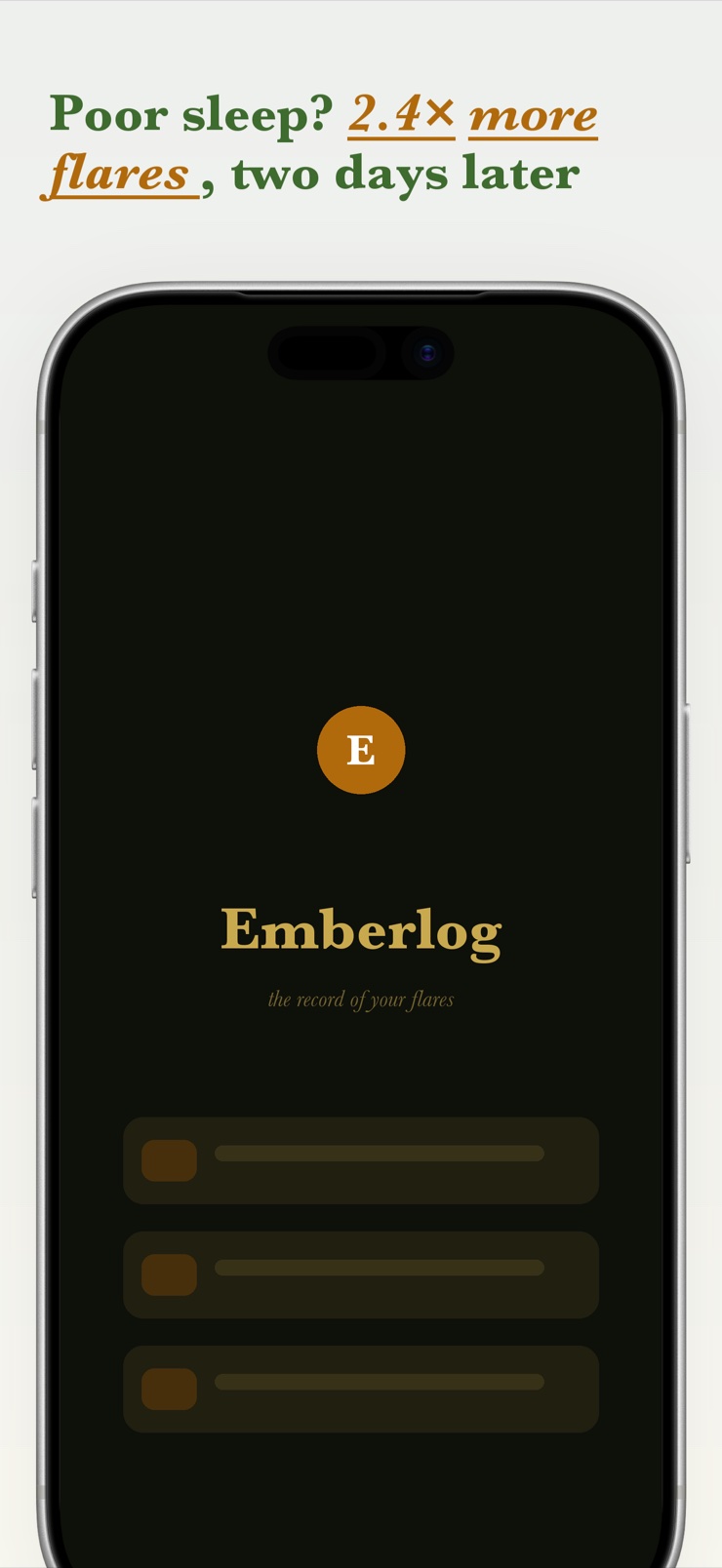
Emberlog is a flare diary for people living with a flaring chronic condition — fibromyalgia, ME/CFS, POTS, IBD, lupus, and others. It is built for low-energy days: a flare is logged in one tap from a widget or shortcut, timestamped with a 0–10 severity, and refined later with symptoms, body-map locations, meds, food, and notes.
Behind the diary, an on-device engine looks for lagged patterns between your flares and your factors — for example, whether flares tend to follow short sleep by a day or two. Sleep, steps, and HRV import automatically from Apple Health so you never re-enter what your phone already knows. Every insight shows its sample size, is labeled as a pattern rather than a cause, and stays quiet until there is enough data.
Emberlog is a personal journal, not medical advice, and it never diagnoses or suggests treatment. Its job is to hand you and your clinician a clear record: a date-ranged PDF with your flare timeline, top patterns, and meds, ready for a short appointment. Everything is stored on your device, with no account to create.
A widget or shortcut records a timestamped flare with severity in a single tap. Add details later, when you have the energy.
Pin the exact spot a flare hit on a simple body diagram, and log symptoms, meds, food, mood, and free-text notes without a symptom cap.
Sleep, steps, activity, and HRV import automatically from Apple Health, so your diary stays complete even on days you log almost nothing.
On-device analysis surfaces lagged patterns like flares following poor sleep. Each card shows its sample size and is a pattern, not a cause.
Export a date-ranged report with your flare timeline, top patterns, and meds — a clean handout for a twelve-minute appointment.
Your health data is analyzed on your iPhone and stays there. No account, no server, and the diary works fully offline.
Tap the widget, set a severity from 0 to 10, and you're done. The entry is timestamped so daily fluctuations are captured accurately.
When you're able, attach symptoms, a body-map location, meds, food, and notes to the entry. Apple Health adds sleep and activity on its own.
As entries build up, Emberlog surfaces lagged correlations between factors and flares — always with the sample size, never overstated.
Export the PDF report for your appointment and discuss the patterns with a professional who knows your history.
A flare diary is a dated record of when a chronic illness flares, how severe it is, and what else was going on — sleep, meds, food, stress, weather. Kept consistently, it turns vague impressions into concrete history that you and your clinician can review together. Emberlog is built to make that record effortless: one tap logs the flare, and details can wait until you have energy.
Yes. Emberlog is a symptom and flare tracker designed for flaring conditions like fibromyalgia, ME/CFS, POTS, IBD, and lupus. It records timestamped flares with severity, symptoms, and body-map locations, and looks for patterns between flares and factors like sleep or activity. It is a journal for your own records and appointments, not a diagnostic tool.
The honest answer is: carefully, and with a clinician. A good first step is a consistent diary that pairs each flare with the days around it, because many triggers act with a delay. Emberlog automates that comparison on your device and shows lagged patterns — such as flares appearing more often one to two days after short sleep — labeled as patterns to discuss, never as proven causes.
Partly. An iPhone can supply objective context automatically — sleep, steps, activity, and heart rate variability through Apple Health — but how you actually feel still needs a quick manual entry. Emberlog combines both: Health data imports itself, and your part is a single tap with a severity rating.
Emberlog's core promise is a log that costs almost nothing: tap the Lock Screen or Home Screen widget, slide the severity, done. There is no required questionnaire and no setup before your first entry. Everything else — symptoms, notes, body map — is optional and can be added hours later.
Yes. With your permission it reads sleep, steps, activity, and HRV from Apple Health and lines them up against your flare entries, so you never duplicate data your phone already collects. You choose what to share, and the data is only read on your device.
It is a compact summary a clinician can absorb in a short appointment: a timeline of flares over a date range, severity trends, current meds, and any recurring patterns. Emberlog generates exactly this as a PDF you can print, AirDrop, or email yourself, so the visit starts from data instead of memory.
No, and it is deliberate about that. Emberlog shows statistical patterns in your own diary — with sample sizes, and only once there is enough data — but a pattern is not a diagnosis and correlation is not causation. Treat its cards as well-organized questions to bring to your clinician, who can interpret them in the context of your health.
Nowhere. Entries are stored on your iPhone, the pattern analysis runs on the device, and there is no account or server involved. You can export your data yourself at any time; the app never sends it anywhere on its own.
Yes. Each entry can include one or more locations on a simple body diagram, so joint pain, skin flares, or localized symptoms are recorded precisely. Over time the body map becomes part of the record you can review or export.
It depends on how often you flare and log, since honest statistics need a minimum amount of data. Emberlog suppresses insights until the sample is meaningful and says 'keep logging' instead of guessing. Many people see their first pattern cards within a few weeks of regular one-tap entries.
Emberlog is not. It is a personal journal and pattern-spotting tool — it does not diagnose conditions, recommend treatments, or replace professional care. If your symptoms change or worsen, contact a qualified clinician; use the app to make that conversation better informed.
Start the record today — one tap per flare, and clearer conversations at your next appointment.
Coming soon to theApp Store