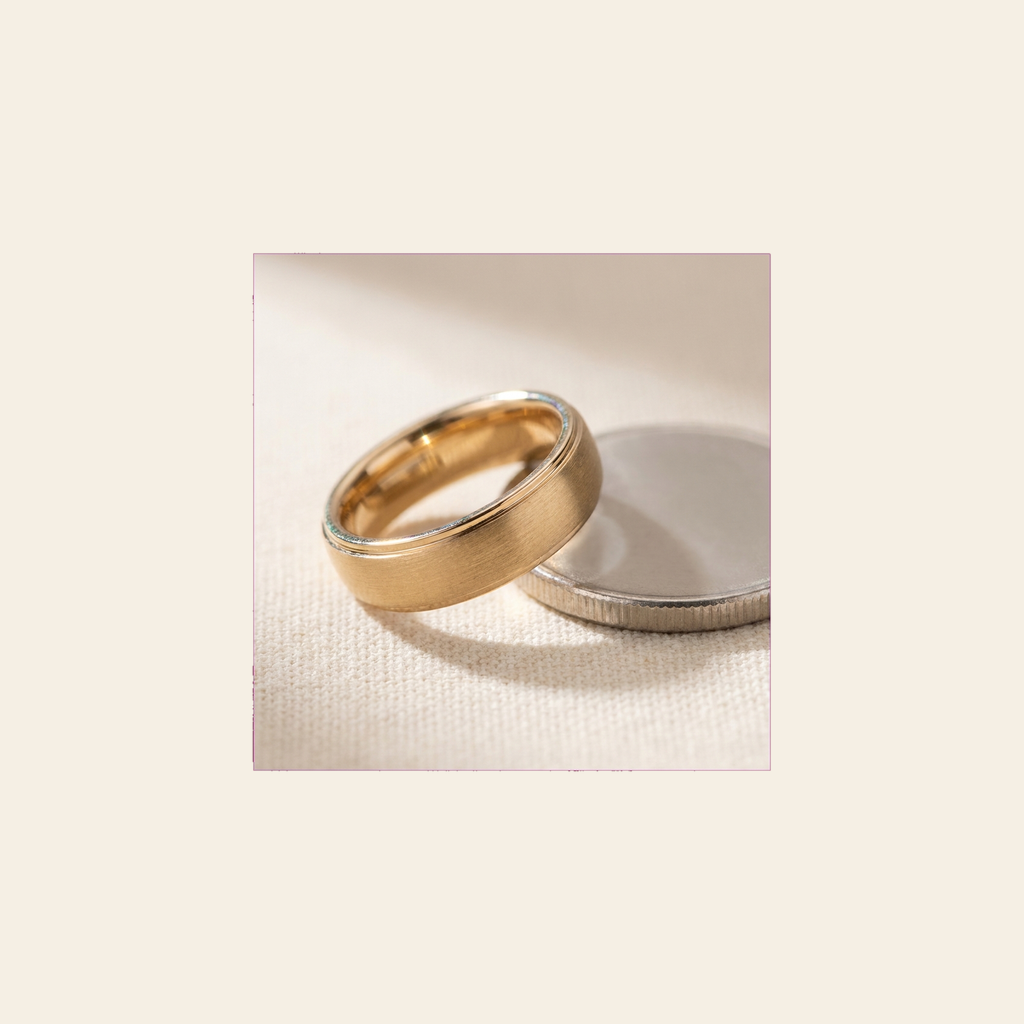
Lay a ring you already own flat on the display, match the circle to the band, and read the size. No camera, no printing, no jeweler.
Download on theApp Store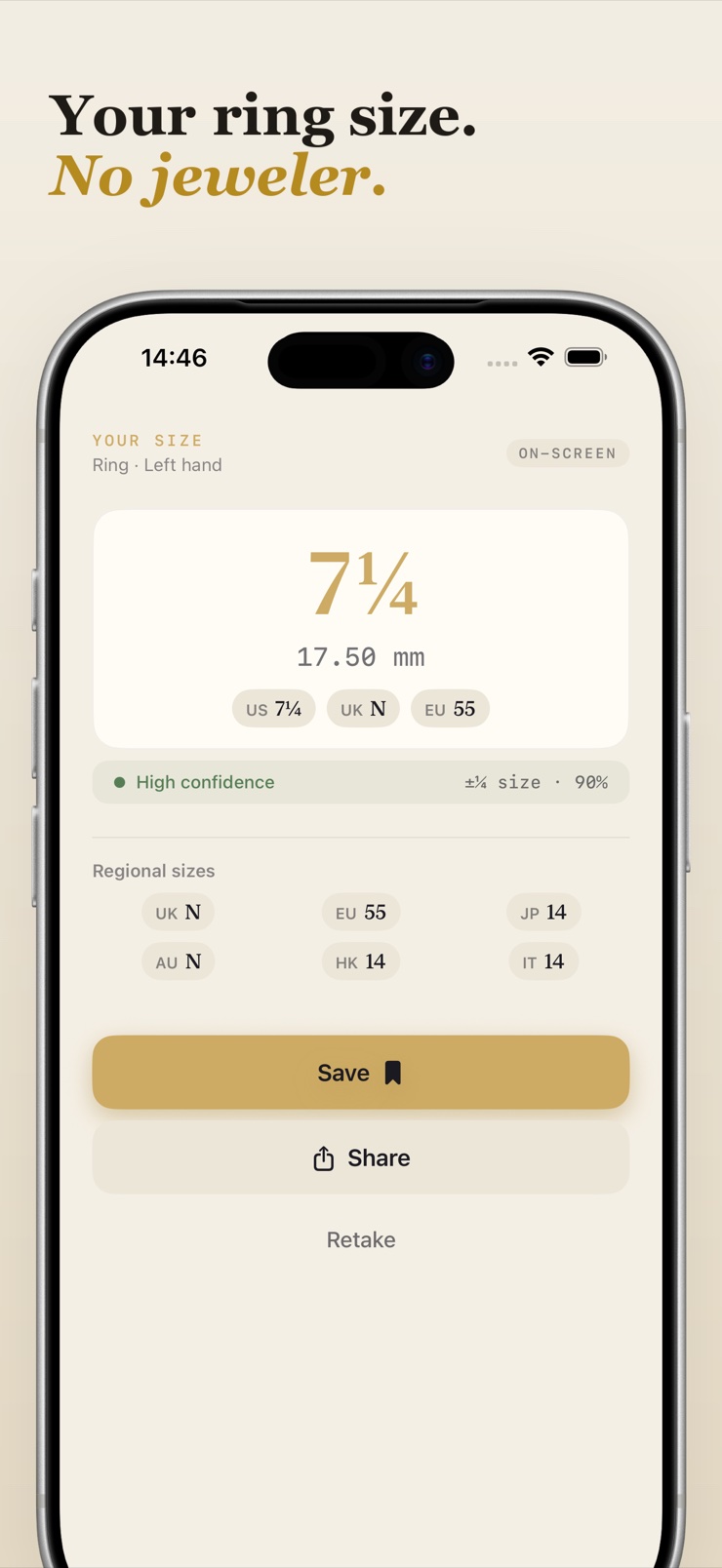
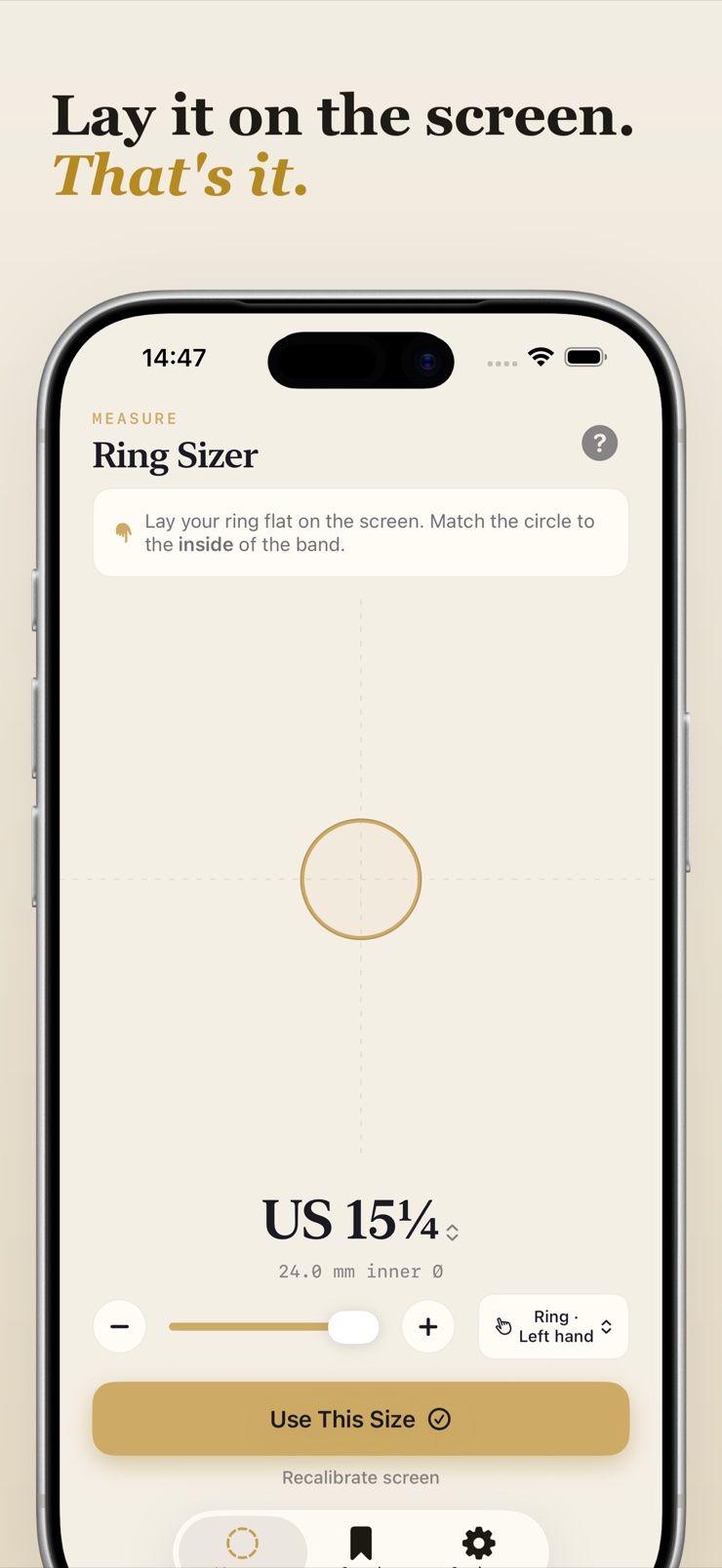
Knuckle turns your iPhone screen into a ring sizer. Lay a ring you already own flat on the display, match the gold circle to the inside of the band, and read the size. That is the whole thing — no camera, no printing, no paper strips to cut out, no trip to a jeweler.
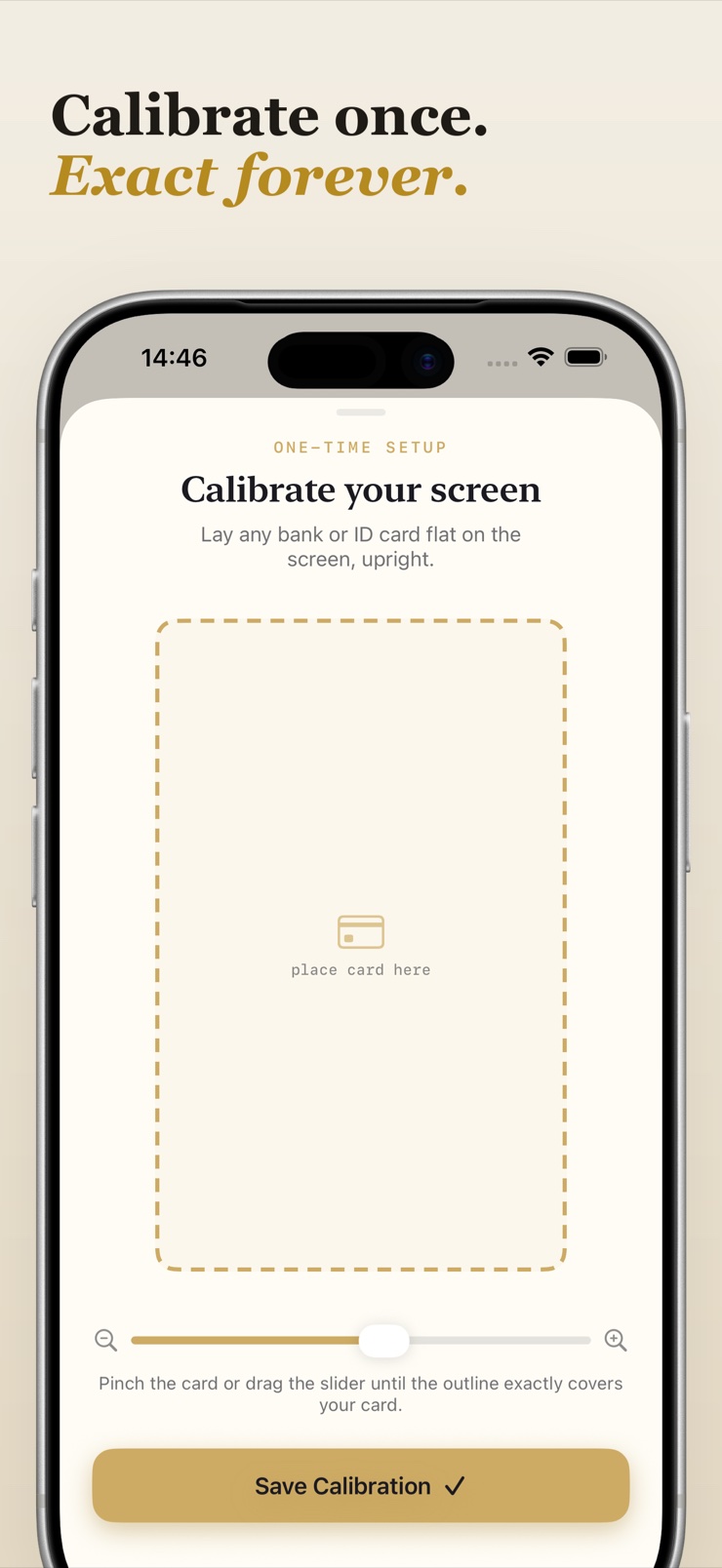
Before the first measurement you line a bank or ID card up against an outline, once, so Knuckle learns exactly how large a millimetre is on your particular screen. Every reading after that is true to your device. Results show the inner diameter in millimetres next to the sizes people actually ask for — US, UK, EU, Japan, Australia, Hong Kong and Italy — and each carries an honest confidence band instead of one number pretending to be certain.
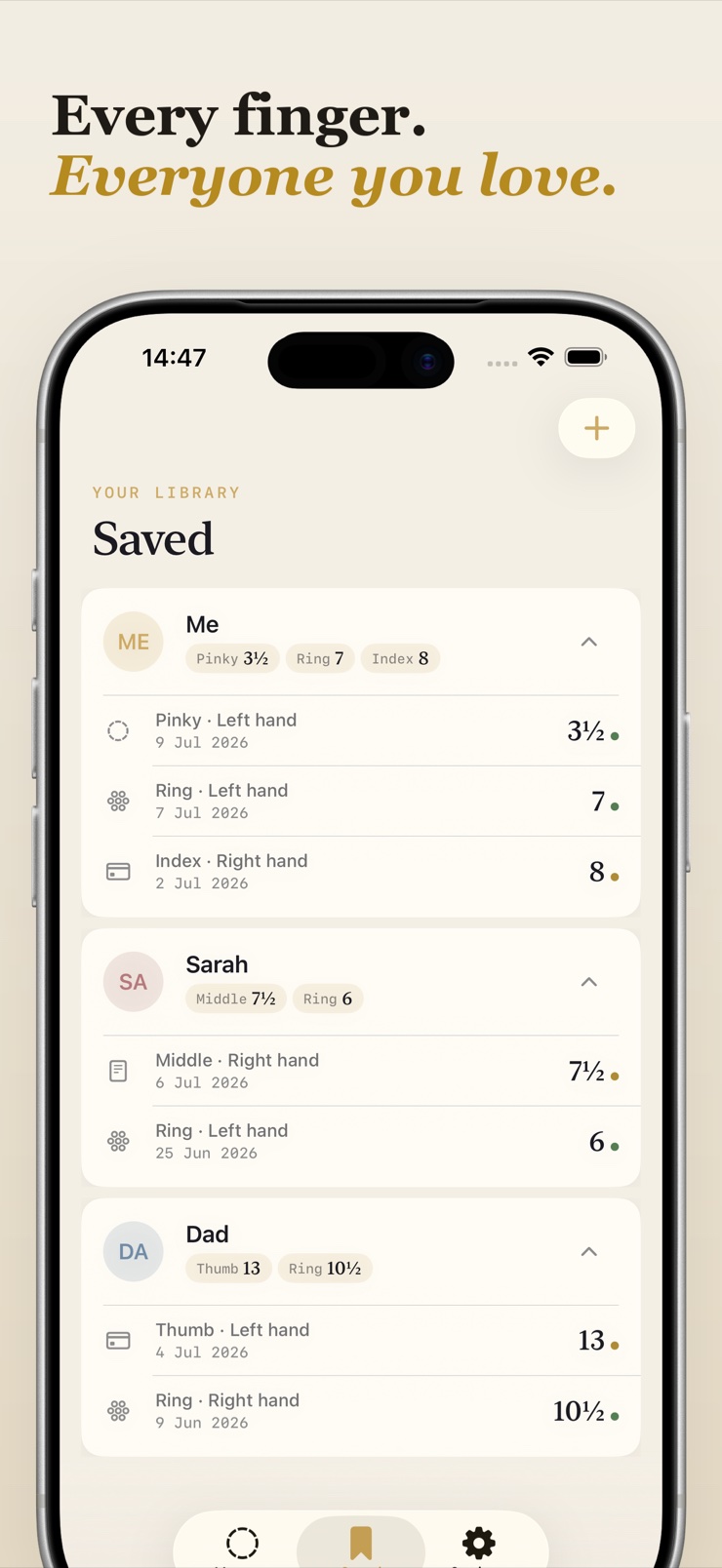
Sizes are worth keeping. Save one under the person it belongs to, note the finger and the hand, and look it up later while you are standing in the shop. Send a clean size card to whoever is buying. Nothing leaves your device: no account, no sign-in, and it all works with the network switched off.
Place any ring flat on the display and match the circle to the inside of the band. The size reads out instantly.
Line up a standard bank or ID card once so measurements are exact for your specific screen, not a generic guess.
US, UK, EU, Japan, Australia, Hong Kong and Italy, side by side with the inner diameter in millimetres.
Each result shows a realistic range rather than false precision, so you know when to size up.
Keep sizes under names, with finger and hand noted, and pull them up in the shop when it matters.
No camera, no account, no network needed. Nothing you measure leaves the device.
Align a bank or ID card with the on-screen outline so Knuckle learns your display's exact scale.
Put a ring that fits the right finger flat on the glass, centered over the circle.
Adjust the circle until it hugs the inside of the band, then read the size in every system at once.
Store the size under the person it belongs to and send a clean size card to whoever is buying.
The most reliable at-home method is measuring a ring that already fits the finger in question, because it captures the true inner diameter. Knuckle does exactly this: you lay the ring flat on your iPhone screen, match an on-screen circle to the inside of the band, and read the size immediately in US, UK, EU and other systems.
Yes, by using the screen as a calibrated measuring surface. Knuckle asks you to align a standard bank or ID card against an outline once, which tells it exactly how large a millimetre is on your particular display. After that, a ring laid on the screen can be matched and measured accurately — no camera involved.
Once calibrated against a physical card, the screen measurement reflects your device's true pixel size, so the reading is faithful to the ring you placed on it. Knuckle also shows an honest confidence band with each result instead of a single number pretending to be certain, so you can see the realistic range before ordering.
Borrow a ring your partner already wears on the correct finger — ideally the left ring finger, or note which finger it comes from. Lay it on Knuckle's screen circle, match, and save the size under their name. The whole measurement takes under a minute and nothing is printed or mailed, so the surprise stays intact.
The inner diameter is the distance across the inside of the band in millimetres, and it is the physical truth behind every sizing system. US, UK, EU and Japanese sizes are all just labels mapped onto that diameter. Knuckle shows the millimetre value alongside each regional size so you can order confidently anywhere.
Each system maps differently onto the ring's inner diameter — for example, US sizes run on a numeric scale, UK sizes on letters, and EU sizes on circumference in millimetres. Rather than juggling a conversion chart, Knuckle reads the diameter directly from your ring and displays US, UK, EU, Japan, Australia, Hong Kong and Italy at once.
Screen-based measurement needs an existing ring, because the ring's inner edge is what gets matched to the circle. If you have no ring that fits the target finger, a jeweler's finger gauge is the dependable alternative. If you can borrow any ring worn on that finger — even briefly — Knuckle can size it on the spot.
Print-at-home sizers often mis-scale, because printers shrink or fit pages unpredictably, and paper strips stretch. A calibrated screen avoids both problems: Knuckle verifies scale against a real bank card on your actual display, and there is nothing to print, cut out, or wrap around a finger.
Engagement and wedding rings are traditionally worn on the fourth finger of the left hand in most Western countries, though customs vary. Fingers on your dominant hand also tend to run slightly larger. Knuckle lets you note both the finger and the hand when saving a size, so there is no ambiguity later.
Between sizes, the common advice is to go with the larger one, since a slightly loose ring is more comfortable than one that won't pass the knuckle. Knuckle's confidence band makes this visible: instead of rounding silently, it shows the realistic range so you and the jeweler can make the call deliberately.
Yes. Knuckle stores each measurement under a name, with the finger and hand noted, so a whole family's sizes are ready when a birthday or anniversary comes around. You can also send a clean size card to whoever is doing the buying — useful when relatives ask what size to order.
Knuckle needs neither. There is no camera measurement, no photo of your hand, no account and no sign-in; the ring sits directly on the glass and the match happens on-screen. Everything works with the network switched off, and no measurement ever leaves your device.
Lay the ring on the screen and know the size for good.
Download on theApp Store