Shield the apps, categories and sites that pull you in — on a schedule, behind a cooldown that resists you — so a weak moment doesn't cost two hours.
Download on theApp Store
Unfeed is an app and website blocker built on Apple's Screen Time technology. You pick exactly which apps, app categories, and web domains pull you into the scroll, and Unfeed shields them — the shield is enforced by the system itself, not by a browser extension or a nagging reminder.
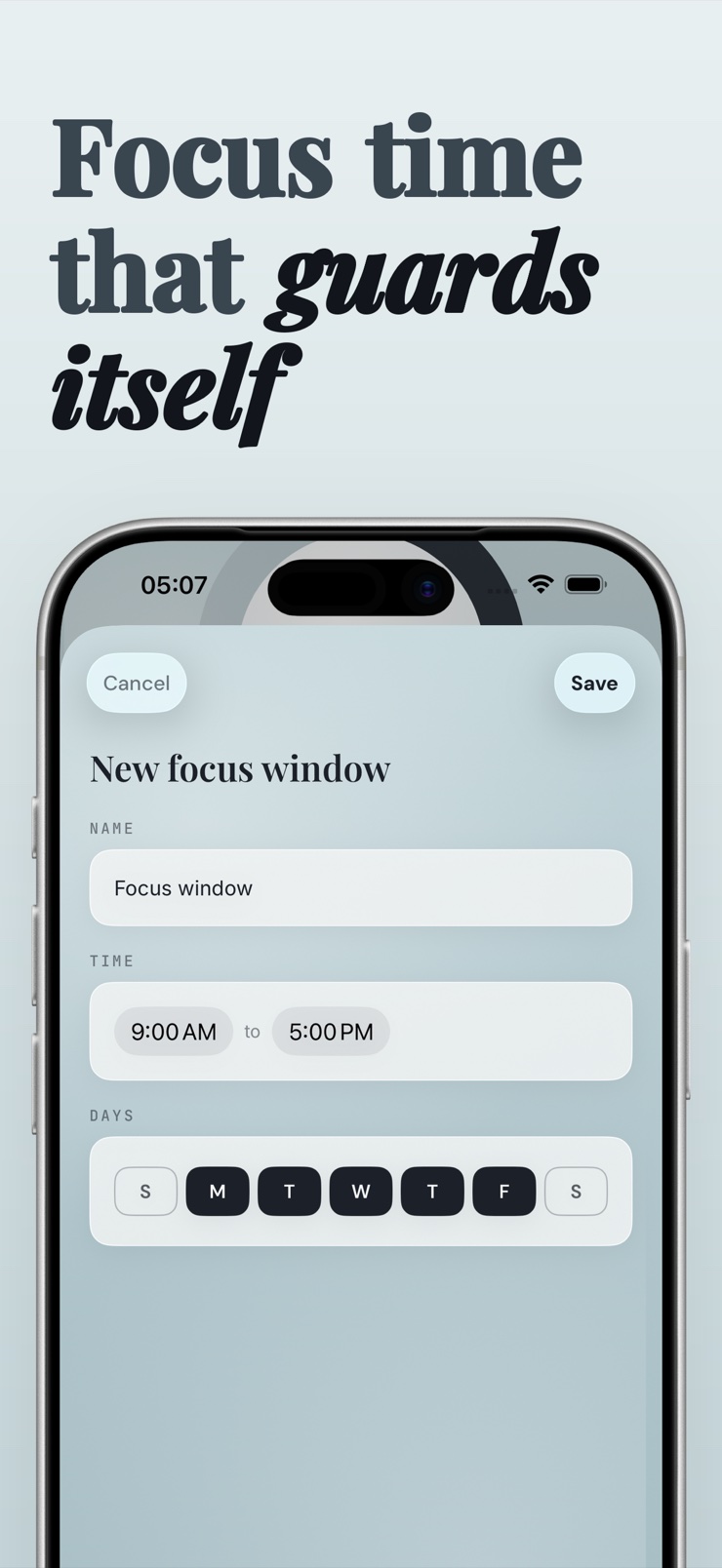
What makes it hold is friction in the right place. Lifting an active shield takes a deliberate, timed cooldown rather than a one-tap bypass, so the impulse to check passes before the shield does. Focus Windows raise the shield automatically on your schedule — work hours, sleep hours — without you having to remember to turn anything on.
Unfeed keeps score quietly: a streak and a reclaimed-time counter, tallied entirely on your device. No account, no server, and no data about your habits leaves the phone. To be honest about the platform: iOS offers no way for a third-party app to remove the feed inside another app while keeping the rest usable — Unfeed shields the whole app, category, or site, and says so plainly.
Choose individual apps, whole categories, or specific websites with Apple's system picker. Shield what pulls you in and keep the rest.
Shields run through Screen Time's Family Controls and Managed Settings frameworks, so blocked apps stay blocked — no browser-only tricks.
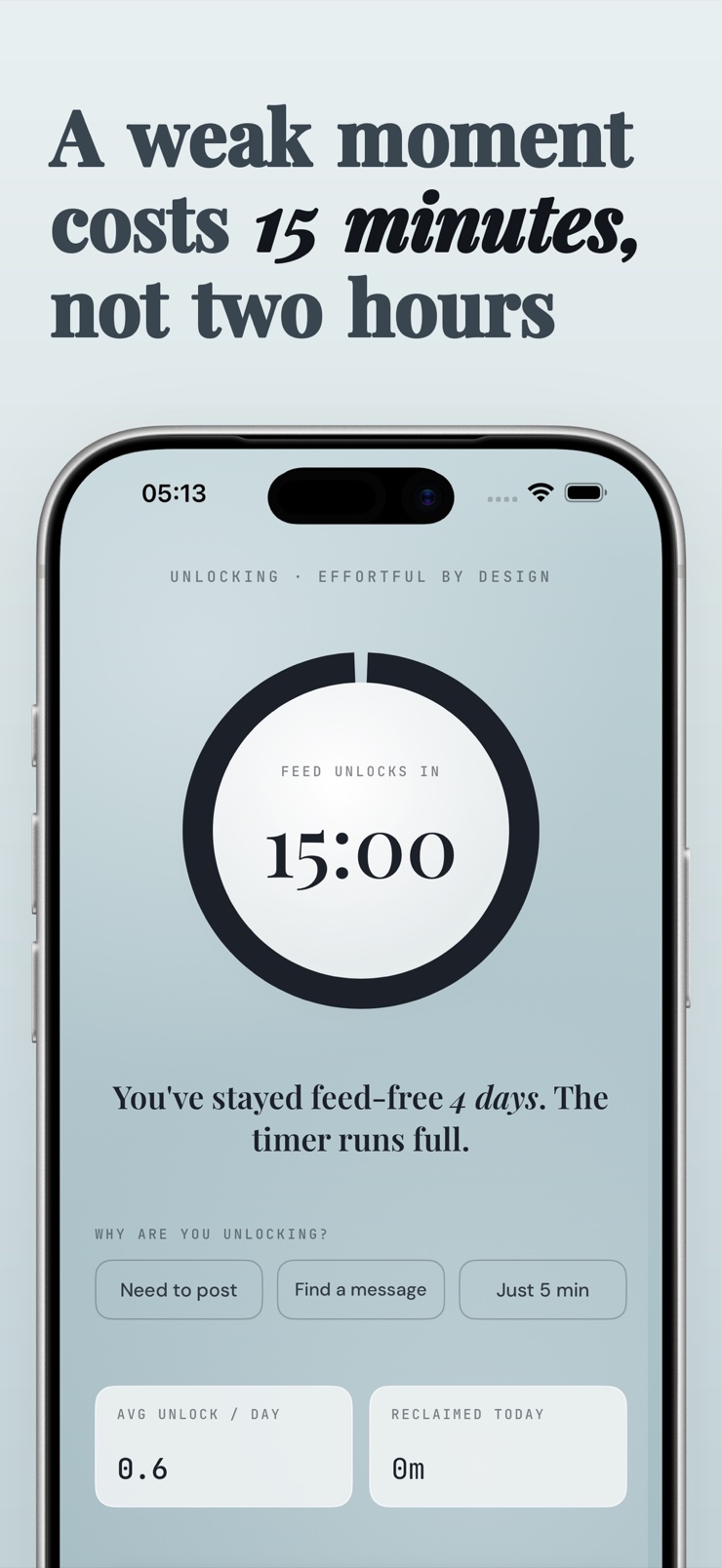
Turning a shield off takes a deliberate, timed effort instead of one tap, which is usually all a craving needs to pass.
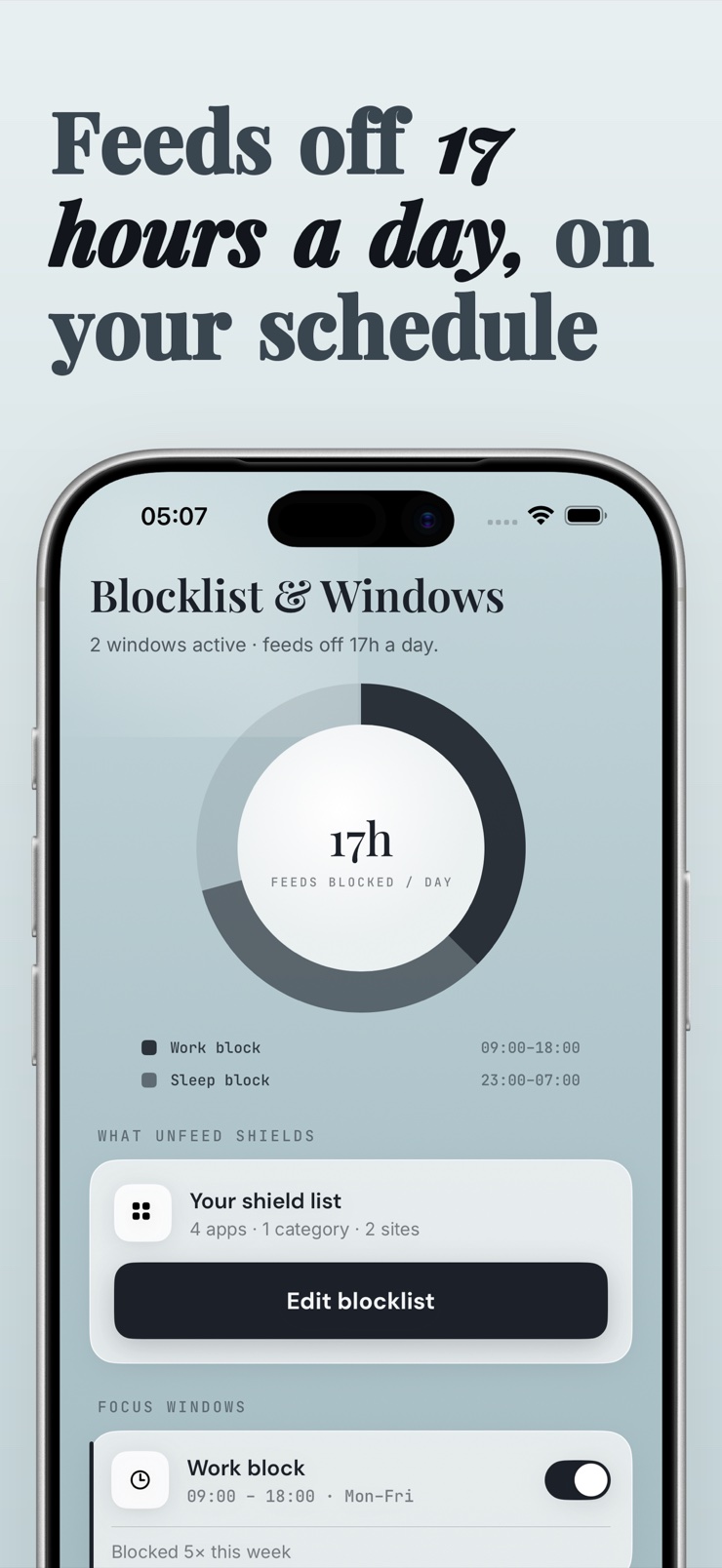
Recurring work and sleep windows raise the shield automatically on schedule, so protection doesn't depend on willpower.
See how long you've held the line and how many hours you've taken back, computed entirely on your device.
No account, no server, no usage data uploaded. What you block and how often stays on your phone.
Use the system picker to select the apps, categories, and sites that eat your time.
Shield them now, or set Focus Windows so the shield raises itself on your schedule.
If you try to lift the shield, a deliberate timed cooldown stands between the impulse and the feed.
Your streak and reclaimed-time counter grow with every shielded day.
iOS lets apps with Apple's Screen Time (Family Controls) capability shield other apps at the system level. In Unfeed you pick the apps, categories, or websites with the system picker and raise a shield — after that, opening a shielded app shows a block screen instead of the feed. You can shield on demand or on a schedule.
The reliable fix is removing the option in the moment, because willpower is weakest exactly when the feed is one tap away. Unfeed shields scroll-heavy apps and sites on a schedule and puts a timed cooldown in front of any unlock, so the urge has time to pass before access returns. The reclaimed-time counter shows the payoff.
On iOS, no — Apple provides no public way for a third-party app to strip the feed inside another app while keeping the rest usable. Any product implying otherwise is overpromising. Unfeed is honest about this: it shields the whole app, category, or website through Screen Time, which is what the platform actually supports.
Two common failures: blockers that only run while their own app is open, and blockers that are trivially disabled in settings. Unfeed's shields are enforced by the system's Screen Time machinery with scheduled activity monitoring, so they don't depend on the app being in the foreground, and lifting a shield goes through a deliberate cooldown rather than a single toggle.
Yes. Unfeed shields web domains alongside apps and app categories, so the mobile-web version of a blocked platform doesn't become the loophole. You choose the domains once and they're covered by the same schedules and cooldown as your app shields.
A cooldown is deliberate friction between you and the unlock: instead of tapping 'disable' and landing in the feed, you wait out a timed, intentional process. It works because most checking urges fade within a minute or two. In Unfeed, the cooldown is the difference between a shield and a suggestion.
Yes. Unfeed's Focus Windows are recurring schedules — for example 9 to 6 for work and 11 pm to 7 am for sleep — that raise your shields automatically. You set them once, and protection arrives on time whether or not you remember to think about it.
Yes, and this matters more than it sounds — all-or-nothing blockers force you to choose between focus and the tools you actually need. Unfeed shields exactly the items you select: individual apps, whole categories like social or entertainment, or single websites, each under your chosen schedule.
Unfeed doesn't collect your browsing or usage data. Shielding runs through Apple's Screen Time frameworks, the streak and reclaimed-time tally are computed on the device, and there is no account and no server. What you block stays between you and your phone.
Apple's Screen Time technology — the Family Controls, Managed Settings, and Device Activity frameworks — lets an approved app apply system-enforced shields to apps, categories, and web domains. Apple grants this capability to apps individually. Unfeed is built entirely on these frameworks, which is why its shields behave like part of iOS.
Habit research generally puts meaningful change at weeks, not days, and the first days are the hardest because reaching for the feed is automatic. Scheduled shields carry you through that period without daily negotiation. Unfeed's streak counter marks the consecutive days you've held, which is a simple, honest motivator.
Yes. Unfeed shields only the apps, categories, and sites you selected — everything else on the phone works normally, including calls, messages, maps, and whatever tools you left unshielded. It narrows the exits from your attention, not your phone.
Raise the shield and take your hours back.
Download on theApp Store