
A quiet notebook for the pew — record the sermon, mark the moments that matter, and keep your notes beside the audio.
Download on theApp Store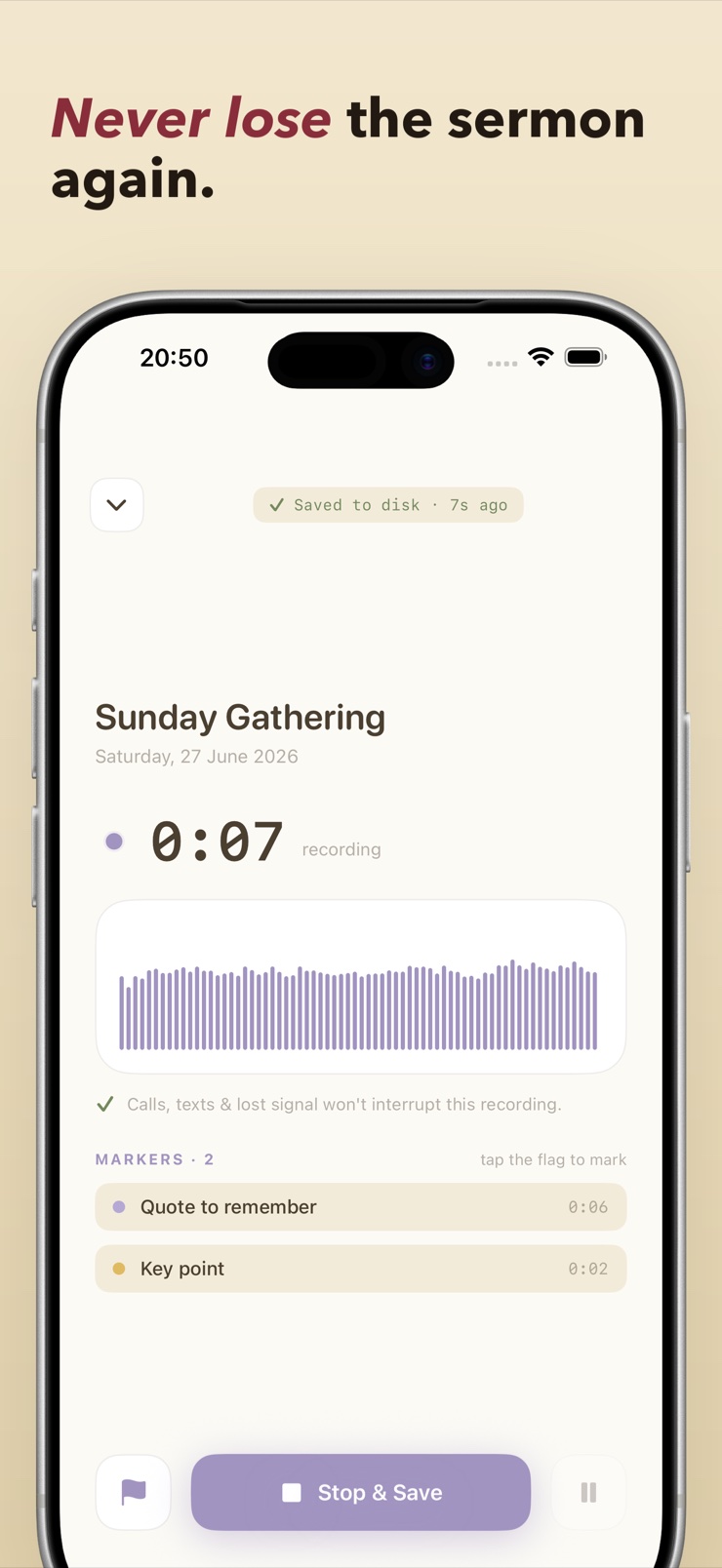
Pulpit Pal is a quiet notebook for the pew. It records the sermon while you listen, lets you drop colored markers at the moments you want to find again, and keeps your written notes right next to the audio — one sermon, one place.
The recorder is built for real Sunday mornings: it survives a phone call, an incoming text, or weak signal, and saves to your device as it goes, so a 40-minute message is never lost to an interruption. Later, tap any marker to jump straight back to that spot in the recording.
Sermons group into series, so a six-week study stays together and past messages are a tap away. When you want your reflections outside the app, export your outline, notes, and markers to Markdown or plain text. Everything runs on your device — no account, no login, no cloud, no tracking.
The recording keeps going through calls, texts, and dead spots, saving continuously to your device — the sermon is never lost mid-message.
Drop a colored marker the moment something lands. Later, one tap jumps the audio straight back to that point.
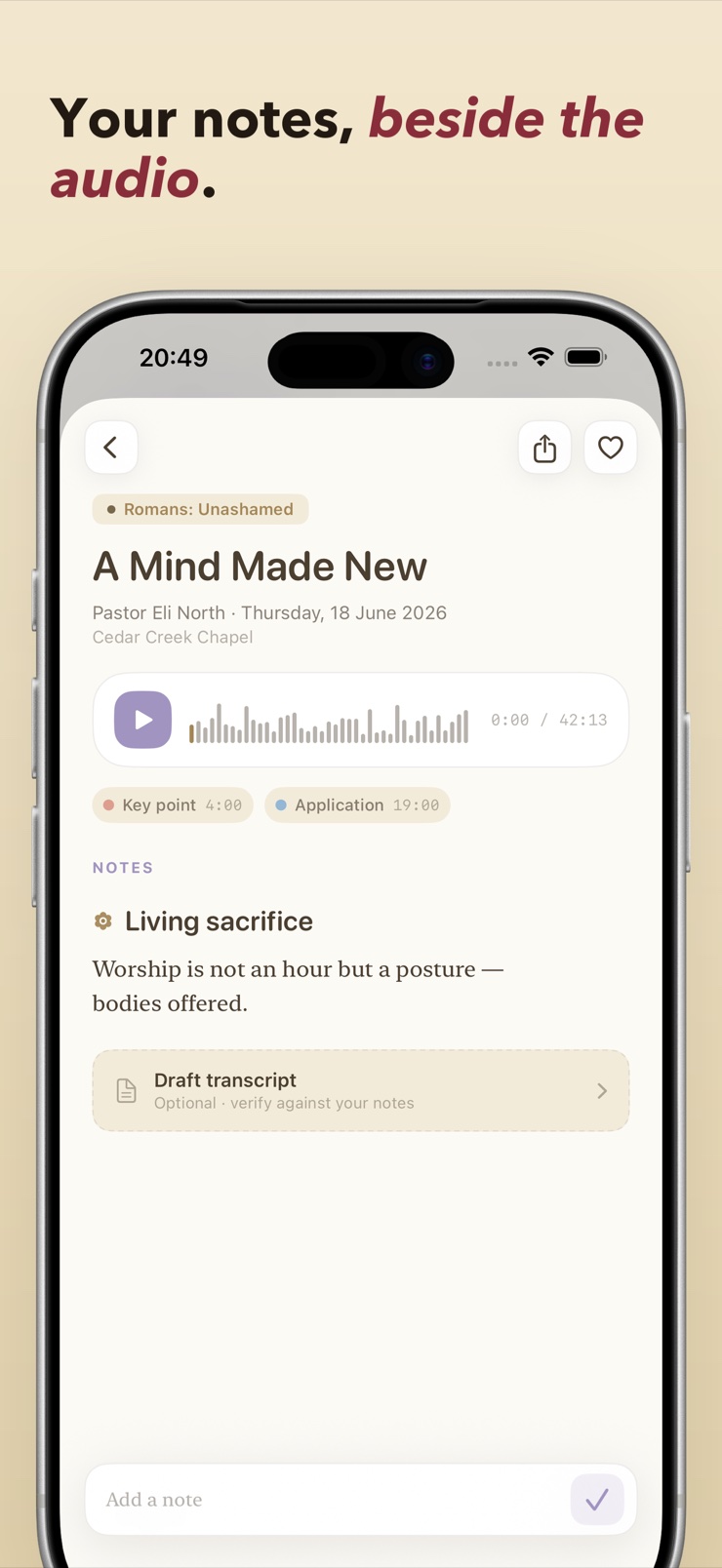
Write during the sermon or reflect afterward — your notes live next to the recording they belong to, not in a separate app.
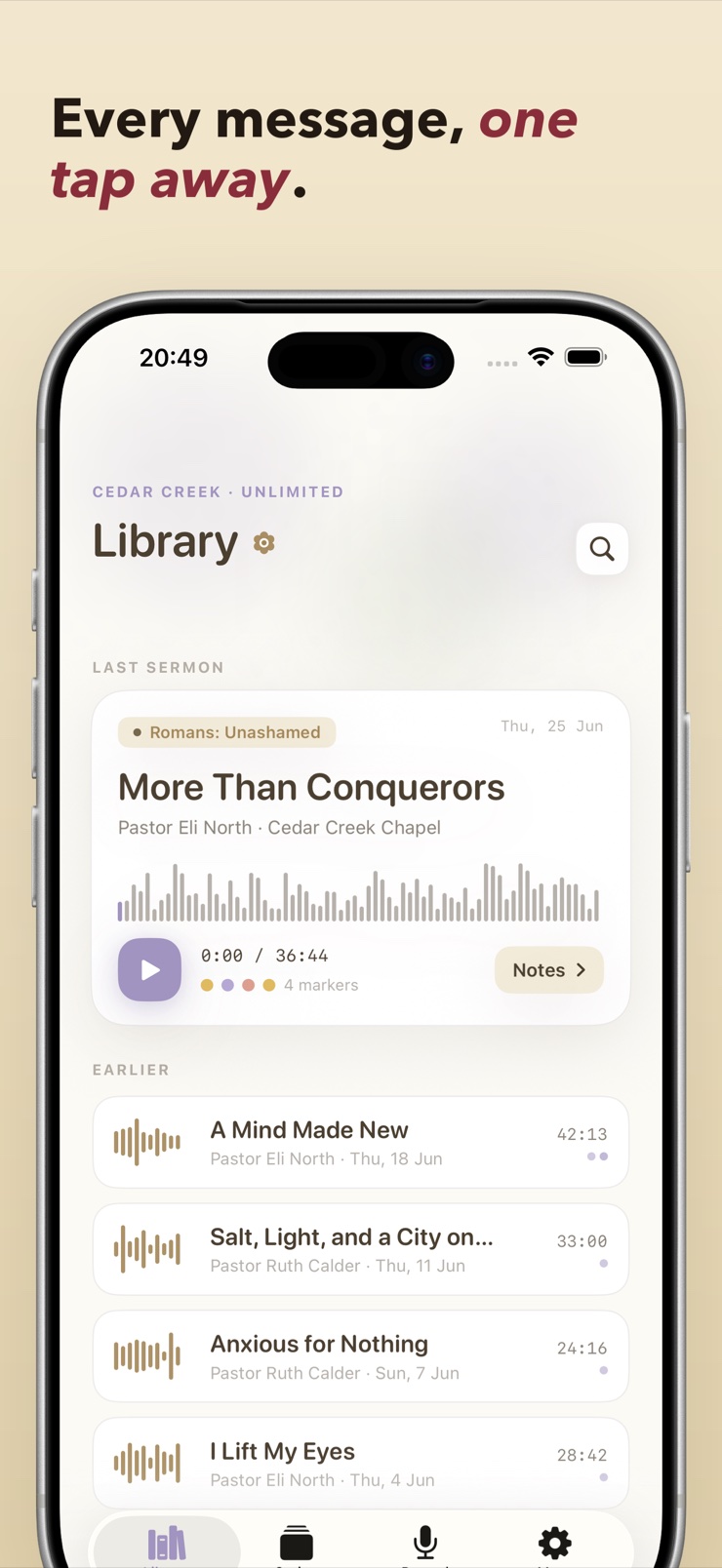
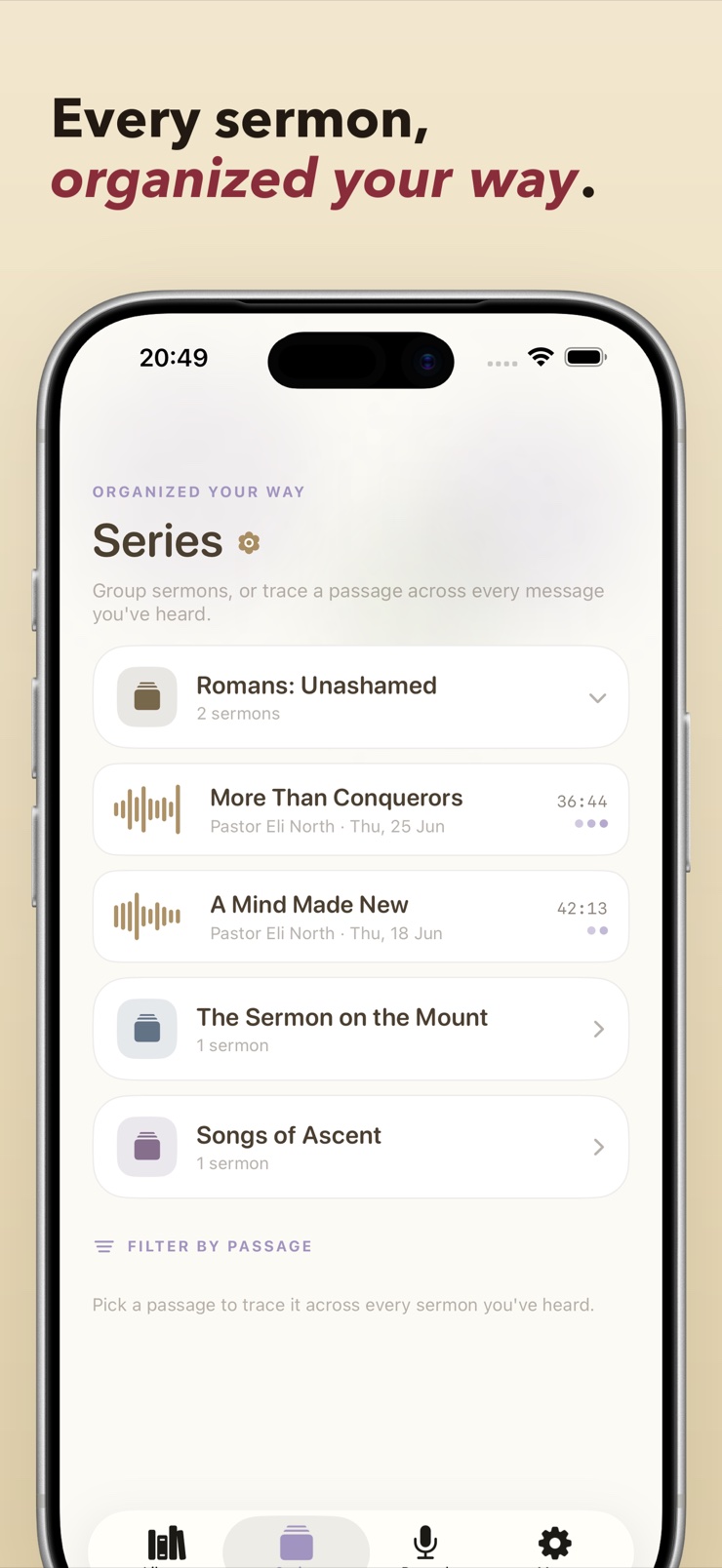
Group messages into a series and pull up any past sermon whenever you want. A whole study stays together.
Send your outline, notes, and markers out as Markdown or plain text for journaling, sharing, or small-group prep.
No account, no login, no cloud, no tracking. Everything is recorded and stored on your own device.
One tap begins an interruption-resilient recording that saves to your device as it goes — then put the phone down and listen.
When a point lands, drop a colored marker. Add a quick note if you want, or just keep listening — the marker holds your place.
After the service, write your notes beside the audio and tap any marker to hear that moment again in context.
File the message into its series, and export notes and markers to Markdown or plain text whenever you want them elsewhere.
Yes — an iPhone microphone handles a sanctuary or livestream-in-the-room well from a normal seat. The weak point is usually the app: a phone call or a low-signal moment can kill a plain voice memo. Pulpit Pal records specifically for this setting, saving continuously to your device and carrying on through calls and texts, so the full message survives.
Most churches are glad for members to record for personal study, and many record and share sermons themselves — but policies differ, so ask your pastor or church office once and you are set. Pulpit Pal keeps recordings private on your own device, which fits the personal-study use churches typically welcome.
Capture less, mark more: write the main points and your own responses rather than transcribing, and flag the moments you want to revisit. Pulpit Pal is built around that rhythm — colored markers hold the exact spots in the audio, and your written notes sit beside the recording, so you can listen fully in the moment and fill in depth afterward.
With most recorder apps, an incoming call stops the recording and the rest of the sermon is gone. Pulpit Pal is designed to survive exactly that: the recording continues through calls and texts and is saved to your device as it goes, so an interruption costs you nothing.
The trick is marking in real time, while the recording runs, instead of hunting through the audio later. In Pulpit Pal you tap to drop a colored marker at the current moment — different colors for different kinds of moments if you like — and each marker becomes a button that jumps playback straight to that spot.
Yes. Pulpit Pal keeps the recorder running while you type, so a thought can go straight into notes without pausing the audio. Many people drop a quick marker during the service and write the fuller note afterward — both end up attached to the same sermon.
Group them the way your church presents them: a named series holds each week's message in order. Pulpit Pal makes series a first-class object — file each sermon into its series, and a six-week study stays together with every recording, note, and marker in place.
Yes. Pulpit Pal exports your outline, notes, and audio markers to Markdown or plain text, so they travel to your journal, a note-taking app, or a small-group handout. Your reflections are never locked inside the app.
Pulpit Pal does — recording, notes, markers, and playback all run entirely on your device, with no account or login. That matters in practice because sanctuaries often have poor signal; nothing about the app depends on a connection.
Scrubbing blindly through 40 minutes of audio rarely works. If you dropped markers while listening, finding a moment takes one tap — Pulpit Pal jumps playback directly to any marker. That turns a long recording into a set of addressable moments rather than a haystack.
Pulpit Pal keeps every recording in a library organized by sermon and series, so any past message replays on demand — with your markers and notes alongside to guide the second listen. It is your own archive of what your own church actually preached, not a podcast feed.
In Pulpit Pal, yes. There is no account, no cloud upload, and no tracking — recordings and notes are stored only on your device, and nothing leaves it unless you choose to export or share. Your spiritual reflections stay yours.
The mechanics carry over well: any long-form talk where you want live audio, moment markers, and notes in one place — a conference session, a seminary lecture, a retreat talk — works the same way. Pulpit Pal's series grouping maps naturally onto a lecture course or event, too.
Never lose the sermon again — record it, mark it, keep it.
Download on theApp Store