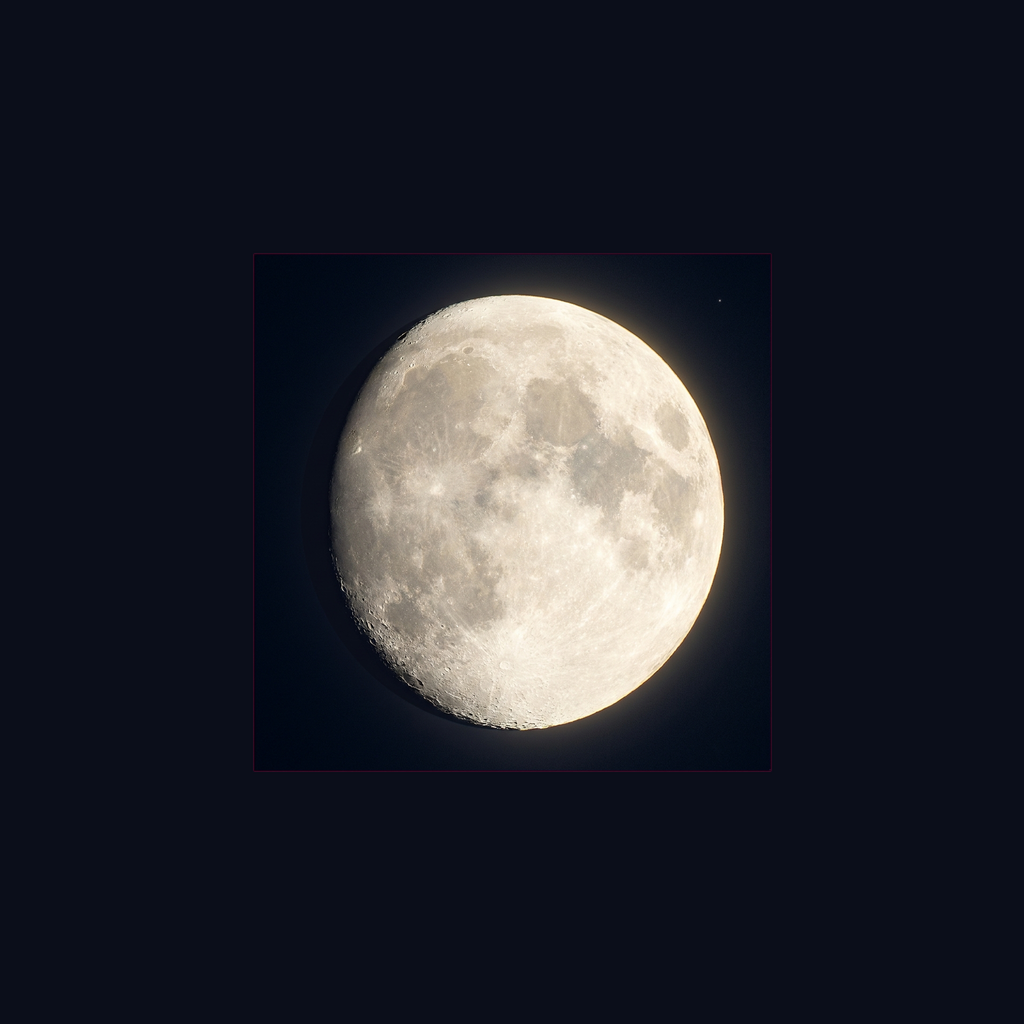
Point at the moon, tap once, and get a sharp handheld photo — Lunark stacks five frames on-device so the shot survives high zoom.
Download on theApp Store
Lunark turns your iPhone telephoto into a moon camera that actually works on the night you need it. Point at the moon, tap once, and a few seconds later the photo on your screen is sharp enough to share — no ISO charts to learn, no tripod hunt, no spinning processing screen that loses the moment.
One tap captures five frames and stacks them into a clean handheld shot. Exposure is metered for the lunar surface rather than the black sky, so the moon comes out as a face with craters instead of a white blob, and the stacking holds up at high zoom.
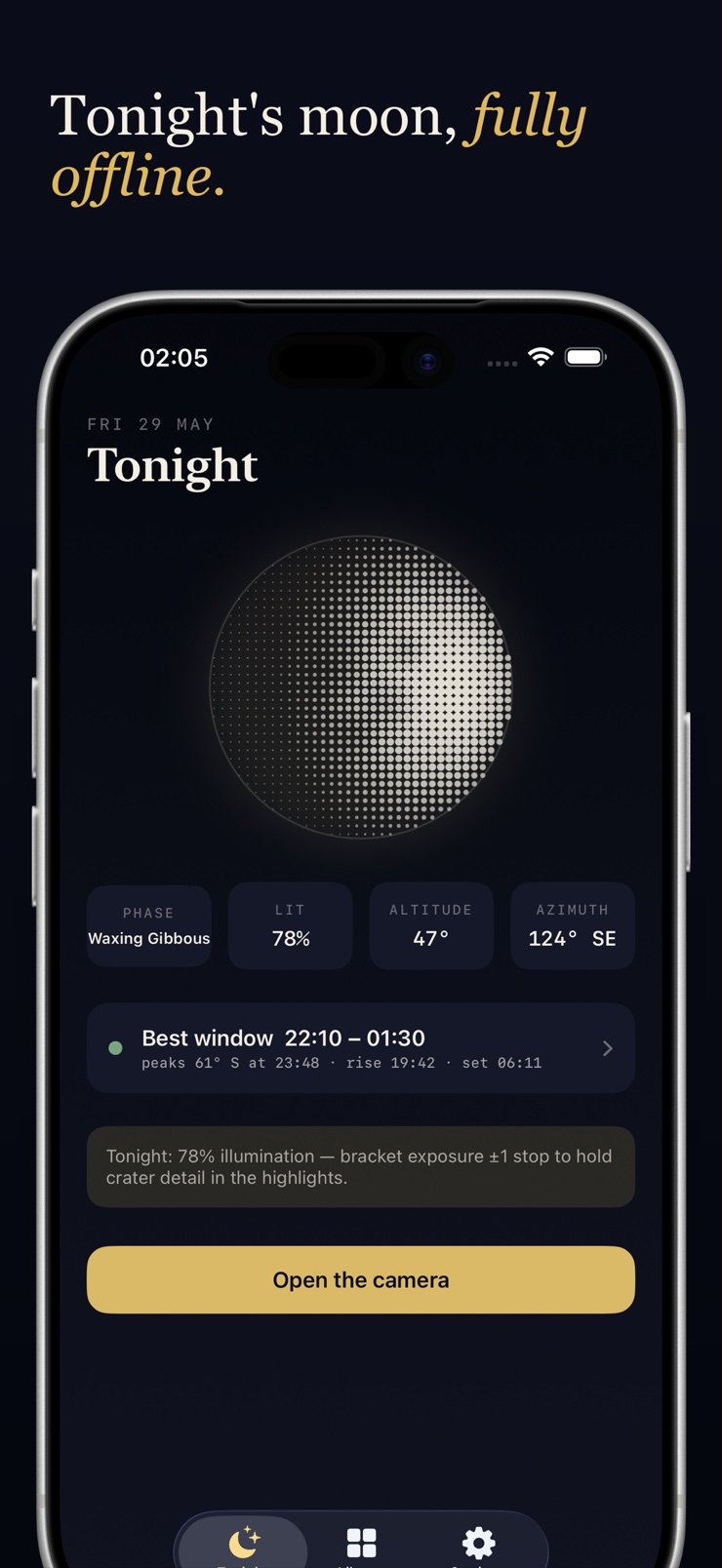
Around the camera sits a small planning kit, all of it computed on your device from ordinary astronomical maths: tonight's phase, illumination, altitude and azimuth, the moonrise time, and a shooting window that tells you the stretch when the moon sits high enough to be worth a long lens. It works with the network switched off, on a hilltop, with no signal.
A single tap captures and stacks five frames into a clean moon photo, processed in seconds on the device.
Frame stacking compensates for hand shake at high zoom, so sharp moon shots do not require a tripod.
Metering is set from tonight's phase, not from the dark sky around it, so crater detail survives instead of blowing out.
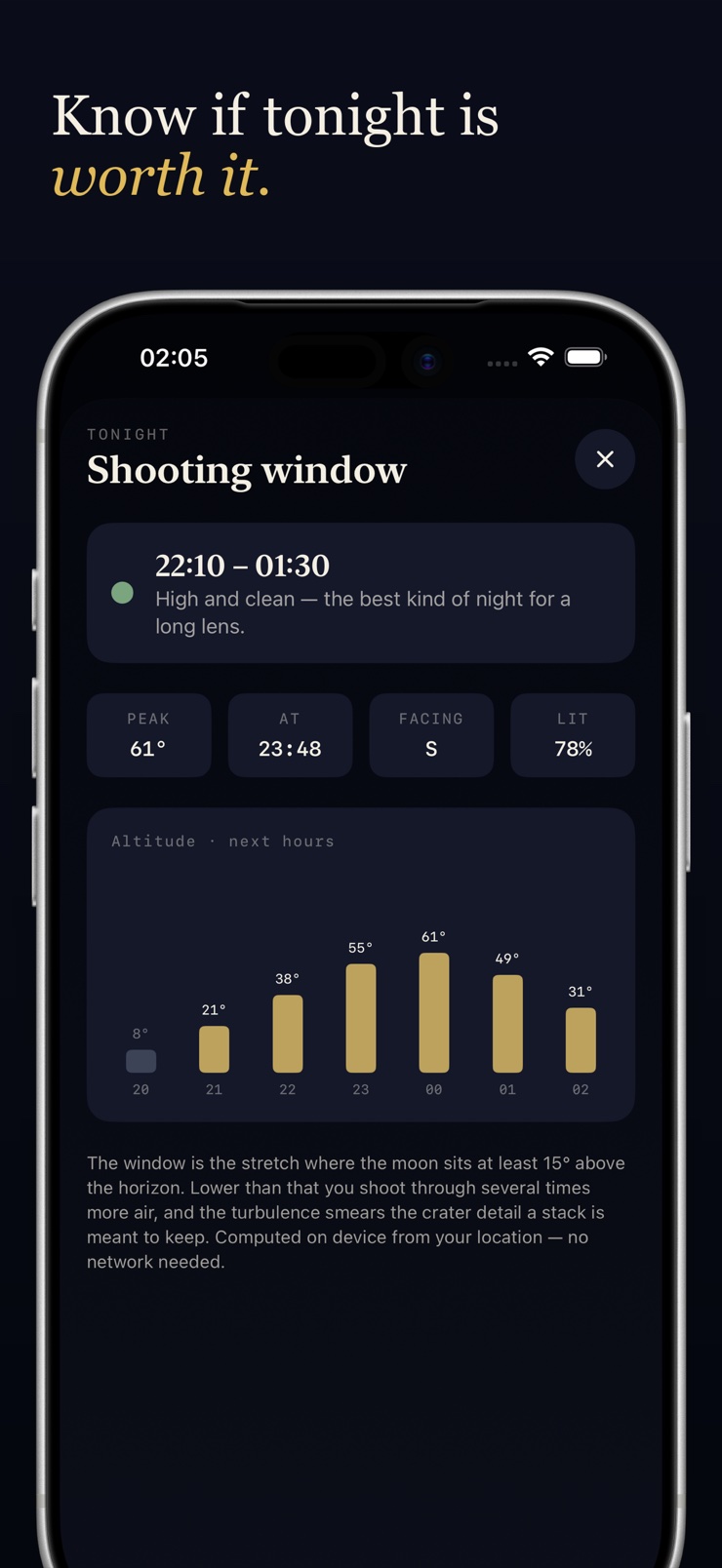
An hour-by-hour altitude curve shows when the moon climbs high enough for a long lens, and when the window closes.
Phase, illumination, altitude, azimuth, and moonrise are computed on device and work fully offline, far from cell service.
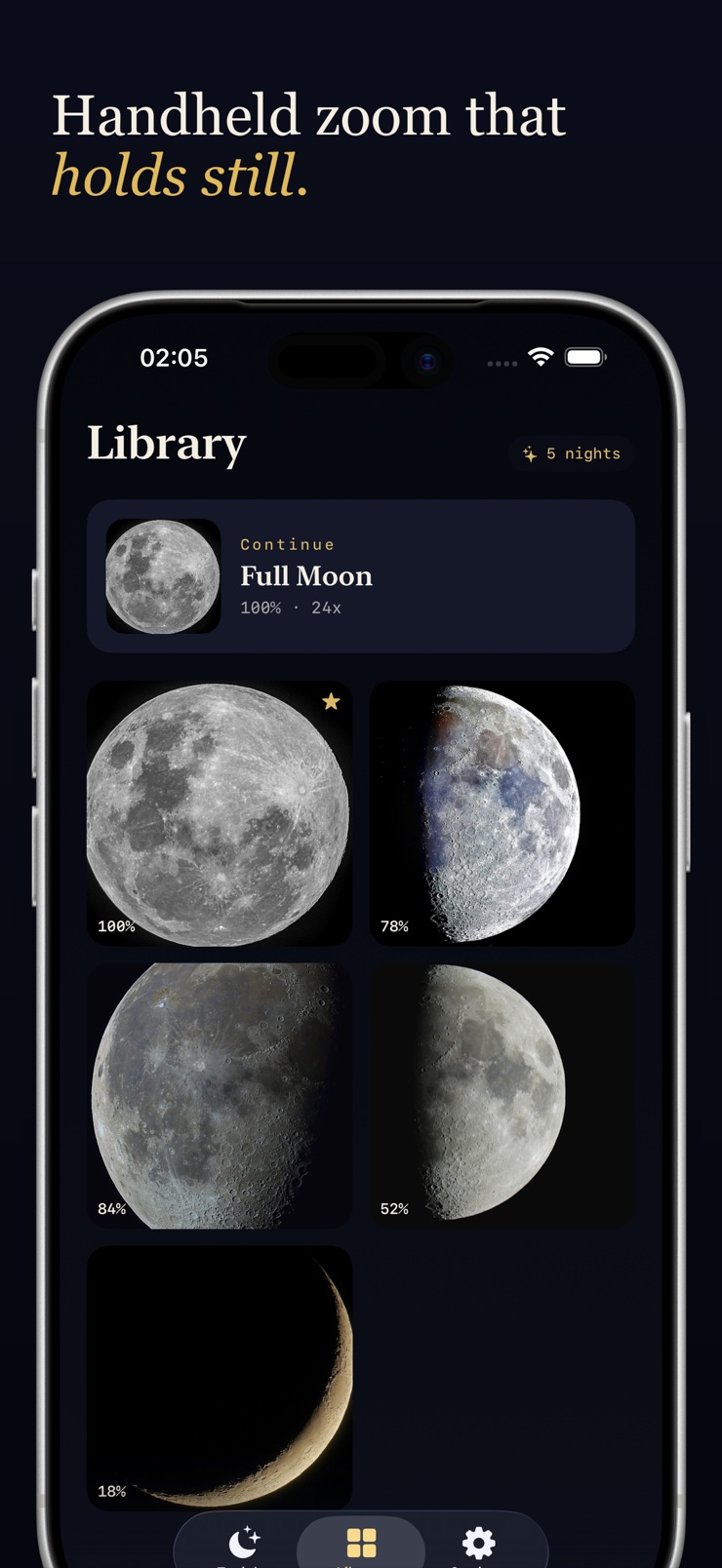
Shoot in ProRAW and export the full-resolution file of any keeper to edit or print, with every shot kept in a library.
Open Lunark and tonight's phase, illumination, and shooting window tell you whether it is a night worth going outside for.
Aim your iPhone telephoto at the moon and pick your zoom — the viewfinder meters for the lunar surface as you frame.
Lunark captures five frames and stacks them on-device into one sharp handheld photo.
The result appears in seconds — share it straight away or export the full-quality file from your library.
The two hard parts are exposure and hand shake: the moon is a small, bright object against a black sky, and telephoto zoom magnifies every tremor. Lunark handles both by metering for the moon and stacking five frames into one shot, so a handheld tap produces a photo with visible craters and a clean edge.
The default camera exposes for the dark sky, which overexposes the moon into a glowing disc, and long zoom amplifies hand movement into blur. A dedicated moon camera mode exposes for the lunar surface and combines multiple frames, which is exactly what Lunark's one-tap capture does.
Yes. Frame stacking aligns several short exposures and merges them, cancelling out most handheld shake even at high zoom. Lunark's stacking is designed for handheld shooting, so a steady grip and a tap are enough for a shareable shot.
Stacking captures several frames of the same subject and merges them, keeping the sharp detail and averaging away noise and motion blur. It is the standard technique in astrophotography, and Lunark applies it automatically — one tap captures and stacks five frames on your iPhone.
The thing that decides it is altitude: low on the horizon you are shooting through several times more air, and the turbulence smears exactly the crater detail a stack is meant to keep. Lunark computes tonight's shooting window — the stretch when the moon sits high enough for a long lens — and shows the hour-by-hour altitude curve behind it.
Moonrise shifts by roughly 30 to 70 minutes each day, which is why it is easy to miss. Lunark computes the moonrise and moonset for your location from standard astronomical algorithms and shows them next to tonight's phase, so you know when to be outside without looking anything up.
Many photographers prefer the days around the quarter moons, when sunlight strikes the surface at an angle and long shadows make craters stand out; a full moon is brighter but flatter. Lunark shows tonight's phase and illumination percentage so you can decide whether to shoot now or wait a few nights.
Yes, all of it. Phase, illumination, altitude, azimuth, moonrise, and the shooting window are calculated on the device from your location, and capture and stacking never need a connection. A dark-sky spot with no bars changes nothing about how the app works.
Treat it like any moon shot with better timing: know when the moon rises, wait until it clears the low haze near the horizon, and use stacked capture for sharpness. Lunark's moonrise times and shooting window handle the timing, and the one-tap stacker handles the shot itself.
Digital zoom alone magnifies noise and shake along with the moon, which is why single zoomed frames look soft. Combining the optical telephoto lens with multi-frame stacking recovers detail — that combination is the core of how Lunark shoots, across its zoom presets.
With the telephoto lens and frame stacking, yes — the terminator line and the larger craters come through clearly, especially around the quarter phases when the shadows are longest. Lunark exposes for the lunar surface so that detail is not blown out into white.
Yes, if your iPhone supports ProRAW. Lunark can capture in ProRAW and keeps every shot in a library, so you can export the full-quality file later and take it into a proper editor or send it to print without extra compression.
The telephoto lens is the starting point, and beyond it the useful range depends on how much shake and noise you can cancel. Lunark offers fixed zoom presets from wide to extreme and stacks frames at each one, so you can push past the optical limit and still keep an edge on the disc.
Point at the moon tonight and walk away with a photo worth sharing.
Download on theApp Store