Scan printed lab sheets, import patient portal PDFs, and log doctor visits — your health paperwork becomes one private timeline on your iPhone.
Download on theApp Store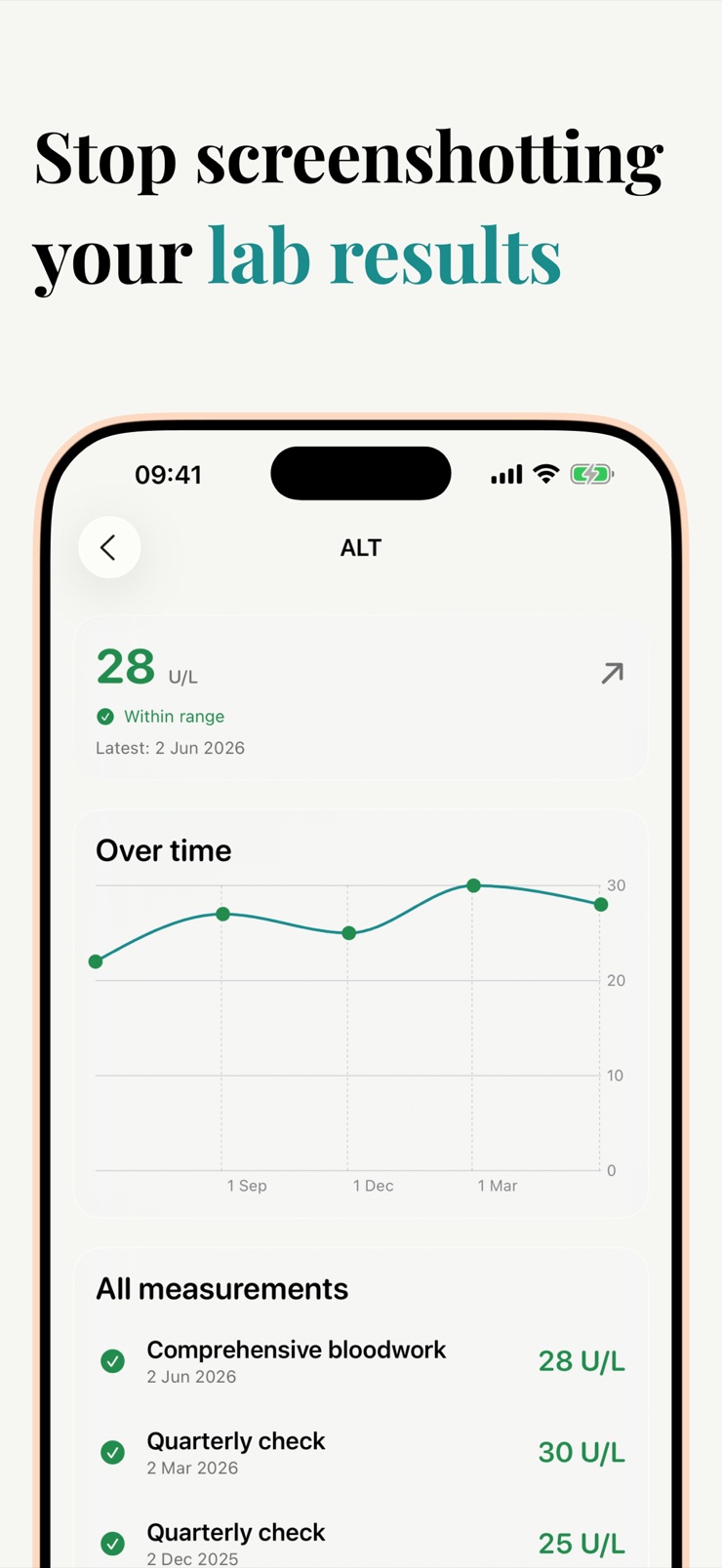
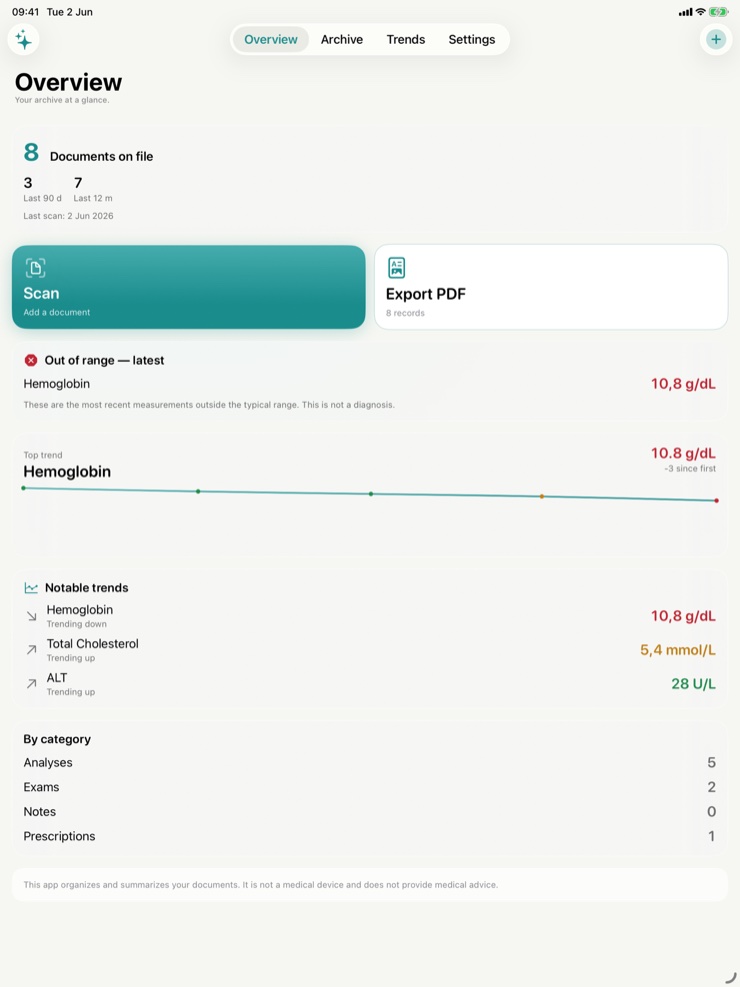
Medical Records is a calm, private home for your health paperwork. Scan a lab result, type in what the doctor said, drop in a PDF from the patient portal — and your medical history comes together as a real timeline, not a pile of email attachments.
The app works with any lab, any hospital, any country. There is no network you have to be part of and no portal you have to wait for. Snap a photo of a printed lab sheet or import the PDF you already downloaded, and the values land where they belong.
Everything stays on your device, with optional iCloud sync for backup across iPhone, iPad, and Mac. Medical Records is a document-storage and trend-visualization tool — it is not a medical device and does not give medical advice, diagnosis, or treatment recommendations.
Point the camera at a printed lab result and on-device recognition extracts the values. No photos leave the phone.
Drop in the PDF you downloaded from any patient portal and its values file into your timeline automatically.
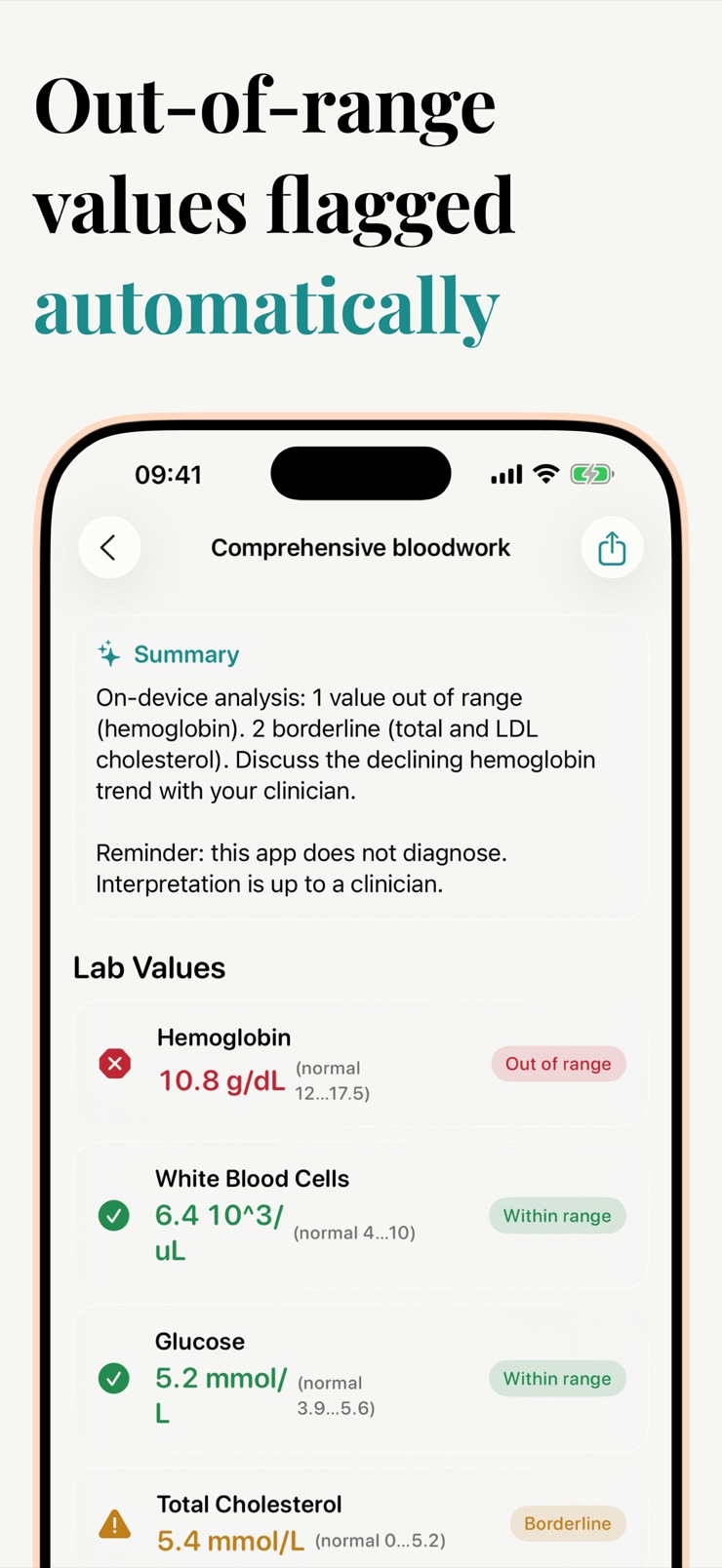
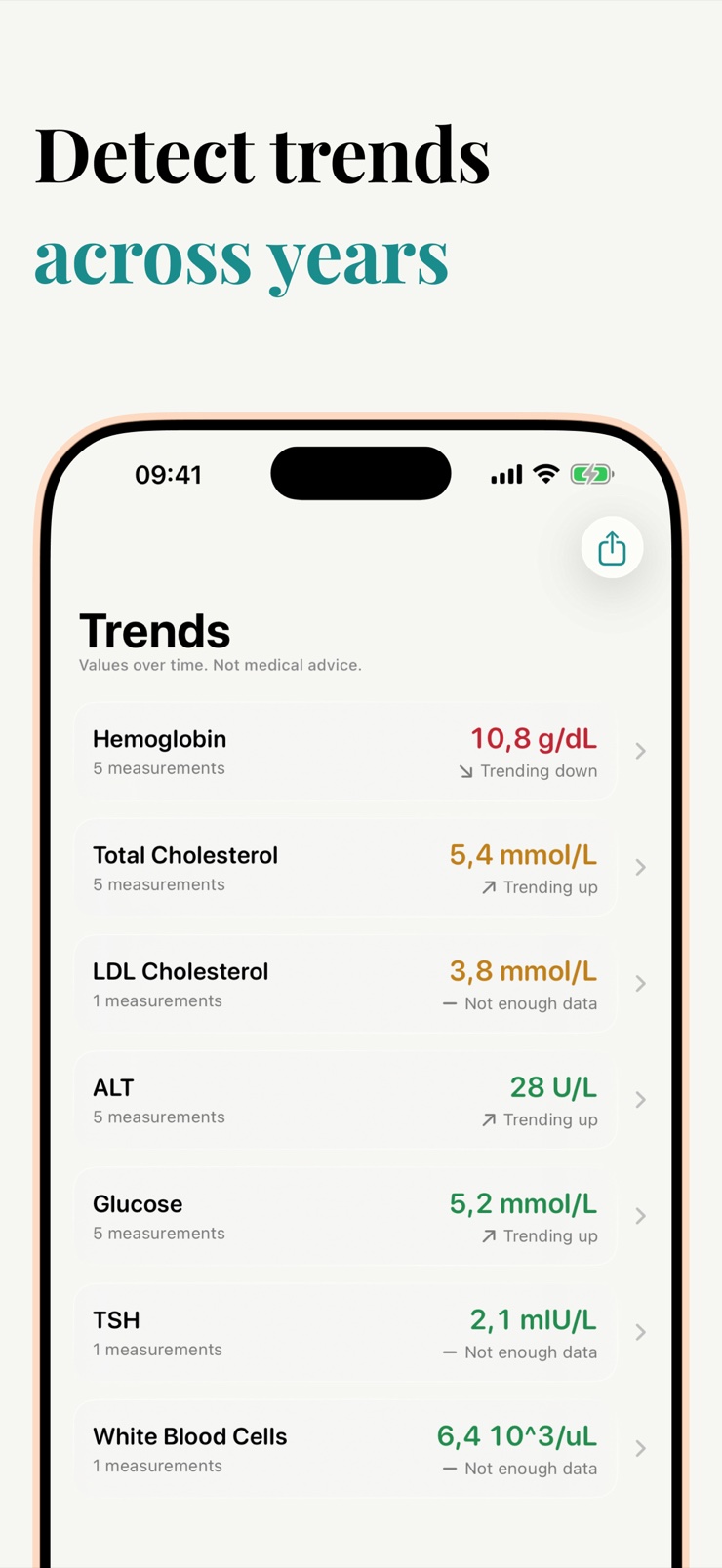
See how hemoglobin, cholesterol, glucose, or any other value has moved over the last twelve months. Values that drift out of their reference range are highlighted.
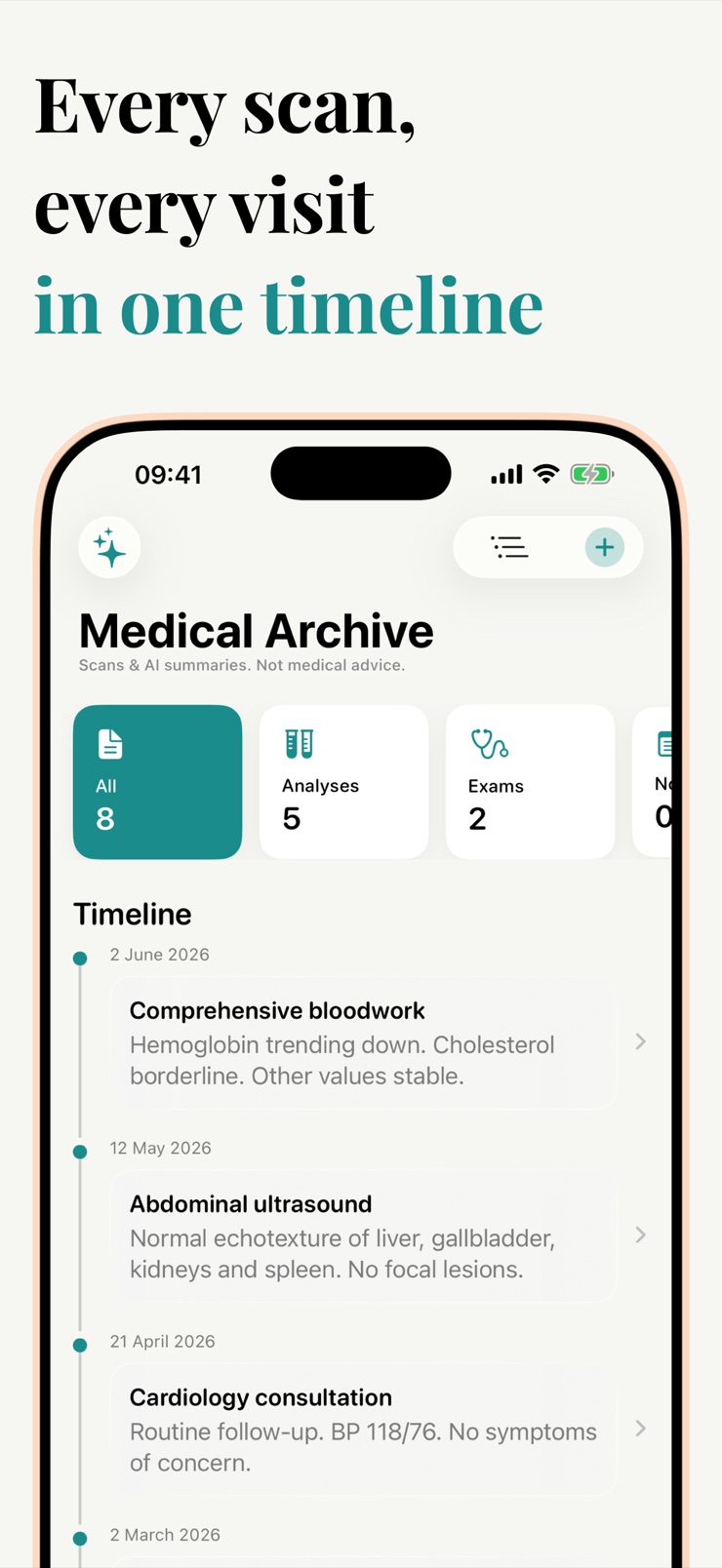
Each doctor appointment is a card with your notes, the prescriptions you walked away with, the next follow-up date, and any documents scanned at the office.
Before an appointment, generate a clean one-page summary of your last twelve months of labs, visits, and prescriptions to hand to the doctor.
No account, no cloud profile, no analytics linked to you. Records stay on your device unless you choose to share a summary.
Scan a printed lab sheet with the camera or import a PDF from any patient portal. Values are extracted on the device.
After each appointment, jot down what the doctor said, the prescriptions, and the follow-up date.
Open the trends view to see each value plotted over time, with out-of-range results flagged for a quick scan.
Tap share to build a one-page summary for your next appointment. Nothing leaves the phone unless you send it.
Yes. Medical Records collects scanned lab sheets, patient portal PDFs, and your own doctor visit notes into a single timeline on your iPhone. It works with paperwork from any lab, hospital, or country, so records from different providers finally live together instead of being scattered across email attachments and portals.
Add each result once — by scanning the printed sheet or importing the PDF — and the app plots every value on a trend chart. You can see how a number like glucose or cholesterol has moved over the last twelve months, and results that drift out of their reference range are highlighted so changes stand out at a glance.
Yes. Medical Records uses Apple's on-device document recognition to read a photo of a printed lab sheet and extract the values into your history. The processing happens entirely on the phone, so the image is never uploaded anywhere.
Download the PDF from your portal as usual, then open it in Medical Records or use the share sheet. The app reads the lab values out of the document and files them into your timeline alongside your other results.
No. Medical Records is a document-storage and trend-visualization tool, not a medical device. It does not provide medical advice, diagnosis, treatment recommendations, or dosing guidance. It simply organizes the paperwork you already have so you can discuss it with your doctor.
In this one, yes. Records are stored on your device, there is no account, and no analytics are linked to you. Optional iCloud sync exists purely for your own backup across iPhone, iPad, and Mac, and nothing is shared unless you export a summary yourself.
Tap the share button and the app assembles a clean one-page summary: your last twelve months of labs, visits, prescriptions, and any flagged out-of-range values. You can hand it to the doctor, print it, or paste it into a portal message.
Yes. The Visit Log gives each appointment its own card with your notes, the prescriptions you received, the next follow-up date, and any documents you scanned at the office. Tapping a month shows the labs and visits from that period together.
Yes. Because you add records by scanning paper or importing PDFs, there is no required network, integration, or supported-provider list. Results from any lab, clinic, or hospital in any country can go into the same timeline.
Lab reports usually print a reference range next to each value, and results outside that range are conventionally flagged. Medical Records highlights those values on its trend charts so they are easy to spot and bring up with your doctor — the app itself does not interpret what a result means for your health.
No. There is no sign-up, login, or cloud profile. The app opens straight to your records, and your data stays on the device you added it to, with iCloud used only if you enable backup sync.
Yes. Medical Records runs on iPhone and iPad, and on Mac via iPad compatibility. With optional iCloud sync turned on, the same records and trends appear on all of your devices.
Use the one-page summary. It condenses your recent labs, visit notes, and prescriptions into a single document a new doctor can read in a minute, which is much easier than forwarding a folder of PDFs and photos.
Turn scattered lab sheets and portal PDFs into one private health timeline.
Download on theApp Store